Masimo LiDCO Chapter 3: Setting Up
www.masimo.com 18 Masimo
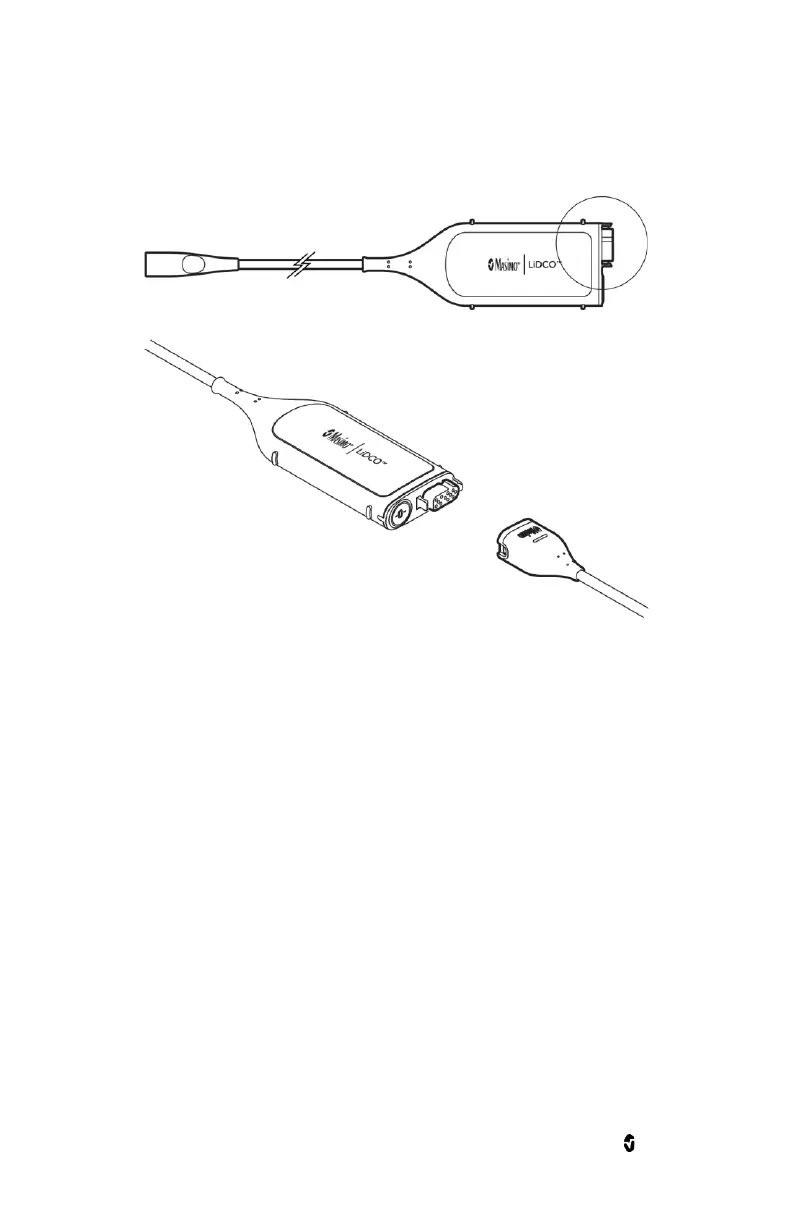
To connect the LiDCO Module to a LiDCO Cable :
For additional details, see the Directions for Use (DFU) for the cable.
1. Align the LiDCO Cable connector with the cable connector on the LiDCO Module.
2. Insert the LiDCO Cable connector securely into the LiDCO Module cable connector.
Connecting the LiDCO Cable to a Pressure Source
Note: The way to connect the LiDCO Cable to a 3
rd
party patient monitor varies based on the cable type.
For additional details, see the Directions for Use (DFU) for the cable or reach out to your local sales
representative.
1. Using a Direct Connection to a Blood Pressure Transducer
a. Select a BP Module Cable with connectors that are compatible with your Pressure
Transducer based on the connector type and manufacturer information.
b. Connect the BP Module Cable to the LiDCO Module cable connector (1).
c. Connect the BP Module Cable to the 3
rd
Party Patient Monitor cable connection (2).
d. Connect the BP Module Cable to the Blood Pressure Transducer (3).


 To Next Page