www.masimo.com 25 Masimo
Chapter 4: Operation
The following sections describe how Masimo LiDCO information is displayed, including display details
and accessing and changing user-configurable settings.
Masimo LiDCO Window
When the LiDCO Module is connected to the monitor, parameters and measurements display in a
window. Masimo LiDCO parameters can display as numeric values as either absolute or indices. Only
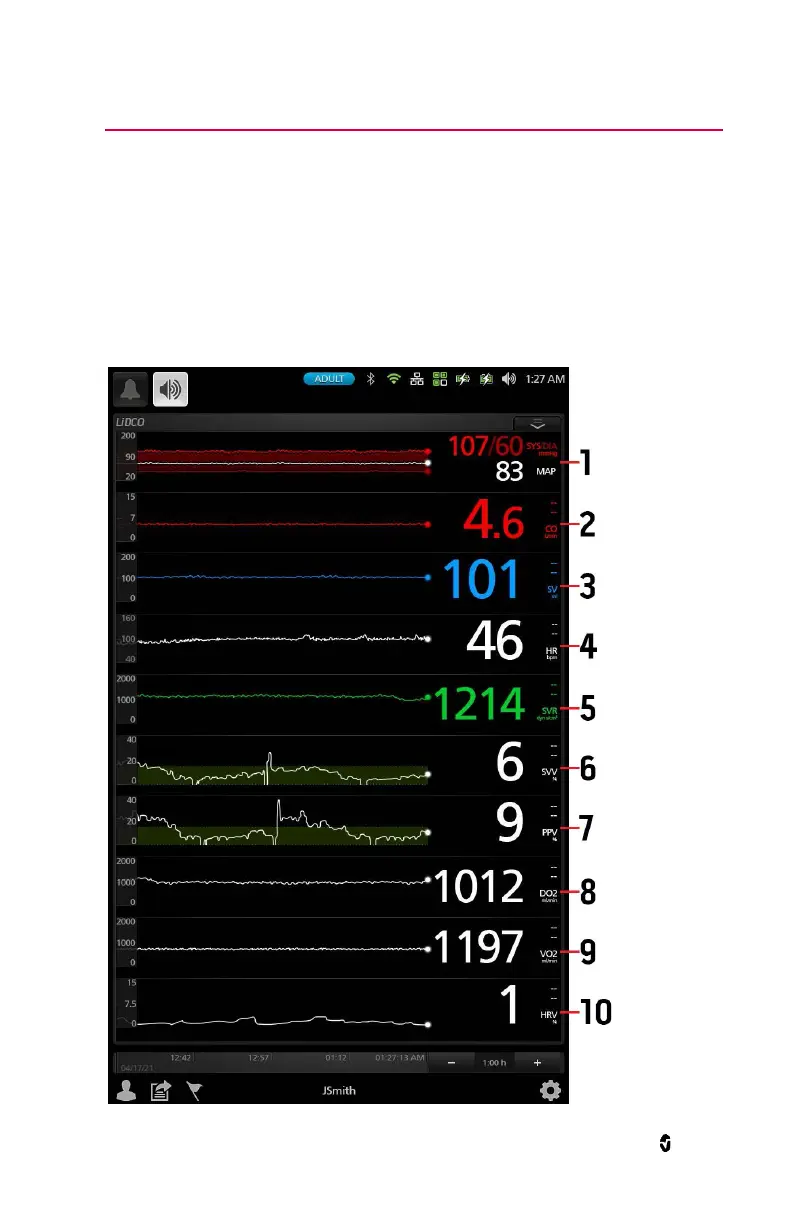
select parameters are available in indices. The image below shows Masimo LiDCO trend screen.


 To Next Page