Rad-97 Service Manual Chapter 3: Service Procedures
Masimo Corporation 33 www.masimo.com
6. Reconnect the ribbon cable to the circuit board on the faceplate.
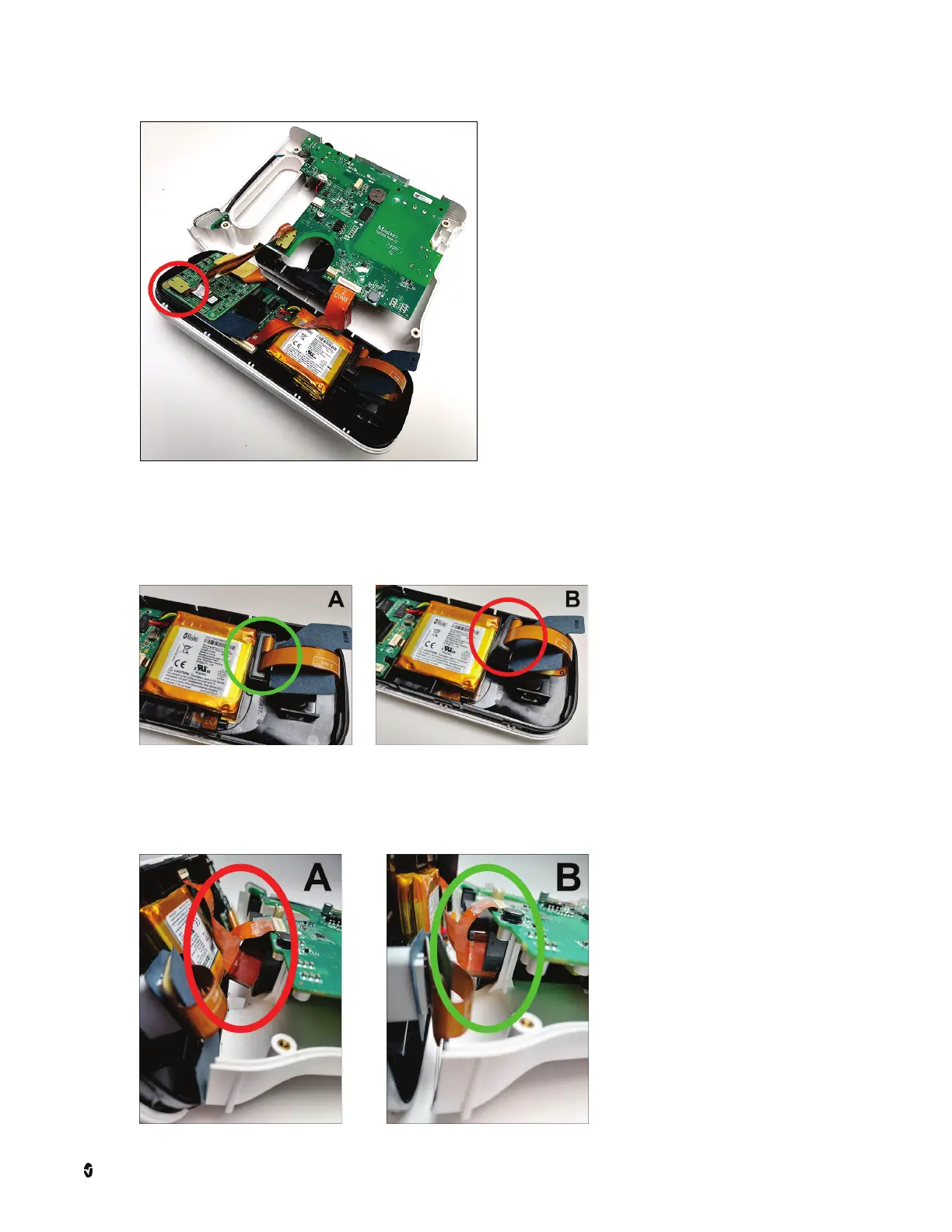
7. Verify that this component in the picture below fits within the allotted slot in the chassis before proceeding. If the component is not aligned properly, push it into
place gently.
• In image A, the component sits within the slot and is not protruding outside of the designated area.
• In image B, the component is improperly aligned and protruding outside of the designated area.
8. If this component becomes loose as shown in the picture below, reposition it such that it fits within the allotted space below the board.
• In image A, the component is improperly aligned and protruding outside of the designated area.
• In image B, the component sits within the slot and is not protruding outside of the designated area.



 To Next Page