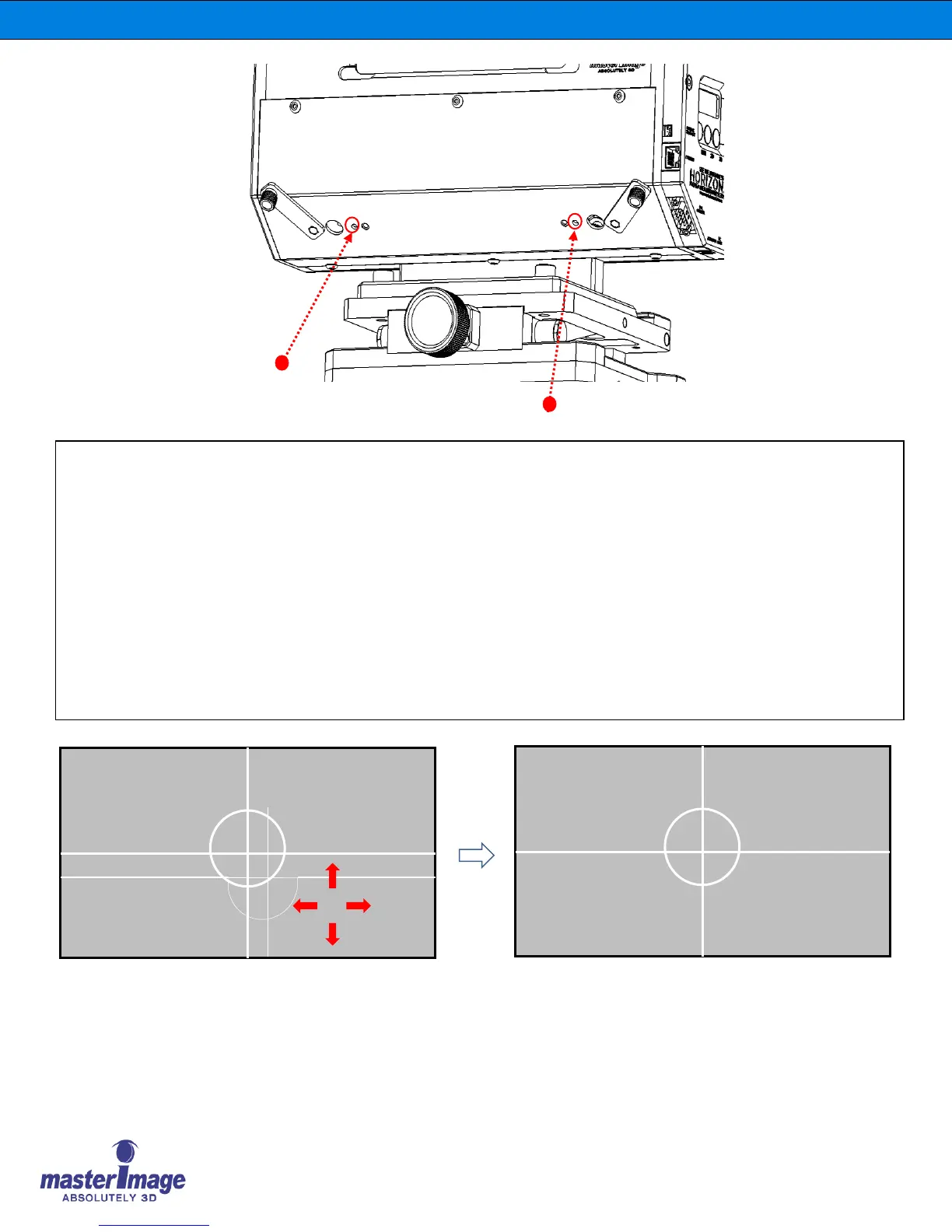
Lower Half Image Alignment
To achieve the best 3D display, the Optical Head must be installed properly and aligned optimally.
Tools Required: 2mm or 5/64” hex key wrench (Type: Small Right Angle)
7. Align the Lower image lines by turning the lower horizontal alignment screw.
(Clockwise: LEFT, Counter-Clockwise: RIGHT)
8. Align the Lower image lines by turning the lower vertical alignment screw.
(Clockwise: DOWN, Counter-Clockwise: UP)
9. Check if the Lower Half Image is aligned properly as below.



 To Next Page