be needed.
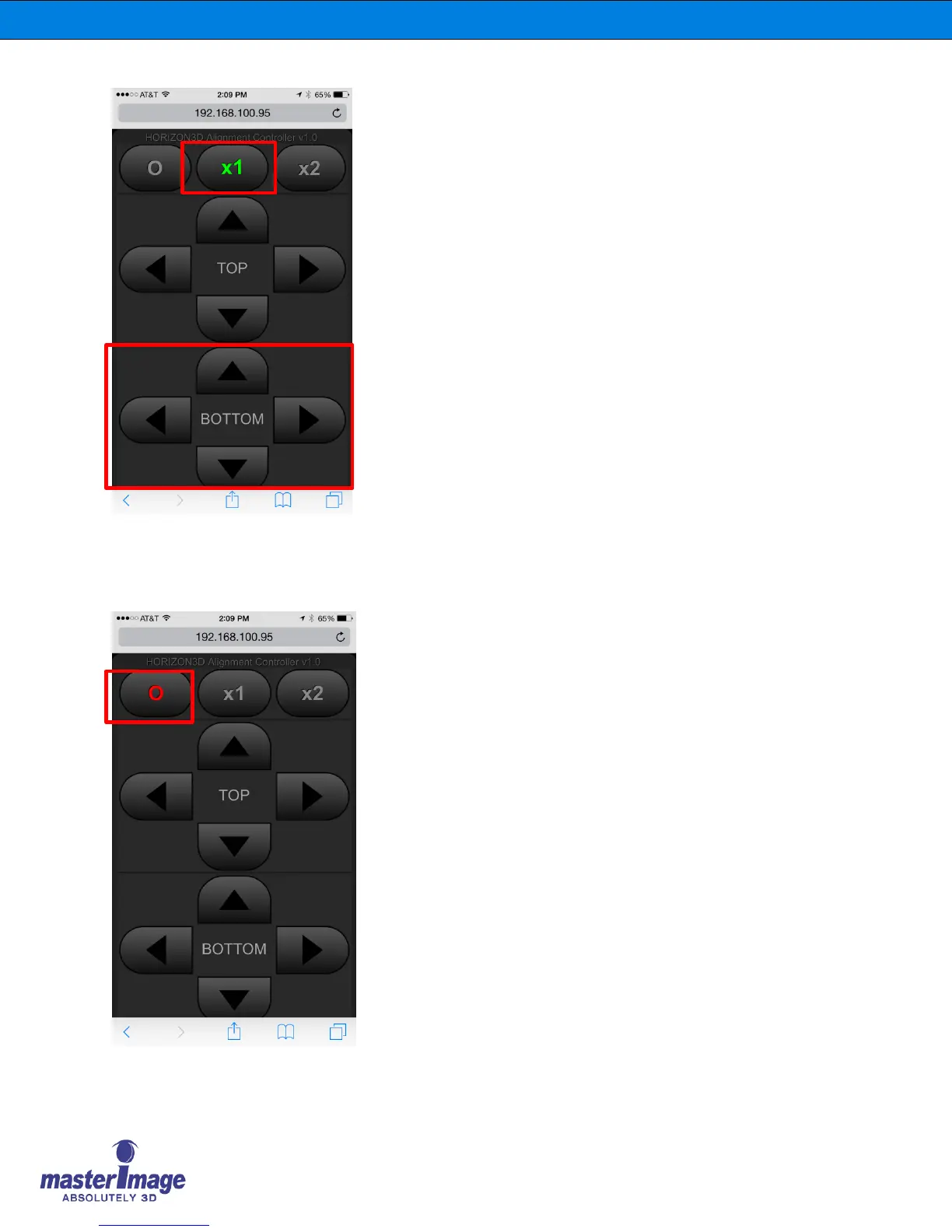
Pressing the x1 button so it displays green
indicates that the wireless Alignment
Controller feature is active in ‘low-speed’
mode.
Use this mode for slower, more accurate
alignment if the image once the correct
position has nearly been reached.
Use the directional buttons to accurately align
the image following the same criteria in 6.2.2
Image Alignment – Manual
Carry out this procedure for both the top and
bottom images.
Once alignment is complete press the button
to display the O indicating the wireless
Alignment Controller feature is disabled
preventing accidental movement.



 To Next Page