Installation & Operation Manual | HORIZON3D
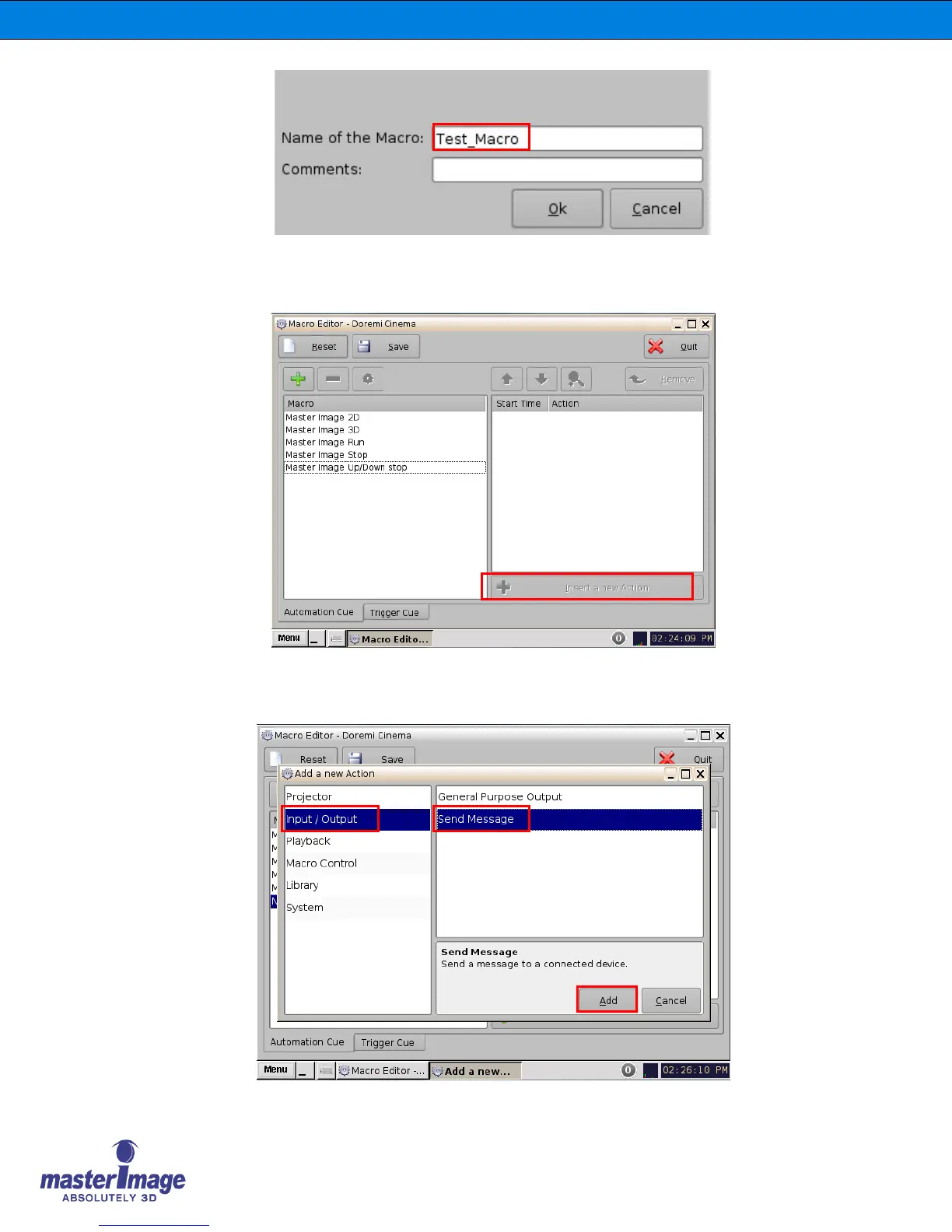
2. After the item has been created click OK return to the main Macro Editor screen.
Repeat this process for the other four required macros, MasterImage Stop,
MasterImage 2D, MasterImage 3D and MasterImage Up/Down Stop.
3. To insert an action for each newly created macro, select the macro in question from
the list within the Macro window and click the Insert a New Action button which will
become available.



 To Next Page