Page 45 of 54 5100054 BND01O03.docx
11.5. Lubricating the brake screws
11.5.1. Lubricating the brake screws for the Extension Arm
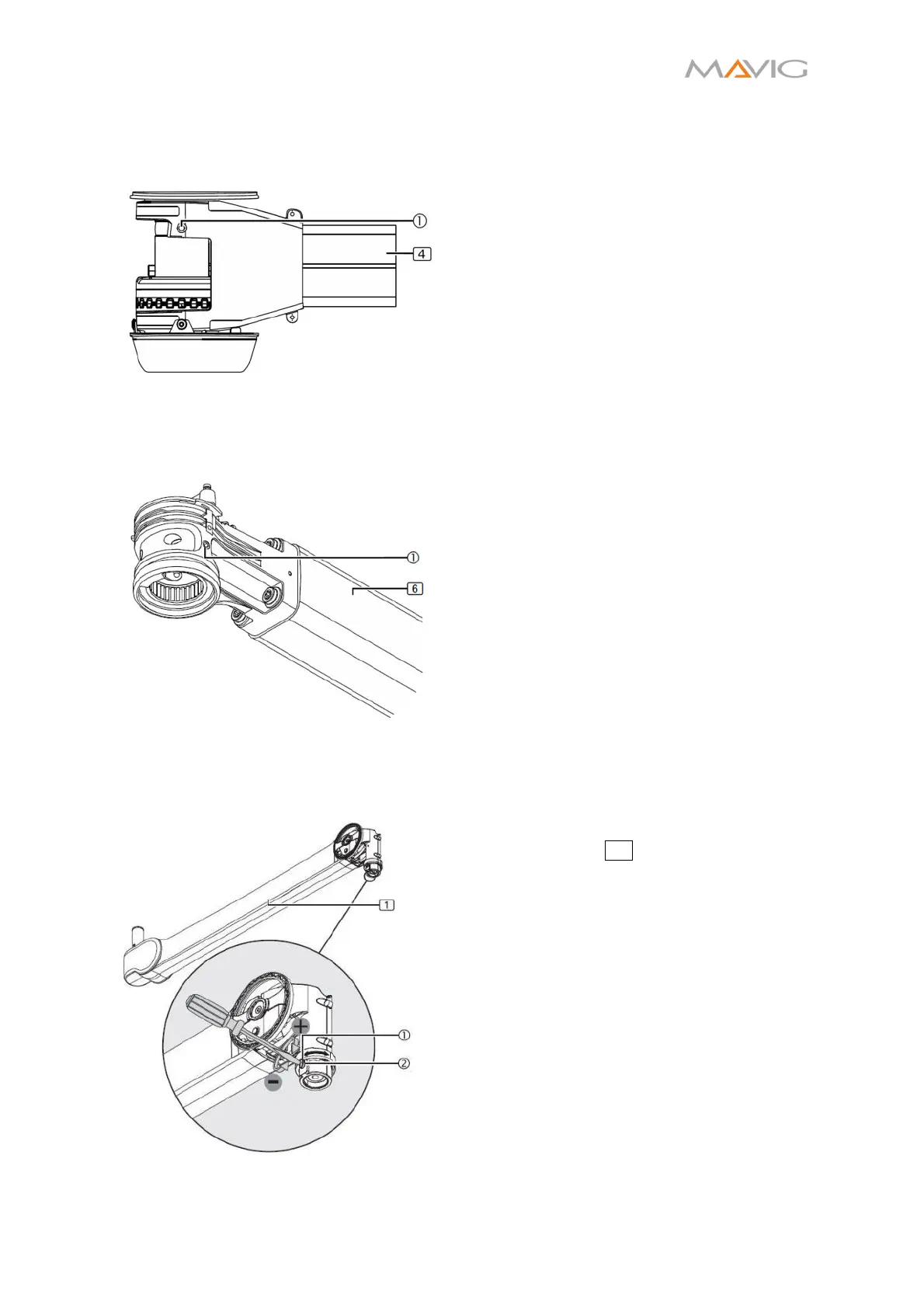
Figure 43 Position of the Extension Arm
Brake Screws
1. Disassemble the covers according to
Section 10.16, page 34.
2. Unscrew both brake screws as described
in Section 10.15.1, page 33.
3. Lubricate the brake screws with Microgleit
GP360 and screw them back into place.
4. Adjust both brakes screws as described in
Section 10.15.1, page 33.
5. Install the covers according to Section
10.16, page 34.
11.5.2. Lubricating the brake screws for the Spring Arm
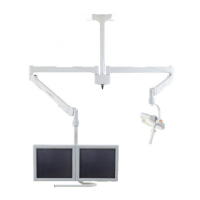
Figure 44 Position of the Spring Arm Brake
Screws
6. Disassemble the covers according to
Section 10.17, page 35.
7. Unscrew the brake screws as described in
Section 10.15.2, page 33.
8. Lubricate the brake screws with Microgleit
GP360 and screw them back into place.
9. Adjust the brake screws according to
Section 10.15.2, page 33.
10. Install the covers according to Section
10.17, page 35.
11.5.3. Lubricating the brake screws for the Injector Column
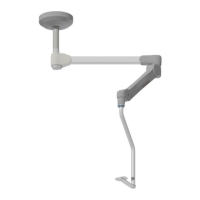
Figure 45 Position of Injector Holder Brake
Screws
11. Remove the Front Spring Arm Covers from
the spring arm 1 according to Section
10.18.1, page 35.
12. Unscrew the brake screws as described in
Section 10.15.3, page 33.
13. Lubricate the brake screws with Microgleit
GP360 and screw them back into place.
14. Adjust the brake screws according to
Section 10.15.3, page 33.
15. Install the socket covers according to
Section 10.18.1, page 35.


 To Next Page