Page 37 P/N 03521015 Rev Q
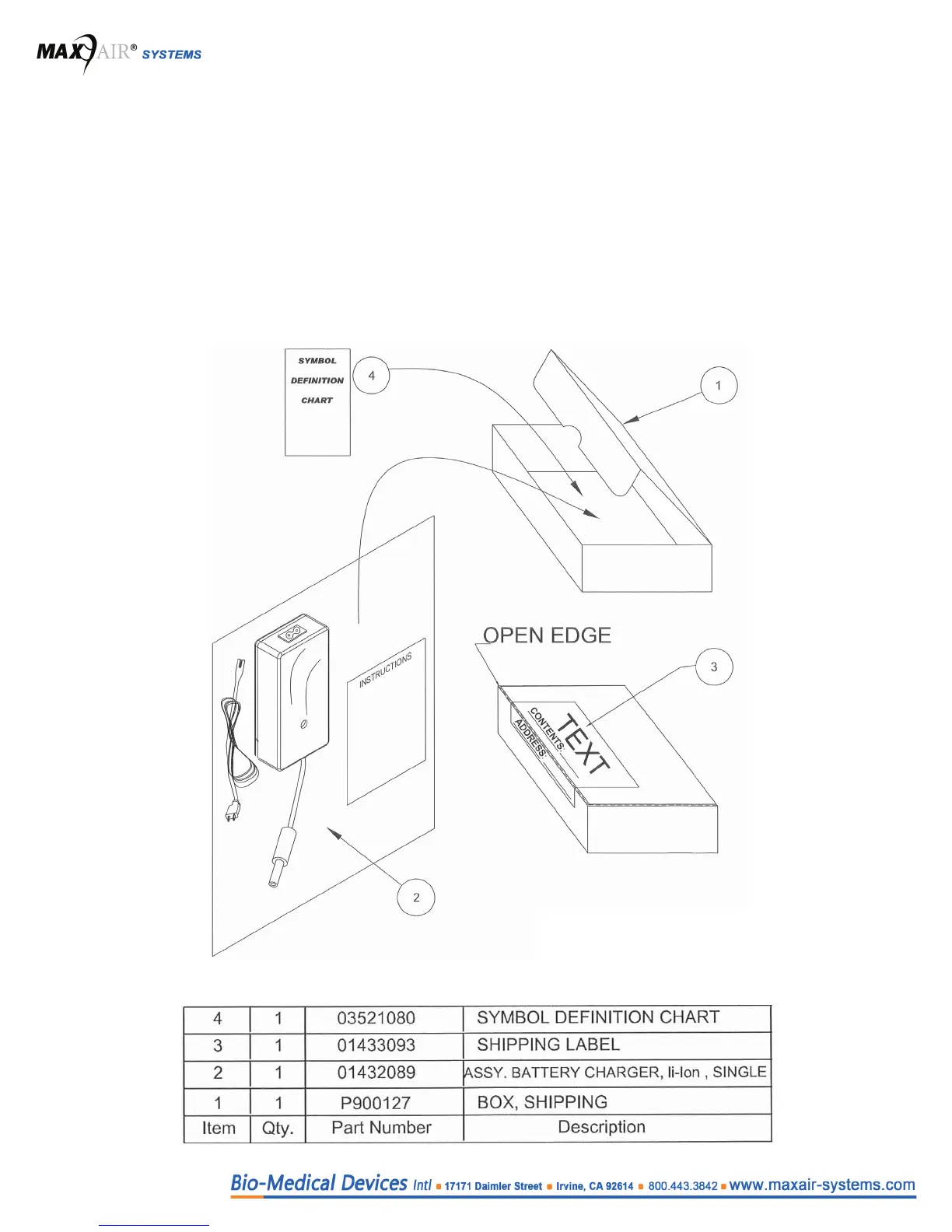
4.4 Unpacking the 2600-01 (01432089) Battery Charger
Carefully unpack the 2600-01 Battery Charger from the shipping box. Verify there are no missing or loose components and
that the Charger shows no signs of physical damage. Connect the Charger to a working wall outlet and verify that the Green
LED is lit. Connect the Charger to a Battery that powers a MAXAIR Helmet with either a red LED or one or two Green LEDs lit,
and verify that when that Battery is connected to the Charger, the Charger LED turns from Green to Red to indicate that it is
charging the Battery. Report any damage or non-function to the shipper immediately for resolution.
Contact Customer service 1-800-443-3842, if you have questions.


 To Next Page