Page 30 P/N 03521015 Rev Q
3.6.3 Characteristics Details (Refer to pages 20-21)
CONDITION DESCRIPTION YELLOW GREEN
3
GREEN
2
GREEN
1
RED
1 Battery charge OK, 75% to 100%, Airow OK
2 Battery charge OK, 50% to 75%, Airow OK
3 Battery charge OK, 25% to 50%, Airow OK
4 Battery charge LOW, 0% to 25%, Airow OK
5 Airow LOW, Battery charge LOW
6 Airow LOW, Battery charge OK, 75% to 100%
7 Airow LOW, Battery charge OK,50% to 75%
8 Airow LOW, Battery charge OK, 0% to 50%
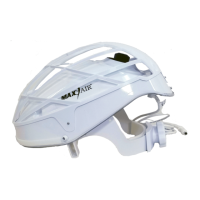
1 Front Helmet Adapter - For assembly of Hoods to Helmet
2 Clean Air Flow Distribution Holes - 10 air vents bringing ltered air to the user.
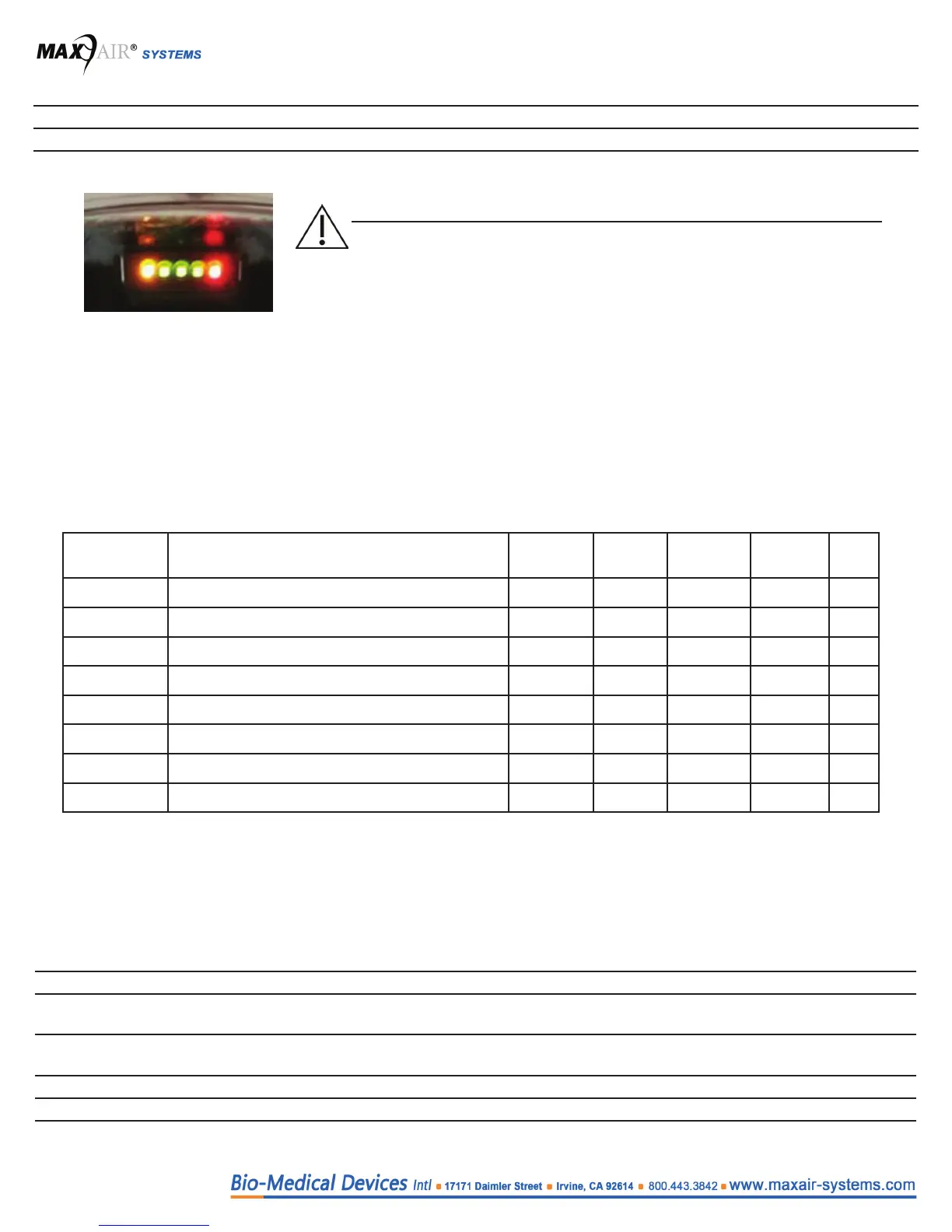
3 LED Safety Status Indicators
● The CAPR Helmet has ve LED Safety Status Indicators located on its underside front that are always visible in the user’s
peripheral vision. They alert the user to the safe operating conditions of the system. They will provide an early warning alert to
the user when the CAPR Helmet is no longer able to maintain adequate airow and/or Battery charge to provide adequate or
continuing protection for the user.
● There are ve LED Safety Status Indicators, one yellow, three green, and one red. On start-up, all LED’s should come on
briey (LED test) before proceeding to normal operation. During normal operation, the LEDs continuously indicate the status
of the Airow and Battery charge level.
● Airow is proper if the Yellow LED is o. A continuously lit or ickering Yellow LED indicates low or marginal airow. If the
Yellow LED is lit, check the Filter Cartridge for excess particulate/dirt build-up and damage, and replace if necessary.
● The Battery charge level is indicated by the three Green and one Red LEDs. The approximate charge level is continuously
indicated by the changing LEDs.
● When all three Green LEDs are lit, the Battery has approximately 75% to 100% of its charge.
● When two Green LEDs are lit, the Battery has approximately 50% to 75% of its charge.
● When only one Green LED is lit, the Battery has approximately 25% to 50% of its charge. When this occurs the user should
prepare to exit to a safe area to obtain a fully charged Battery.
● When all three Green LEDs are o and the Red LED is lit, the Battery level is low, with approximately 0% to 25% charge left.
When this occurs the user should promptly exit to a safe area to obtain a fully charged Battery.
● If the Battery did not provide 8-10 hours of use, change to a fully charged Battery or recharge the current Battery. (The
optional large Battery can provide as much as 16-20 hours of use per charge).
4 Front snaps for Liner - Front mounting of Liner to Helmet
5 Front Headband Comfort Strip - Provides cushion for comfort. Attached via Velcro, and removable. For replacement
refer to Sections 7 and 29, Accessories.
6 Side Foam - Part of air sealing system, attached via permanent adhesive. Cannot be replaced, require new Helmet Liner.
For replacement refer to Section 29, Helmets and Helmet Accessories for a replacement Liner.
7 Side Adapters - For assembly of Hoods
8 Front Liner Pads - Provide cushion for comfort. Attached via adhesive. For replacement refer to Accessories, Section 29.
WARNING
Failure to heed the LED Safety Status Indicators and exit
immediately to a safe environment when alarm conditions are
present may be hazardous to the user’s health.
When Green LEDs are not lighted, the user should immediately
exit to a safe area to obtain a recharged Battery.


 To Next Page