Page 44 P/N 03521015 Rev Q
6. Standard System Donning and Dofng
CAUTION
If there is any question about the disinfection status of the CAPR System due to a previous use, it is recommended
to disinfect it before using.
1. Obtain a fully charged battery.
(Charger LED should be green
after battery is connected
to charger for more than 10
seconds.)
3. Place the belt comfortably
around the waist with the
battery near the side-back of
the right hip.
2. Assemble the battery onto the belt. Place the
top edge of the Belt under the Battery Clip.
Move the Belt fully under and up to the top of
the Clip.
4. Remove a DLC from the DLC dispensing box and attach the
DLC Lens, with the DLC cu facing the inside to the helmet.
Remove the DLC Protective lm.
5. Connect the Helmet Power
Cord to the Battery. Push
the Power Cord Connector
into the Battery Receptacle
until the Secure
Connection audibly clicks.
6. Loosen the ratchet
adjustment knob counter-
clockwise to ensure the
Helmet will easily t over the
head.
7. Hold the Helmet by the rear
headband in one hand, pull the
front top edge of the DLC Cu
down, and place your chin into the
DLC Cu. Then, pull the Helmet
over and down on to your head.
Don the System
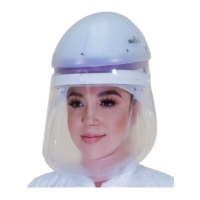
This section describes Donning and Dong the Standard System with the most common face cover, the DLC. The
majority of all the procedures in this section are applicable to other face and head cover donning and dong, particularly
with regards to battery, charger, helmet adjustments, and facial t. Dierences for other congurations are covered in the
respective sections for those other face and head covers.


 To Next Page