Page 60 P/N 03521015 Rev Q
WARNING
For persons with medium to large faces, start with the 2365-02ML DLC. For persons with a very small face,
start with the 2365-02SM DLC.
The DLC Cu side must face to the inside of the Helmet; the Lens side must face to the outside of the Helmet.
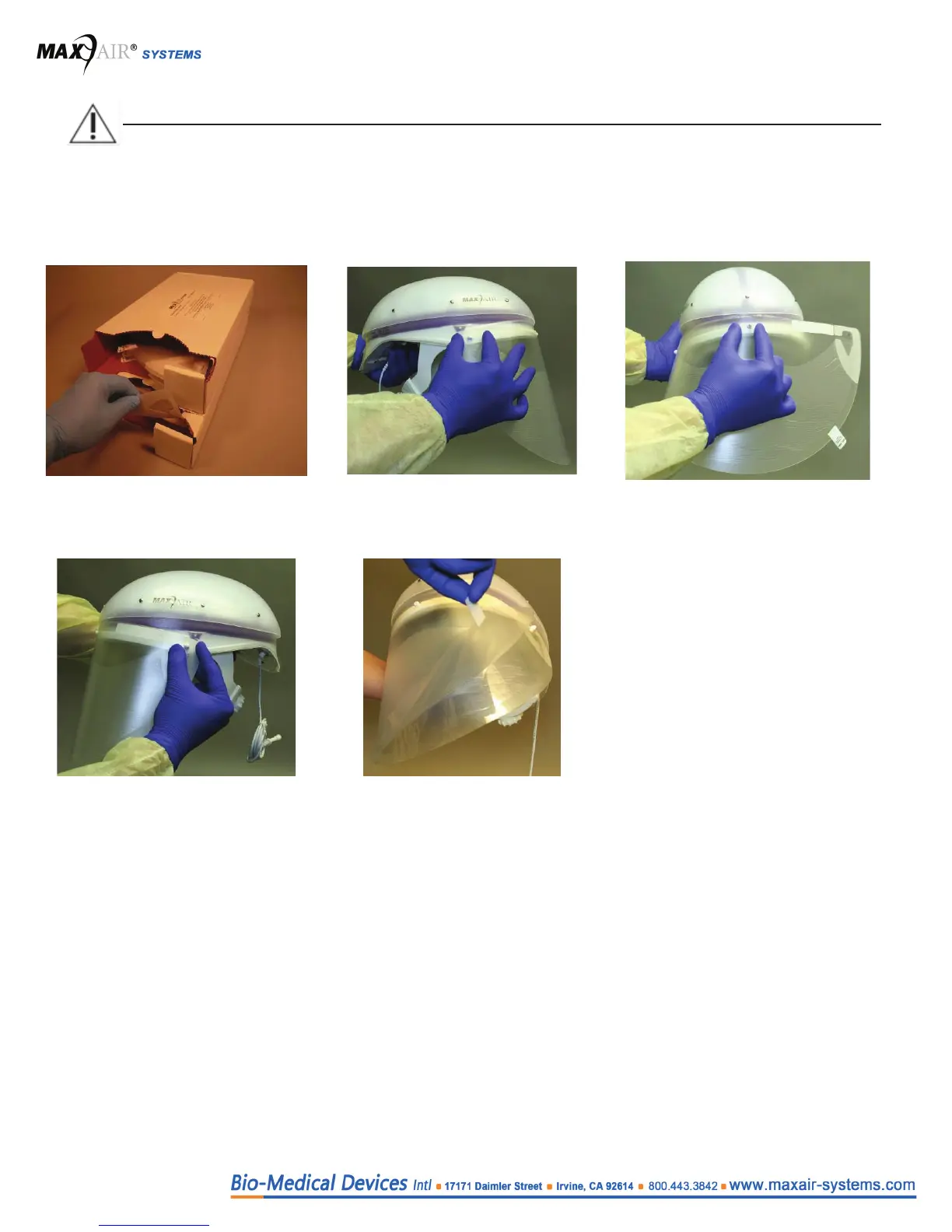
Assembly - before donning the Helmet
1. Obtain the appropriate DLC from
the DLC dispensing box.
2. Align and snap one DLC Side
Attachment Hole over the
respective FCC Side Attachment
Post.
3. Align and snap the DLC Front
Alignment Hole over the Helmet
Front Alignment Post.
4. Align and Snap the other DLC Side
Attachment Hole over the FCC Side
Attachment Post.
5. Pull the DLC Peel Tab up, over
and to the left to remove the Lens
Protective Cover o the Lens.


 To Next Page