EasyManua.ls Logo

Maxcess FIFE-500 MAX - Page 71

Maxcess FIFE-500 MAX
80 pages
Print Icon
To Next Page IconTo Next Page
To Previous Page IconTo Previous Page
Loading...
www.maxcess.com
FIFE-500 MAX Narrow Web Guide
MI 2700XXXXX 18
CHAPTER 4
DLS-8 NORMAL MODE
68 / 77
Setting:
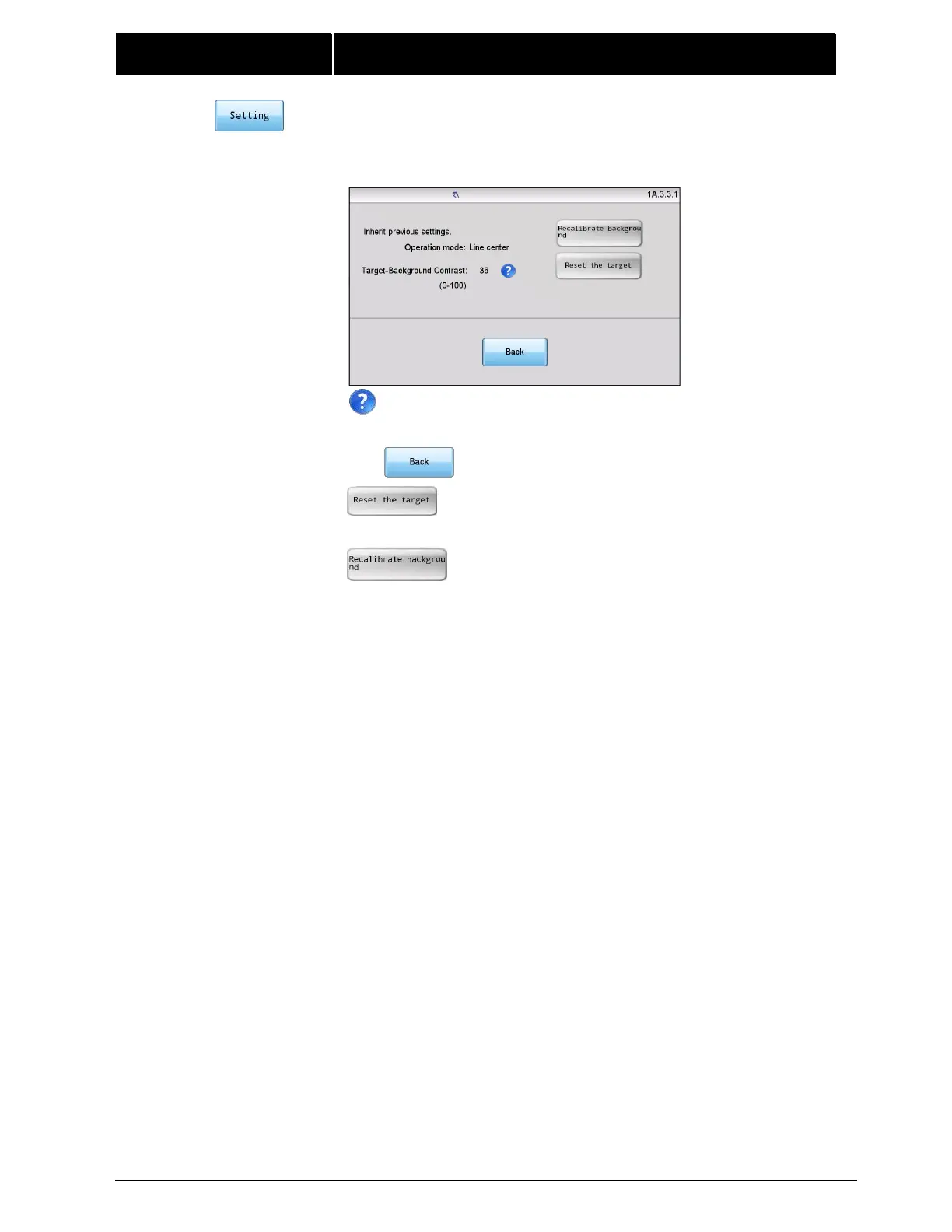
2) Click on this button and if this is not the first calibration, you will see
the screen below.
Click this icon for an explanation of Target-Background
Contrast.
Click to return to screen 1A.3.
To reselect the target, click this button and re-
execute steps 3-5;
To recalibrate, click this button and re-execute
steps 1-5.
Note: If the material is changed after last setup, you need to
recalibrate the background and reset the target for the current
material.


Related product manuals