McHale V Series Baler
72
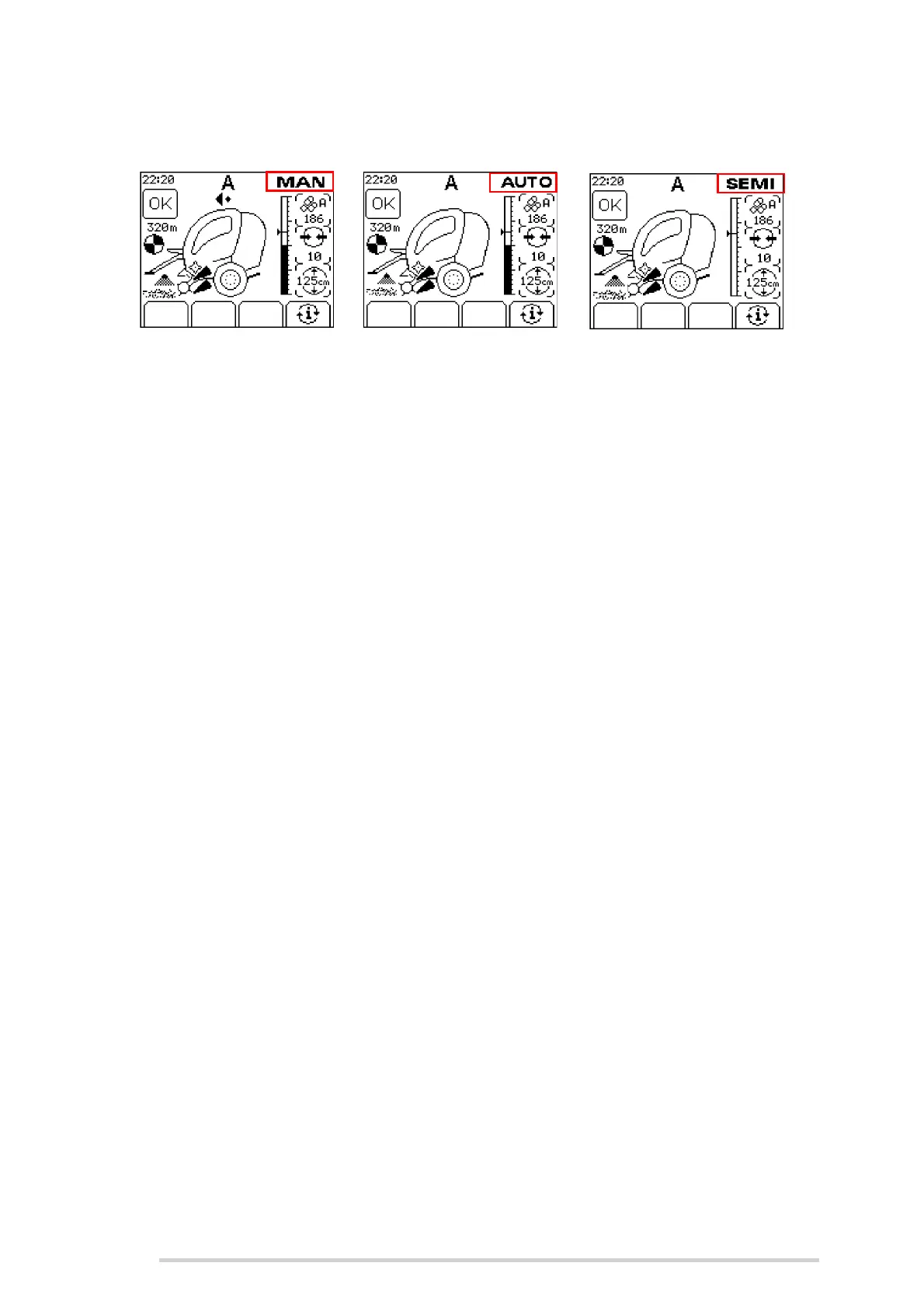
The machine has three operating modes; manual (MAN), automatic (AUTO) and semi
(SEMI).
AUTO is selected by pressing the AUTO/MAN button. The selected mode is displayed
in the top right corner of the screen. (AUTO can only be selected if the chamber door
is closed.)
As the bale is being formed, the diameter increases on the bar graph. At a preset size,
a warning beep will sound to indicate that the bale is nearly full. Once the full bale
diameter is reached, the operator is warned by a series of beeps.
In MAN mode, the operator must complete the net feeding and net cutting functions
manually. The net is fed in by pushing and holding button 5 until the bale catches the
net. When the preset amount of net has been applied, the red light beside button 6 will
flash. The operator then cuts the net by pushing and holding button 6 until the netter
knife trips, otherwise net will continuously be applied to the bale.
In AUTO mode, net is automatically fed into the chamber and automatically cut when
the preset number of layers have been applied to the bale. If the net runs out or fails to
feed, the net feed warning is displayed and the red light beside button 5 will flash.
Replace the net and press the restart netting button.
If the preset diameter has not been reached, pushing net feed (button 5) will start the
automatic netting cycle.
Pushing and holding net feed (button 5) at any time in AUTO mode will delay the
automatic feeding of net, giving the operator a chance to feed in more crop into the
chamber if desired. Netting will begin automatically on release of the button.
In SEMI mode, when the ‘bale full’ diameter is reached, the operator is warned by a
series of beeps. Net does not automatically feed. Press button 5 to start netting. Net
will automatically cut when preset number of layers have been applied. SEMI mode is
useful on hills where the operator does not want to net the bale until the baler is in a
suitable location to eject the netted bale.
Using the tractor spool lever, the chamber door can then be opened to eject the bale
and at this point a bale is displayed on screen. (See ‘Bale not ejected’). Once the bale
has rolled clear and the bale kicker has returned to its normal position, a short beep will
sound and the bale on the screen will disappear to indicate when the bale has rolled
clear of the chamber.



 To Next Page