McHale V Series Baler
73
7.4.1 Main working screen
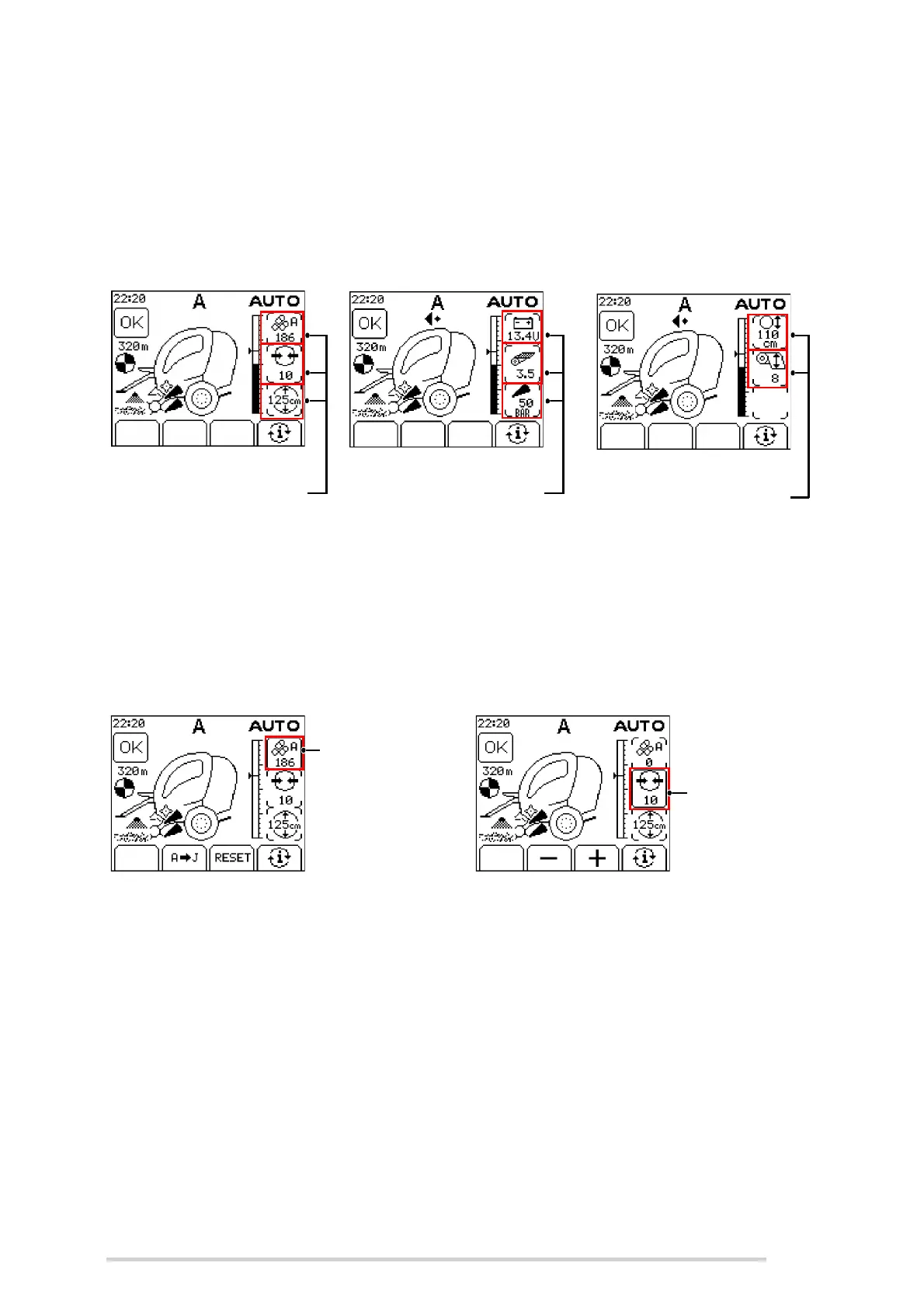
The control unit has all vital information displayed on the screen. The main working
screen displays the most important information. The 2nd and 3rd working screens
display some extra information on the right hand side, which can be accessed by
pressing the ‘i’ softkey (button 4).
Automatic mode screens
The information button can be pressed and held to edit settings displayed in the
information bar on the right of the screen. The selected setting will flash in the
information bar. The selected bale total can be changed, bale totals can be reset;
adjustments to bale density, bale diameter, net layers and net tension can all be made
directly on the information bar using the displayed softkeys.
7.4.2 Unblock floor operation
When a blockage occurs, the PTO should be stopped immediately.
The unblock floor can then be lowered by holding the floor diverter (button 7) and
operating the pick-up spool lever in the down direction.
The PTO can then be re-engaged and when the blockage is cleared the floor can be
raised again by holding the floor button and operating the pick-up spool lever in the up
direction. This works the same in MAN or AUTO mode.
A sensor on the floor indicates when it has dropped from its working position. The warning
below will be shown when the floor is down and the red light beside button 7 flashes.
1st Information screen
Bale total
Density setting
Diameter setting
2nd Information screen
3rd Information screen
Supply voltage
Net layers setting
Knife pressure
Live bale diameter
Net stretch setting
Information bar setting 1
Example 1:
Selecting and
resetting bale
totals
Example 2:
Adjusting
density setting
Information bar setting 2



 To Next Page