McHale V Series Baler
78
Bale setup
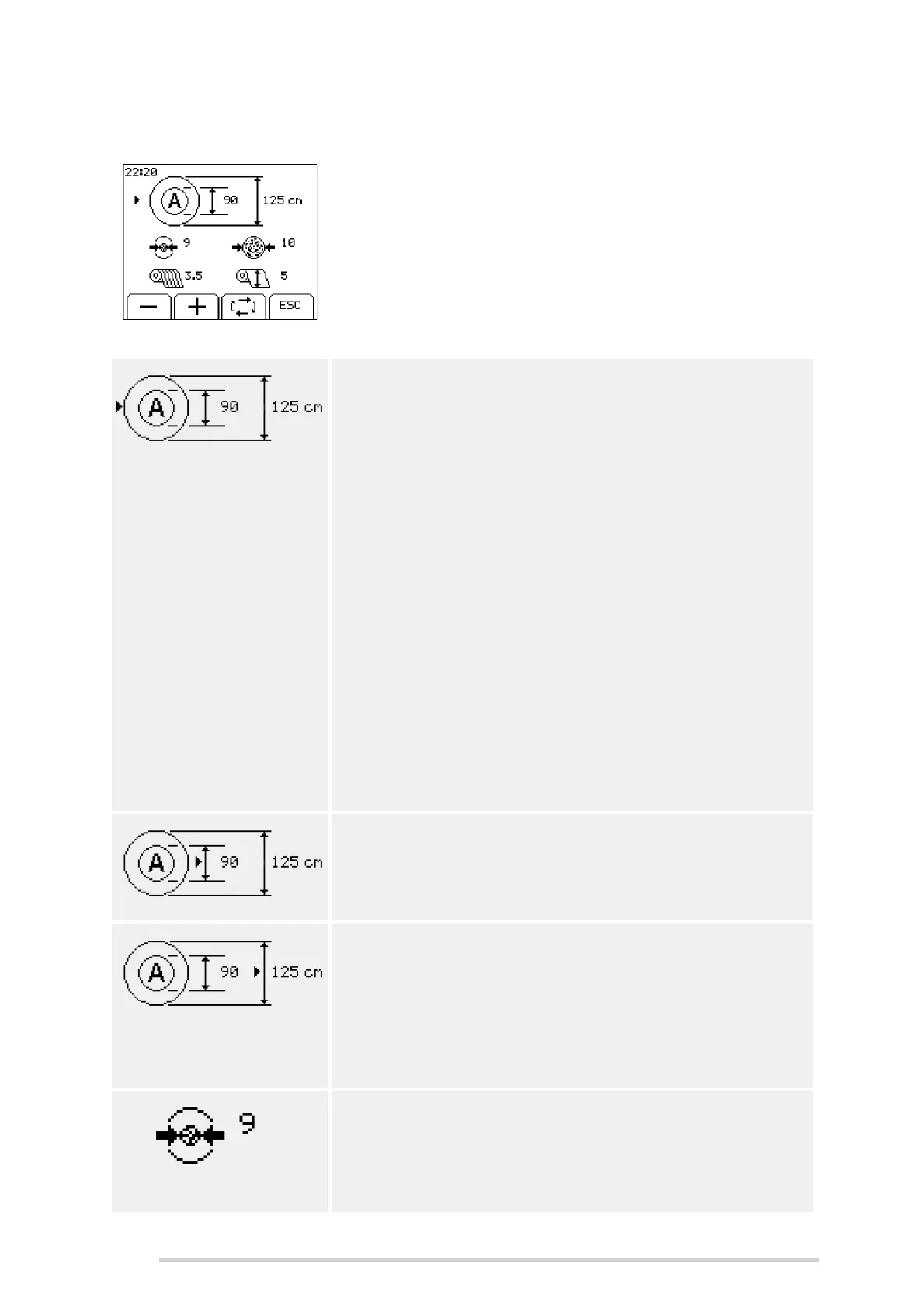
This menu allows the user to adjust settings in relation to
bale formation. The toggle key (button 3) can be used to
scroll between each setting, for the current profile. When
the arrow is beside the required setting then the + and -
softkeys (buttons 1 & 2) can be used to increase/
decrease the value.
Press ‘ESC’ (button 4) to return to the main menu.
Bale profile
There are 5 bale profiles: A, B, C, D and E. When the
arrow is beside the bale profile, then the + and - softkeys
(buttons 1 & 2) can be used to select a different profile.
The current bale profile is displayed on the main screen.
Each bale profile will retain its own settings for:
Core diameter
Bale diameter
Core density
Bale density
Net layers
Net stretch
The settings for each profile can vary so that the machine
can easily be changed to work with different crops
without needing to change a lot of settings. By default,
the ‘A’ profile is for maximum density heavy bales,
ranging through to ‘E’, which is for minimum density light
bales. However, these profiles can be adjusted to suit
individual requirements.
Core diameter
The core diameter can be set from 60 - 150 cm. This
adjusts the maximum size of the centre bale core.
Bale diameter
The bale diameter can be adjusted from 60 - 168 cm on
the V6740/ V6750 and from 60 - 190 cm on the V8940/
V8950. The bale diameter setting is also displayed on the
information bar on the right hand side of the first main
working screen. There is also a vertical bar graph which
shows progress as the bale is being made.
Core density
The core density can be set from 0 - 10. This sets the
density for the core diameter setting, then the bale
density setting is used for the remainder of the bale
formation.



 To Next Page