McHale V Series Baler
79
Machine setup
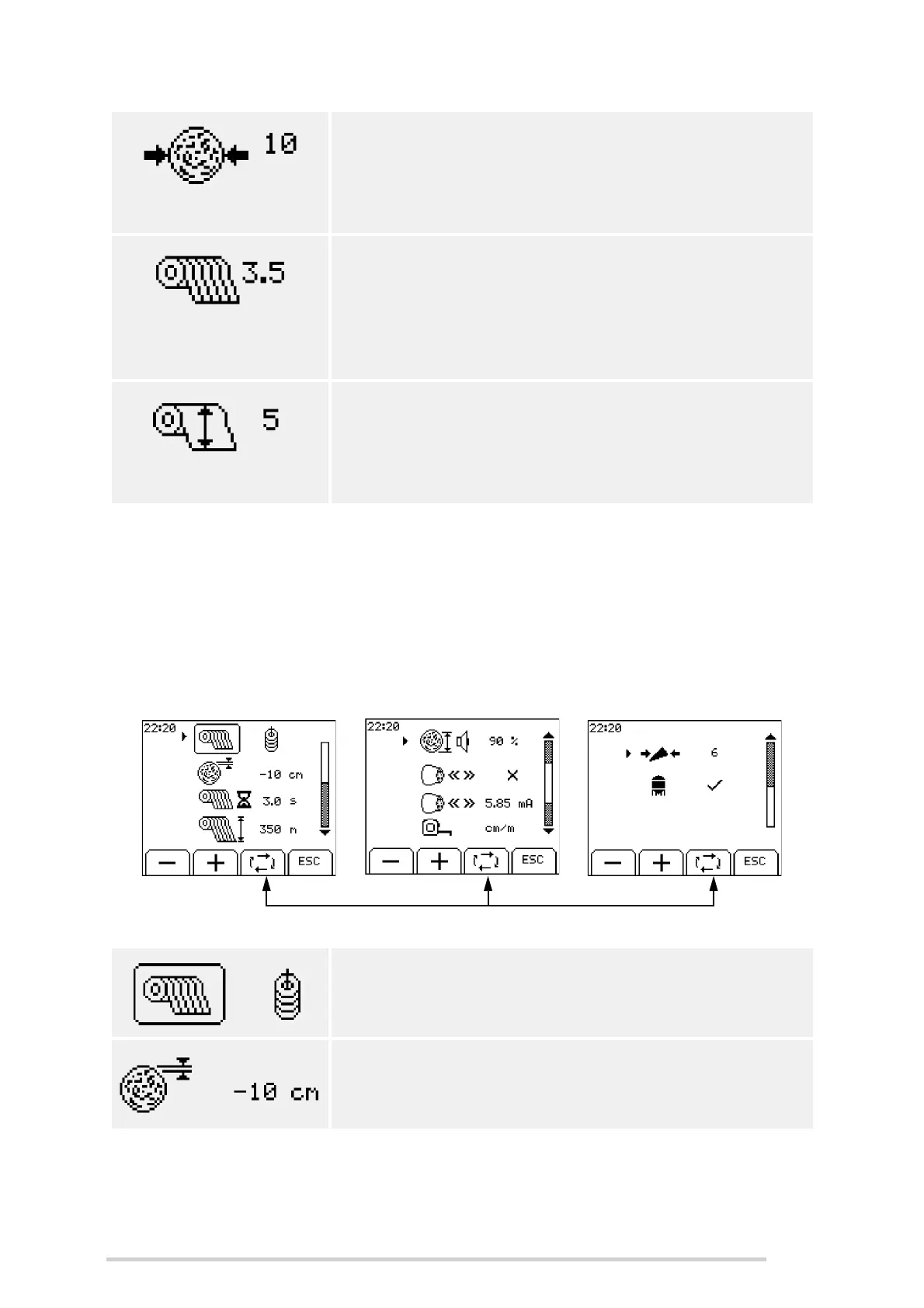
This menu allows the user to adjust settings in relation to the machine setup. The toggle
key (button 3) can be used to scroll between each setting. When the arrow is beside
the required setting then the + and - keys or the left and right arrows (buttons 1 & 2)
can be used to increase/decrease/change the value.
Press ‘ESC’ (button 4) to return to the main menu.
Bale density
The density can be set from 0 - 10. Normally a maximum
of 8 is adequate to produce good dense bales. A higher
setting may be required in wet crop conditions. The
selected value is displayed as shown on the main screen.
Net layers
The amount of net applied to the bale can be adjusted
from 1.1 - 20 layers per bale. The amount of net is
automatically adjusted for different bale diameters. The
selected amount of layers are displayed on the second
working screen. (See ‘Main working screen’)
Net stretch
This setting sets the stretch on the net applied to each
bale, depending on the option selected. The setting
ranges from 1 (min) to 10 (max). McHale recommends a
net stretch setting of 5 or less for drier materials.
Net or twine
Select net or twine.
Diameter correction
This is used to increase/decrease overall bale size to
achieve a desired bale diameter. It can be set to +/- 20 cm.



 To Next Page