34
COMPACT PIEZO LED
DevicePoweredWithPedalActivation
LED Description
RedLEDashing
• tuning scan failed protection activated:
• Insert tip not present or not properly
tightened on the handpiece;
• The insert tip is worn, broken or
deformed;
• Handpiece/cordcontactswet.
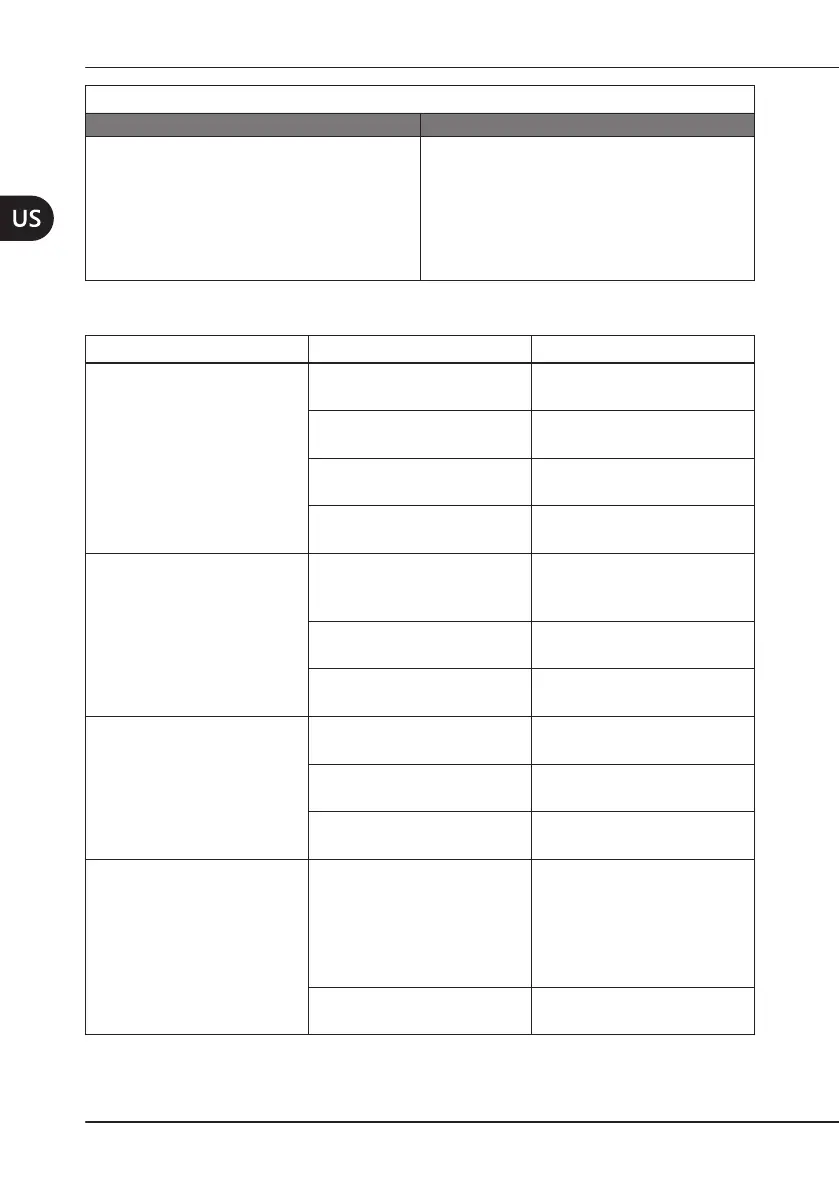
7.2 TroubleshootingQuickGuide
Problem PossibleCause Solution
The device is switched on
but not working. The red
LED is on (APC - Automatic
ProtectionCircuitactivated).
Handpiece not connected to
the cord.
Connect the handpiece to
the cord.
A wire in the cord is
disconnected.
Contact an Authorized
Mectron Service Center.
FaultyHandpiece.
Contact an Authorized
Mectron Service Center.
Malfunction of the tuning
circuit.
Contact an Authorized
Mectron Service Center.
The device is switched on
but not working. The red LED
is ashing (APC - Automatic
ProtectionCircuitactivated).
Insert tip not present or not
properly tightened on the
handpiece.
Unscrew the insert tip and
screw it back correctly using
the torque wrench.
The insert tip is worn, broken
or deformed.
Replace the insert tip.
Handpiece/cordcontacts
wet.
Thoroughly dry the contacts
with compressed air.
The device is switched on
but not working. The red
and green LEDs are ashing
alternatively.
Power supply is too low
Provide adequate power
supply
Power supply is too high
Provide adequate power
supply
Potentiometer not connected
Connect the potentiometer
properly
During operation, the
handpiece emits a slight
whistle.
The insert tip is not
properly tightened into the
handpiece.
Unscrew and correctly screw
the insert tip back by using
the Mectron torque wrench
(see
Chapter 4.4 on page
12
of the Use and
MaintenanceManual)
The irrigation circuit has not
beencompletelylled
Filltheirrigationcircuit



 To Next Page