4.5 User Interface (continued)
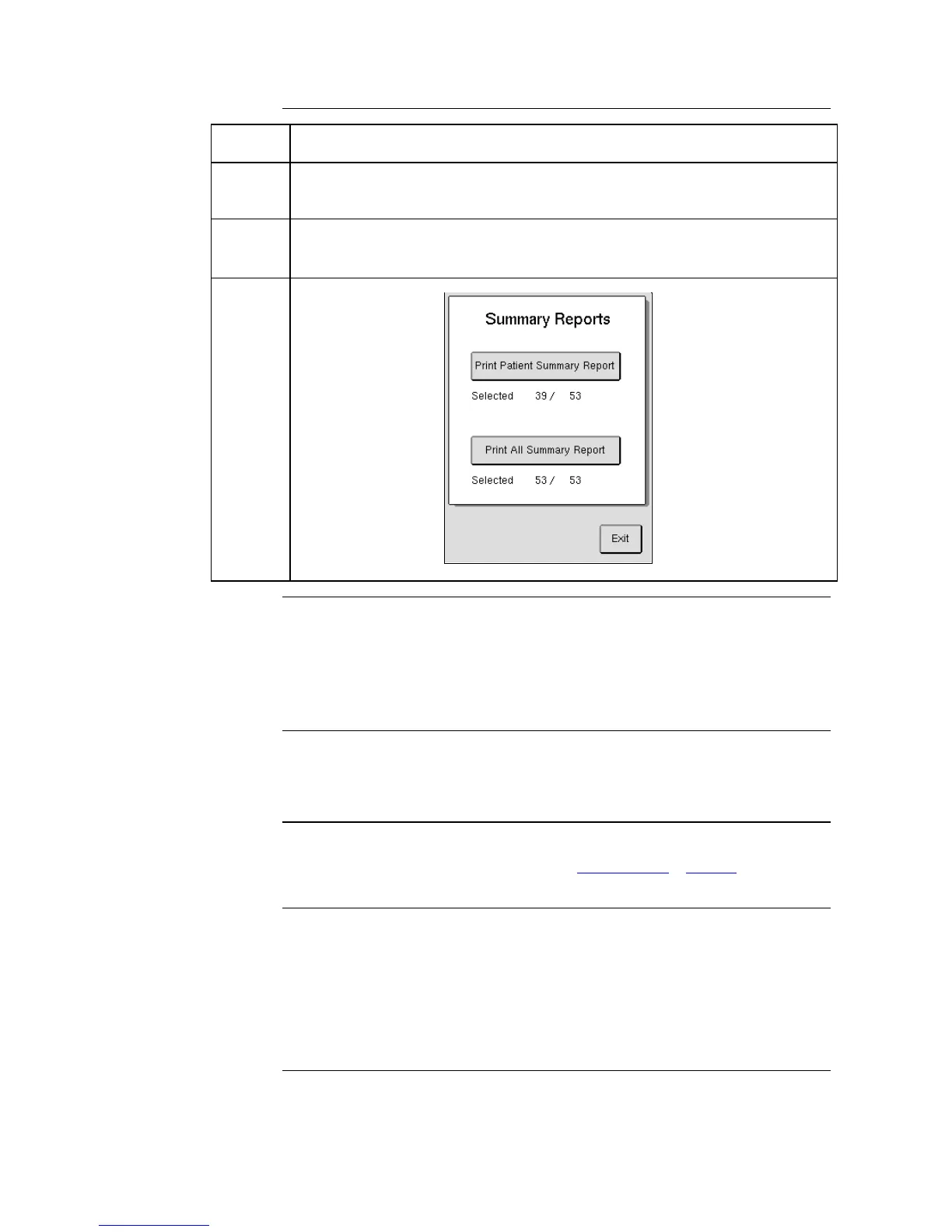
To print a summary report of every sample run press [SAMPLE REPORT] and
then [PRINT ALL SUMMARY REPORT].
To print a summary report of a selected group of samples, select desired criteria
(See #2 above), then press [SAMPLE REPORT] and then [PRINT PATIENT
SUMMARY REPORT].
These summary reports will print on a horizontal sheet of paper.
To print summary reports you can only use HP PCL 3 and 5 protocol
compatible and USB printers.
From Menu tab press [ADVANCED] and then [SETUP] to enter Setup Menu.
To print all instrument settings, verify instrument is connected to a printer
and press [PRINT ALL SETTINGS].
To send all instrument settings, verify instrument is connected to a
computer and press [SEND ALL SETTINGS].
From Menu tab press [ADVANCED] and then [SETUP] to enter Setup Menu.
To change sequence number press [SEQ NUMBER SETUP], press [NEXT
SEQ NUMBER], enter in new sequence number and press [OK] to save.
User Definable
Settings Document
More detailed Setup Menu descriptions can also be found in the User Definable
Settings document, which can be located at www.boule.se > Product Brands >
Medonic > Support > Downloads > Public > Documents.
1. Cheng C, Chan J, Cembrowski G, van Assendelft O. Complete Blood Count Reference
Interval Diagrams Derived from NHANES III: Stratification by Age, Sex, and Race
Laboratory Hematology 10:42-53
2. Nordin G, et al. A multicentre study of reference intervals for haemoglobin, basic blood
cell counts and erythrocyte indices in the adult population of the Nordic countries Scand J
Clin Lab Invest 2004; 64: 385-398
3. How to Define and Determine Reference Intervals in the Clinical Laboratory; Approved
Guideline – Second Edition. CLSI C28-A2



 To Next Page