2.3 Analyzer Cable, Interface, and Printer Connections
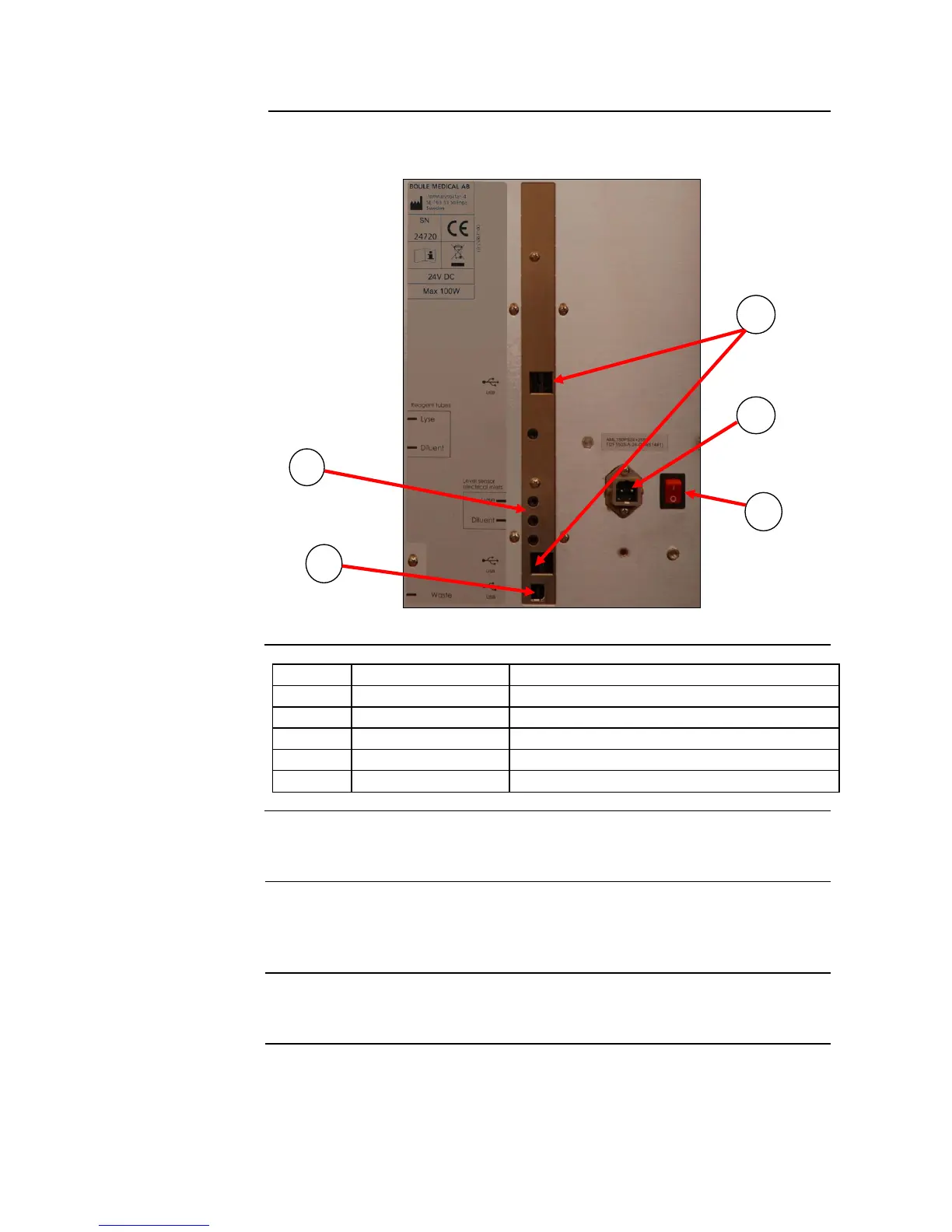
Connects analyzer to USB devices.
Connects Reagent level sensors to analyzer.
Connects Main power outlet to analyzer.
Switches power On and Off.
Connects analyzer to USB host
The printer is connected to the rear of the instrument with USB printer cable.
(Printer is not manufactured by Boule.) See Figure 2.8.
USB compatible (Supplied by CDS). Follow the instructions in the printer
user’s manual or quick guide to install. If using USB compatible printer other
than that provided by CDS see Section 4.3.
HP-PCL compatible, IBM Proprinter compatible or supported USB printers.
If using one of these printers see Section 4.3 for setup instructions.
All connections are located on the rear panel of the instrument. The
connections available are as stated below:
Figure 2.8



 To Next Page