5.4 Sample Identification (continued)
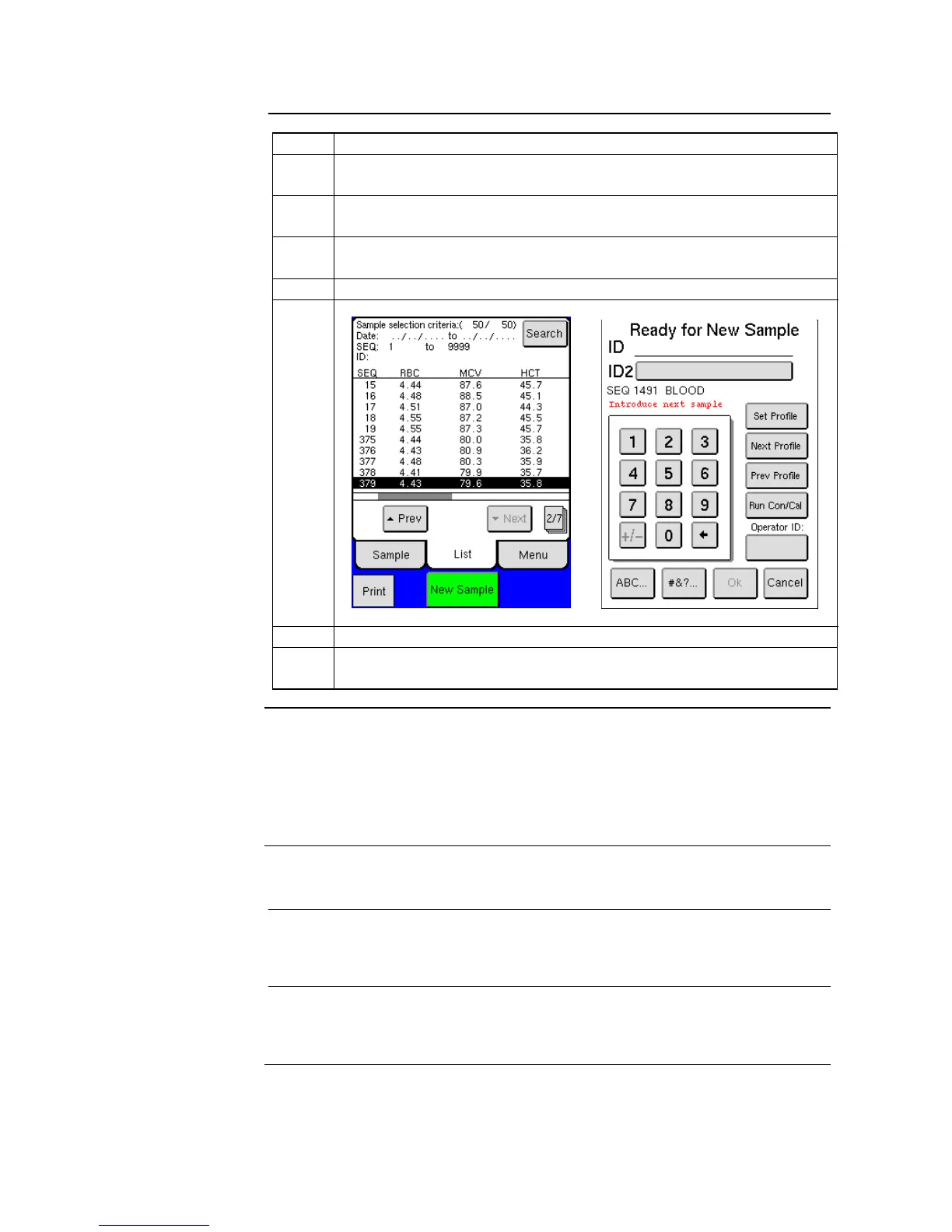
From the main screen press [NEW SAMPLE] or begin sample
aspiration, which automatically opens NEW SAMPLE menu.
Press numerical keys to enter sample ID or scan in the ID barcode
from the sample tube. Press sample ID2 if a second ID is needed.
Press [NEXT PROFILE] or [PREV PROFILE] to scroll to desired
profile.
Press [OK] to save profile and sample ID or begin sample aspiration.
Aspirate sample following selected procedures in sections 5.5 – 5.9.
Sample ID entry and profile selection can be performed up to 30
seconds after sample aspiration.
The Operator ID is an optional feature which can be entered prior to analyzing
a sample or when exiting Standby Mode. To enter an Operator ID press the
specified button and enter up to a 4-digit numerical or alphabetic ID. The
Operator ID will stay the same until Operator ID button is pressed again and
changed, or when the analyzer goes into Standby Mode.
5.5 Analyzing the Sample (Open Tube)
This section describes how to aspirate and analyze a sample with the “Open
Tube” procedure.
Refer to Section 5.1 for blood sample preparation and then follow the
procedure below:



 To Next Page