12.1 Communication Issues (continued)
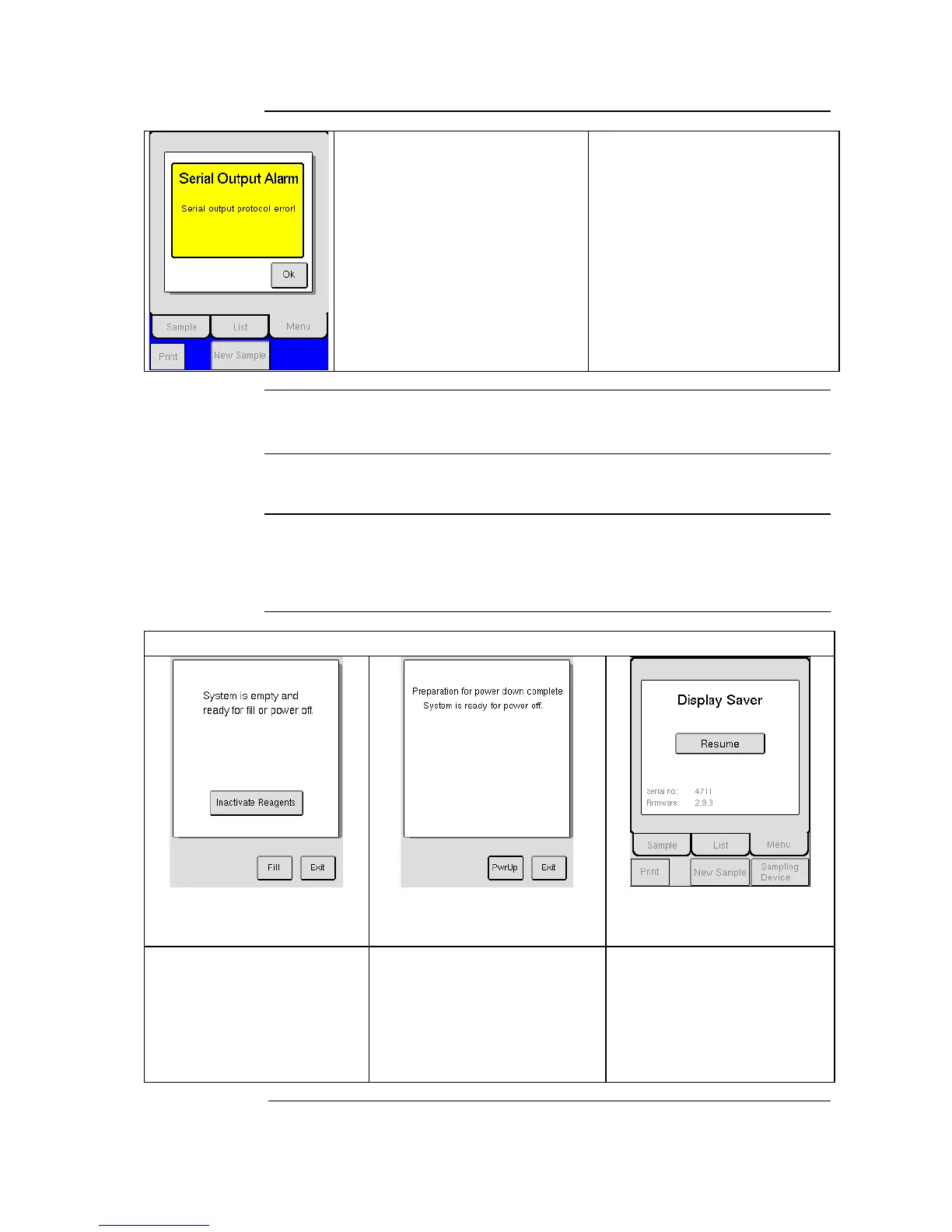
1. Make sure that the Send with
Ack. has been selected.
2. Verify that computer is turned
on and connected to the
analyzer.
3. Verify that computer’s
receiving program is active.
1. Serial output Ack. problem.
12.2 General Information Displays
This section contains information regarding general information displays.
General
Information
Displays
General information displays are informative screen displays that appear after
a function has been completed. Instruction is then displayed for the operator
on next step or function to be performed.
Standby, Power Down, and Power Up Informational Displays
The system is empty from all liquid
and prepared to be filled with other
liquid or be stored away. Press
[FILL] if you want to refill system
or [EXIT] if you want to return to
instrument menu. No analyze can be
performed before the instrument is
refilled with reagents.
The system is filled with liquid and is
prepared for power off. Press [PWR
UP] if you want to return the system
to active status or [EXIT] if you want
to return to instrument menu. It is
recommended to use [ENTER
STANDBY] and that power is left on,
instead of using this feature.
The system has not been used during
the preset display saver time. Press
[RESUME] to activate the
instrument. Once activated, the
instrument is ready to perform an
analysis.



 To Next Page