5.2 Startup Sequence (continued)
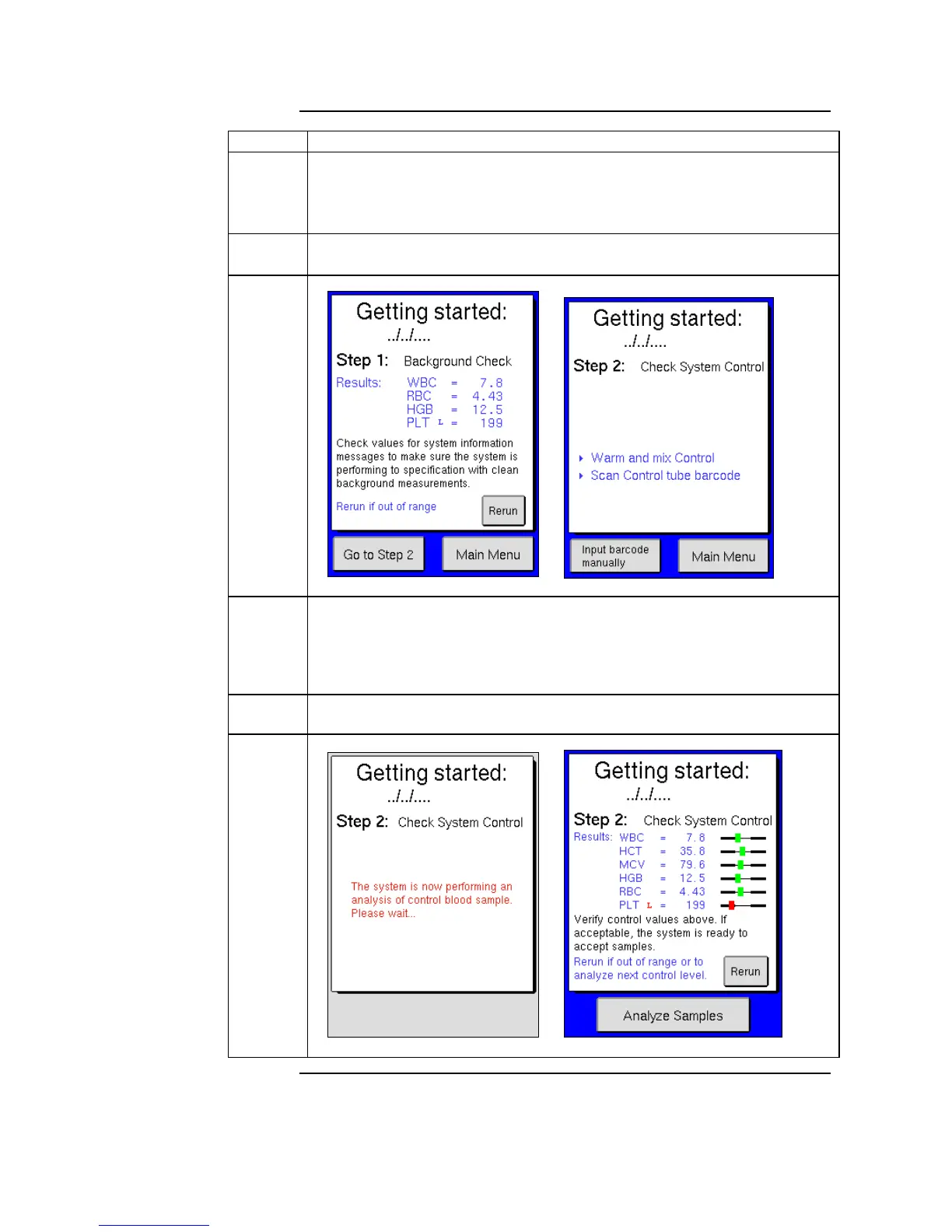
When complete the background count results are displayed. If the results
are acceptable (see table for accepted background values according to
section 5.3), scan in the barcode on control vial and follow directions on
the display to begin the second step of the startup sequence.
If the background count results have a H (high) indicator press [RERUN]
and follow the screen instructions to analyze background count again.
When complete the control results are displayed. If control results are
acceptable, press [RERUN] to run next level of control. The startup sequence
is complete when all control results are acceptable. Press [ANALYZE
SAMPLES] to go to the main screen, and follow instructions in the
following sections to analyze samples.
If control sample results have a H (high) or L (low) indicator press
[RERUN] to analyze control sample again.



 To Next Page