5.9 Analyzing the Sample (Autoloader) (continued)
Follow the procedure below to operate the Sampling Device.
Unlock the center piece by turning it counterclockwise and lightly pulling
it away from analyzer.
Load the vacuum tube samples by placing the capped end towards outer
edge of sample wheel and fitting it into designated slot. (The first
positions of sample wheel (example: Position 1 and 21) are
recommended to be left open for emergency samples.)
It is important that tubes are positioned correctly.
Position tubes with barcodes facing TOWARDS analyzer and
centered in slot.
Position tubes without barcodes so that label on tube is facing
AWAY from analyzer.
Lock in samples by turning center piece clockwise.
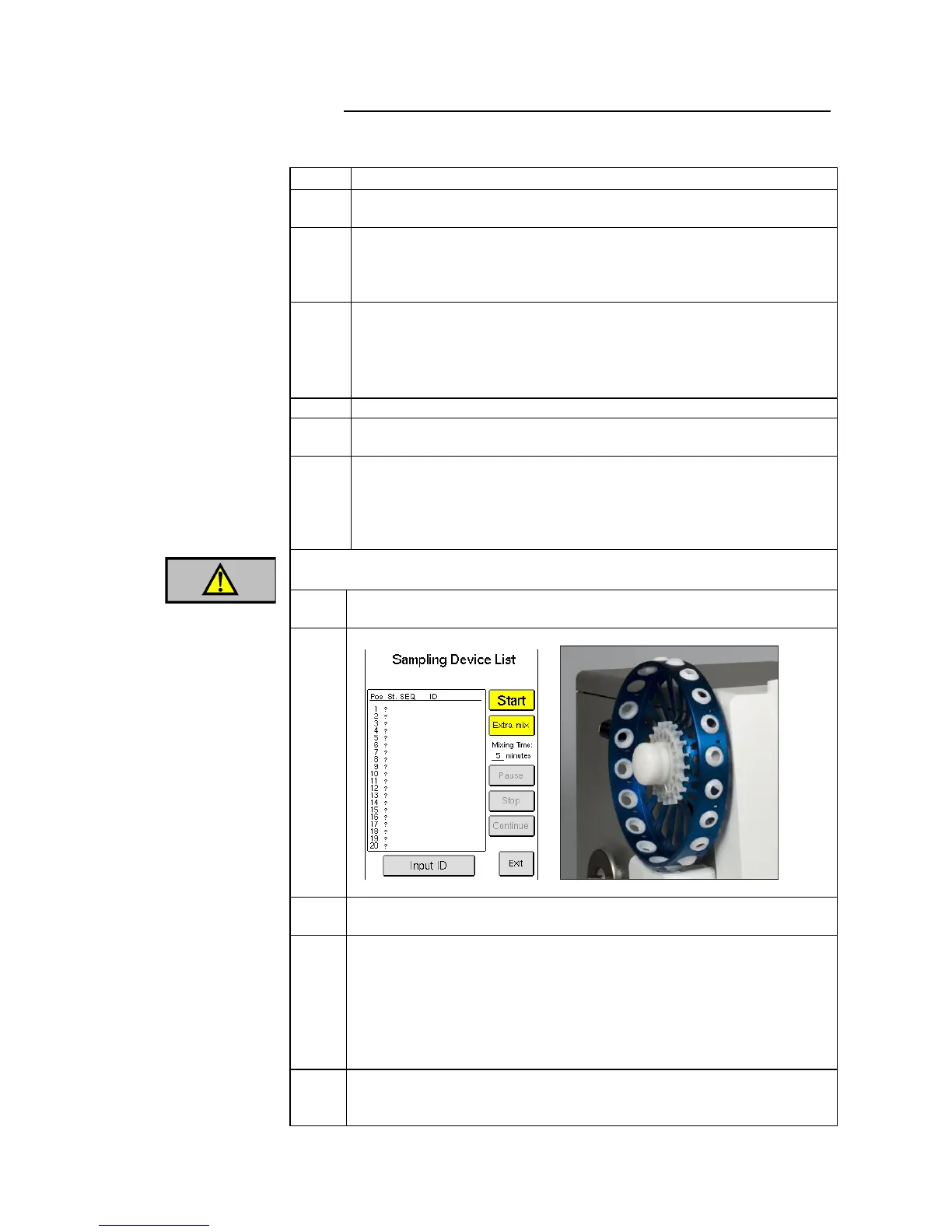
Press [SAMPLING DEVICE] button from the List, Sample, or Main
menu.
Press [START] to immediately begin analysis or press [EXTRA MIX] if
extra mixing of samples is needed. Default mix setting = 10 minutes.
(Extra mixing can be set from 1 to 15 minutes in Setup Menu 3 by
choosing [MIXER SETUP] and then [SET MIXING TIME
(SAMPLER)].
Do not touch sample wheels or samples during operation.
Handling and operation by unauthorized personnel may result in injury.
Sampling Device begins analysis with the sample tube placed in the
lowest position number.
Sample Status (St.), SEQ, and ID number will appear in Sampling Device
List as they are analyzed.
Sample Status has three columns:
Column 1 is sample tube detection: (+) = Detected, (-) = Not detected,
(?) = Not yet determined.
Column 2 is first analysis: (+) = Complete, (-) = Aspiration Failure,
(!) = System Information Message, (0) = No Sample in tube.
Column 3 is Re-analysis: same as Column 2 except re-analysis is not
repeated.
Press [EXIT] to view sample results. [NEXT] button will highlight when
the next sample being run is complete. For more information of results
refer to Section 5.10.



 To Next Page