EasyManua.ls Logo

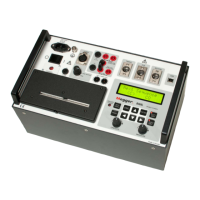
Megger EGIL - User Manual

Megger EGIL
72 pages
Print Icon
To Next Page IconTo Next Page
Loading...
WWW.MEGGER.COM
User’s Manual
EGIL
Circuit Breaker Analyzer
Art No. ZP-BM01E Doc. BM0087OE V04a 2015

Table of Contents

Question and Answer IconNeed help?

Do you have a question about the Megger EGIL and is the answer not in the manual?

Summary

1 Safety

1.1 General Safety

General safety precautions and important instructions before using EGIL.

1.2 Safety Instructions

Detailed safety instructions for operation, connection, and handling of EGIL.

Instrument Symbols and Warnings

Explanation of safety symbols and WEEE disposal information.

Grounding and Power Safety

Instructions on proper grounding, mains cord use, and power source connection.

Environmental and Accessory Safety

Guidelines on placement, accessories, EMC, and cable safety.

Input;Output, Lightning, and Cleaning Safety

Safety precautions for inputs/outputs, lightning, cleaning, and handling damaged equipment.

Servicing and Returning Procedures

Instructions on servicing, warranty, and returning the EGIL unit.

2 Introduction

EGIL Application and Options

Overview of EGIL's intended use and optional features like motion recording and USB interface.

3 Quick Instructions

Preparing EGIL for Time Measurement

Step-by-step guide to connect and prepare EGIL for time measurement tests.

Preparing EGIL for Motion Measurement

Instructions for connecting and preparing EGIL for motion measurement tests (optional).

Running and Parameterizing Measurements

Steps for running measurements, checking connections, and changing parameters.

Printing Measurement Results

How to print measurement results, either automatically or manually.

Understanding Printout Structure

Description of the content and format of the measurement printouts.

4 System Components

Standard EGIL Unit Components

List of standard items included with the basic EGIL unit.

Optional Accessories

List of optional accessories available for order with EGIL.

5 Description

EGIL Fields of Application

Overview of EGIL's primary intended uses and capabilities.

EGIL Front Panel Overview

Description of the main blocks and functions located on the EGIL front panel.

Front Panel Component Details

Detailed explanation of the main blocks on the EGIL front panel.

6 Control Panel

Power Supply and SDRM Option

Description of the power supply block and the SDRM optional input.

Breaker Control Outputs and Timing Inputs

Details on breaker control outputs and timing input connectors.

Motion and USB Communication Inputs

Information on the optional motion input and USB communication terminal.

Other Controls and Indicators

Overview of printer, display, and indicator lights on the control panel.

Operation Knobs and Function Keys

Explanation of the operation knobs and function keys used to control EGIL.

7 Menu Options and Parameter Settings

Parameter Values and Sequence Menu

Introduction to parameter values and the SEQUENCE menu for defining operations.

SEQUENCE Menu Tree and Pulse Settings

Detailed menu tree for the SEQUENCE menu and setting default pulse parameters.

Main Menu Options and Settings

Overview of the MAIN menu for general setup, print, save, recall, and calibration.

Resistor, Time Scale, and Analog Channel Scales

Settings for resistor contact measurement, time scale, and scaling for analog channels.

Recall, Default, Calibration, and Analog Channel

Procedures for recalling settings, calibration, and configuring the analog channel.

Open Speed Calculation Settings

How to input calculation points for determining the breaker's open speed.

Close Speed Calculation Settings

How to input calculation points for determining the breaker's close speed.

Displaying Measurement Data and Calculated Parameters

How to view measurement results and calculated parameters on the EGIL display.

Overtravel, Rebound, Speed, and Monitor Functions

Explanation of overtravel, rebound, speed, and monitor features.

MAIN Menu Tree Diagram

A visual representation of the MAIN menu structure and navigation flow.

Selecting Menu Items and Using Function Keys

Guide on navigating menus and using the EGIL's function keys for operation.

8 How to Make a Time Measurement

8.1 Connecting the EGIL Device

Detailed instructions for connecting EGIL to the circuit breaker for time measurements.

8.2 Setting Measurement Parameters

Steps for setting up sequences and parameters for time measurements.

Running Time Measurements and Reading Printouts

Procedures for executing time measurements and interpreting the results.

9 How to Make a Motion Measurement (Option)

9.1 Connecting the Device for Motion Measurement

Guide on connecting EGIL and transducers for motion measurement.

Selecting Measurement Method and Transducer Connection

Steps for choosing measurement methods and connecting transducers.

Measuring Other Quantities and Setting Parameters

Instructions for measuring other quantities and setting motion parameters.

Running Motion Measurements and Reading Printouts

Procedures for running motion measurements and interpreting results.

10 Connecting EGIL to a Computer (Option)

10.1 Connecting the Computer to EGIL

Steps for establishing a physical connection between EGIL and a computer.

10.2 Operating EGIL with CABA Software

Guide on using EGIL in conjunction with the CABA Breaker Analysis program.

11 Troubleshooting

General Troubleshooting Issues

Common problems like display not showing, control circuit malfunctions, and printer issues.

Error Messages and Motion Specific Issues

Troubleshooting common error messages and issues related to motion measurement.

12 Calibration

12.1 Coil Current Measurement Calibration

Procedure for calibrating the current measurement function of EGIL.

Voltage Measurement and EGIL as Timer Calibration

Steps for calibrating voltage measurement and verifying EGIL's timer accuracy.

13 The Printer

13.1 General Printer Information

Overview of the EGIL's built-in thermal printer, its features, and paper type.

13.2 Printout Content and Format

Explanation of the different parts of a printout, including graphical representations.

13.3 Paper Reload Procedure

Step-by-step guide on how to reload paper into the EGIL printer.

14 Specifications

EGIL Technical Specifications

Detailed specifications for the EGIL unit, including electrical, environmental, and operational parameters.

EGIL Cables and Accessories

Specifications and descriptions of various cables and accessories for EGIL.

EGIL Input and Output Connections

Pinout details for TIMING, AUX1&2, and MOTION inputs.

Summary

1 Safety

1.1 General Safety

General safety precautions and important instructions before using EGIL.

1.2 Safety Instructions

Detailed safety instructions for operation, connection, and handling of EGIL.

Instrument Symbols and Warnings

Explanation of safety symbols and WEEE disposal information.

Grounding and Power Safety

Instructions on proper grounding, mains cord use, and power source connection.

Environmental and Accessory Safety

Guidelines on placement, accessories, EMC, and cable safety.

Input;Output, Lightning, and Cleaning Safety

Safety precautions for inputs/outputs, lightning, cleaning, and handling damaged equipment.

Servicing and Returning Procedures

Instructions on servicing, warranty, and returning the EGIL unit.

2 Introduction

EGIL Application and Options

Overview of EGIL's intended use and optional features like motion recording and USB interface.

3 Quick Instructions

Preparing EGIL for Time Measurement

Step-by-step guide to connect and prepare EGIL for time measurement tests.

Preparing EGIL for Motion Measurement

Instructions for connecting and preparing EGIL for motion measurement tests (optional).

Running and Parameterizing Measurements

Steps for running measurements, checking connections, and changing parameters.

Printing Measurement Results

How to print measurement results, either automatically or manually.

Understanding Printout Structure

Description of the content and format of the measurement printouts.

4 System Components

Standard EGIL Unit Components

List of standard items included with the basic EGIL unit.

Optional Accessories

List of optional accessories available for order with EGIL.

5 Description

EGIL Fields of Application

Overview of EGIL's primary intended uses and capabilities.

EGIL Front Panel Overview

Description of the main blocks and functions located on the EGIL front panel.

Front Panel Component Details

Detailed explanation of the main blocks on the EGIL front panel.

6 Control Panel

Power Supply and SDRM Option

Description of the power supply block and the SDRM optional input.

Breaker Control Outputs and Timing Inputs

Details on breaker control outputs and timing input connectors.

Motion and USB Communication Inputs

Information on the optional motion input and USB communication terminal.

Other Controls and Indicators

Overview of printer, display, and indicator lights on the control panel.

Operation Knobs and Function Keys

Explanation of the operation knobs and function keys used to control EGIL.

7 Menu Options and Parameter Settings

Parameter Values and Sequence Menu

Introduction to parameter values and the SEQUENCE menu for defining operations.

SEQUENCE Menu Tree and Pulse Settings

Detailed menu tree for the SEQUENCE menu and setting default pulse parameters.

Main Menu Options and Settings

Overview of the MAIN menu for general setup, print, save, recall, and calibration.

Resistor, Time Scale, and Analog Channel Scales

Settings for resistor contact measurement, time scale, and scaling for analog channels.

Recall, Default, Calibration, and Analog Channel

Procedures for recalling settings, calibration, and configuring the analog channel.

Open Speed Calculation Settings

How to input calculation points for determining the breaker's open speed.

Close Speed Calculation Settings

How to input calculation points for determining the breaker's close speed.

Displaying Measurement Data and Calculated Parameters

How to view measurement results and calculated parameters on the EGIL display.

Overtravel, Rebound, Speed, and Monitor Functions

Explanation of overtravel, rebound, speed, and monitor features.

MAIN Menu Tree Diagram

A visual representation of the MAIN menu structure and navigation flow.

Selecting Menu Items and Using Function Keys

Guide on navigating menus and using the EGIL's function keys for operation.

8 How to Make a Time Measurement

8.1 Connecting the EGIL Device

Detailed instructions for connecting EGIL to the circuit breaker for time measurements.

8.2 Setting Measurement Parameters

Steps for setting up sequences and parameters for time measurements.

Running Time Measurements and Reading Printouts

Procedures for executing time measurements and interpreting the results.

9 How to Make a Motion Measurement (Option)

9.1 Connecting the Device for Motion Measurement

Guide on connecting EGIL and transducers for motion measurement.

Selecting Measurement Method and Transducer Connection

Steps for choosing measurement methods and connecting transducers.

Measuring Other Quantities and Setting Parameters

Instructions for measuring other quantities and setting motion parameters.

Running Motion Measurements and Reading Printouts

Procedures for running motion measurements and interpreting results.

10 Connecting EGIL to a Computer (Option)

10.1 Connecting the Computer to EGIL

Steps for establishing a physical connection between EGIL and a computer.

10.2 Operating EGIL with CABA Software

Guide on using EGIL in conjunction with the CABA Breaker Analysis program.

11 Troubleshooting

General Troubleshooting Issues

Common problems like display not showing, control circuit malfunctions, and printer issues.

Error Messages and Motion Specific Issues

Troubleshooting common error messages and issues related to motion measurement.

12 Calibration

12.1 Coil Current Measurement Calibration

Procedure for calibrating the current measurement function of EGIL.

Voltage Measurement and EGIL as Timer Calibration

Steps for calibrating voltage measurement and verifying EGIL's timer accuracy.

13 The Printer

13.1 General Printer Information

Overview of the EGIL's built-in thermal printer, its features, and paper type.

13.2 Printout Content and Format

Explanation of the different parts of a printout, including graphical representations.

13.3 Paper Reload Procedure

Step-by-step guide on how to reload paper into the EGIL printer.

14 Specifications

EGIL Technical Specifications

Detailed specifications for the EGIL unit, including electrical, environmental, and operational parameters.

EGIL Cables and Accessories

Specifications and descriptions of various cables and accessories for EGIL.

EGIL Input and Output Connections

Pinout details for TIMING, AUX1&2, and MOTION inputs.

Megger EGIL Specifications

General IconGeneral
BrandMegger
ModelEGIL
CategoryMeasuring Instruments
LanguageEnglish

Related product manuals