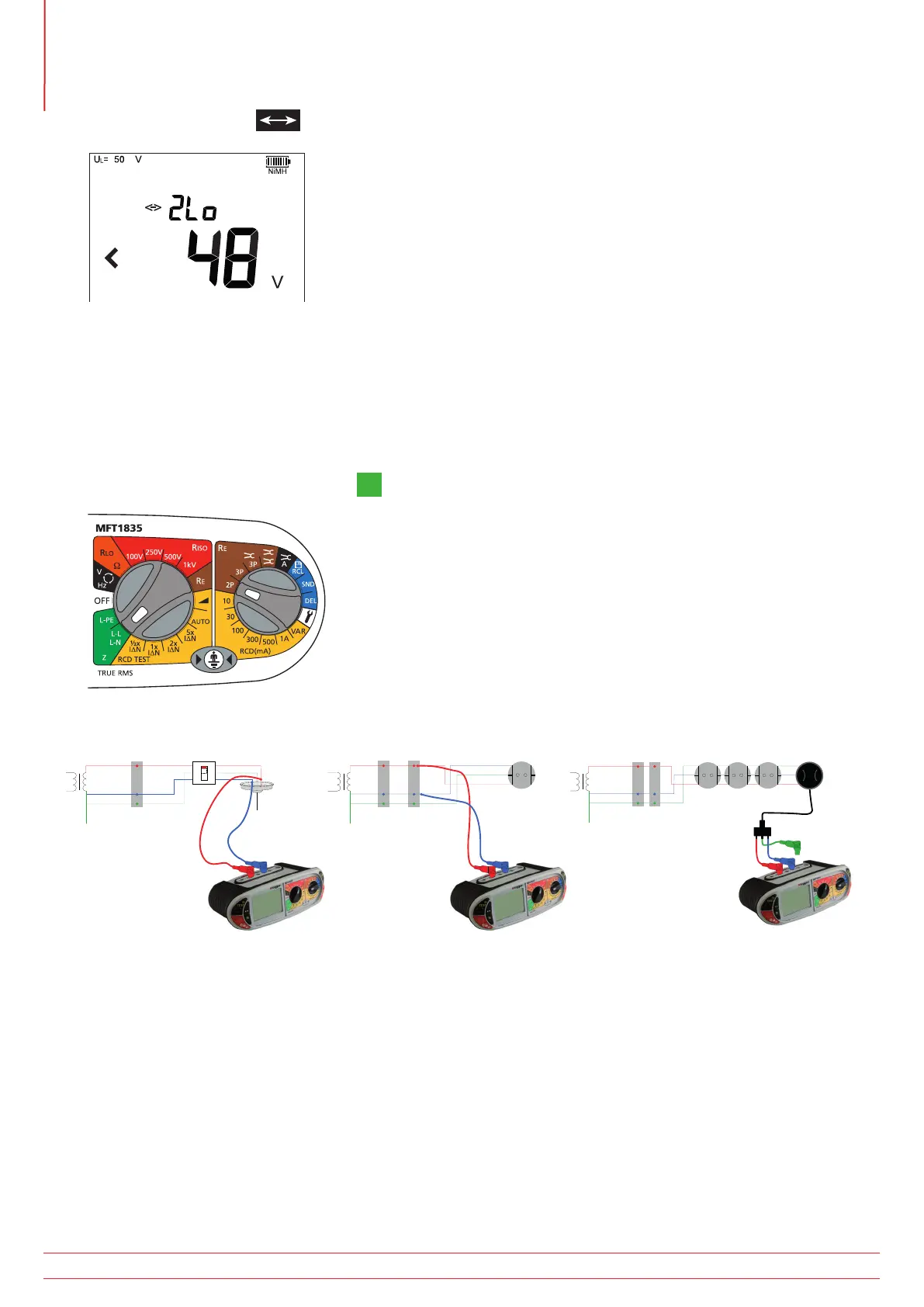
3. Press the Function key to select the “2Lo” mode.
4. Press TEST to start the test sequence.
5. On completion of the test, the display will show the loop resistance on the large display segments, and the fault
current on the small display segments.
7.3 Phase to Neutral (all models) or Phase to Phase testing
NOTE : Only the “2Hi” mode is available on this range.
1. Set the LEFT rotary range knob to the
L-N
L-L
range.
2. Connect the test leads to the circuit as below, with the Red test lead connected to the Red (L1) Red terminal on
the MFT and the Blue test lead to the Blue (L3) terminal.
N
E
MCB
g
RCD
g
N
E
MCB
L
N
E
MCB RCD
g
3. Press and release the TEST button to start the test.
4. On completion of the test, the display will show the loop resistance on the large display segments, and the fault
current on the small display segments.
www.megger.com
MFT1800 series
32
Loop impedance testing



 To Next Page