22 D33451 | Date 01/2018
Putting into operation
CAUTION
High concentrations of CO
2
can cause cold burns or frostbite. Avoid
contact with CO
2
gas to the eyes and skin.
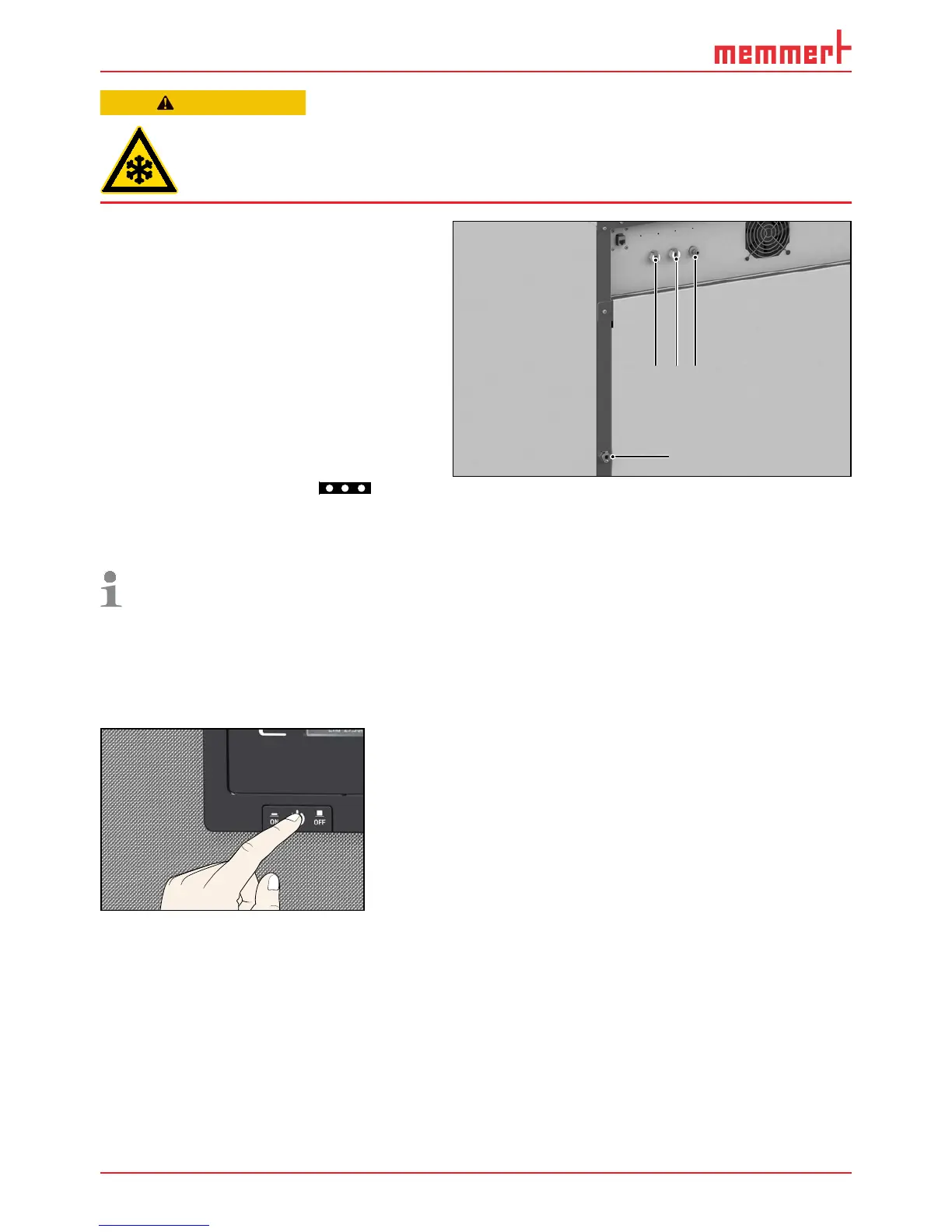
On the rear of the appliance, connect
the delivered gas connection tubes to the
CO
2
and N
2
gas bottles (pressure reducer)
and to the connections “CO2 In” and “N2
In” (N
2
only for appliances with active
humidity control) (Fig. 12). Set pressure
reducer to between 1.0 and 1.2 bar.
4.4 Switching on
Switch on the appliance by pressing the
On/Off switch
on the front of the appliance ( Fig. 13 ).
Three animated white dots
indi-
cate that start-up is in progress . If the
dots have another colour, an error has
occurred (see page 45).
After the first start-up, the appliance
display is set to English by default.
You can change the language as
described from page 47 . However,
to get a basic overview of operating
the appliance, you should read the
following chapter first.
ON
Fig. 13 Switch on appliance
123
4
Fig. 12 Media connections on the rear of the
appliance
1 Connection 1 CO
2
2 Connection 2 CO
2
(optional)
3 Connection N
2
(only for models with O
2
module)
4 Water connection (only for appliances with
active humidity control)



 To Next Page