40 D33451 | Date 01/2018
Operation and control
4. In the menu mode, prepare the sterilisation programme for execution (see page 58).
5. Switch to the operating mode and start the sterilisation programme as described on page
30. You cannot set or change any values as long as the programme is running.
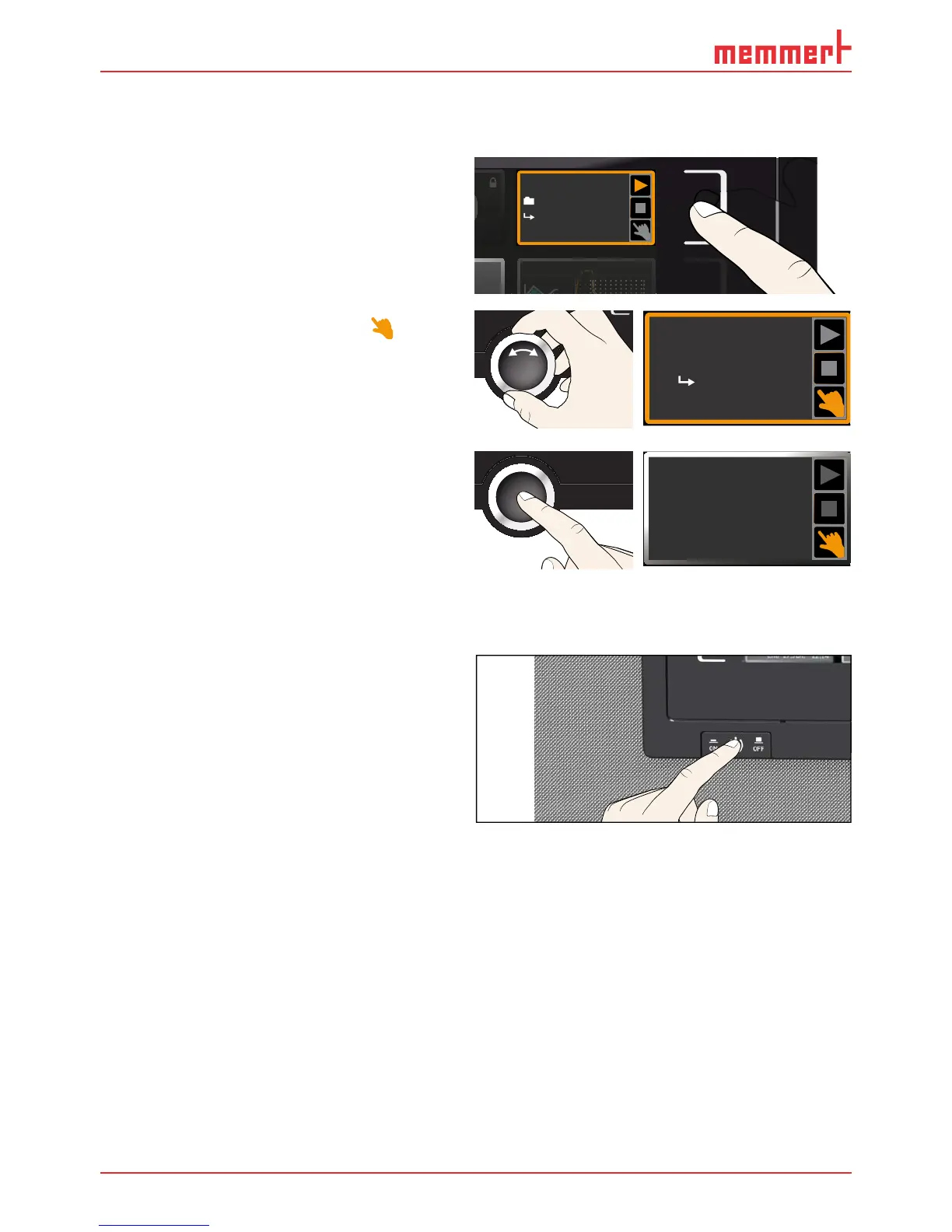
6. Once sterilisation is finished and the ap-
pliance has cooled down to 37 °C, end
the sterilisation programme. To do so,
press the activation key to the right of
the status display. The status display is
automatically highlighted.
Steri 180
Steri End
10:4412.Sept.2012
7. Turn the turn control until the hand
symbol is highlighted.
Manual mode
17:4413.Sept.2012
Activate
8. Press the confirmation key to confirm.
9. Replace the HEPA filter in the interior
(optional).
You can now load the appliance and con-
tinue to operate it as usual. You have to enter
all set values again (temperature, CO
2
, O
2
,
humidity), see chapter 5.5.4.
Manual Mode
12.Sept.2012
13:44
5.9 Ending operation
1. Switch off active appliance functions
(turn back the set values).
2. Close the valves on the gas bottles.
3. Remove the chamber load.
4. Check and, if required, fill up the water
tank (see page 21) or remove the
water tray(s) of appliances with passive
humidity control.
5. Switch off the appliance with the main
switch (Fig. 25).
ON



 To Next Page