D33451 | Date 01/2018 39
Operation and control
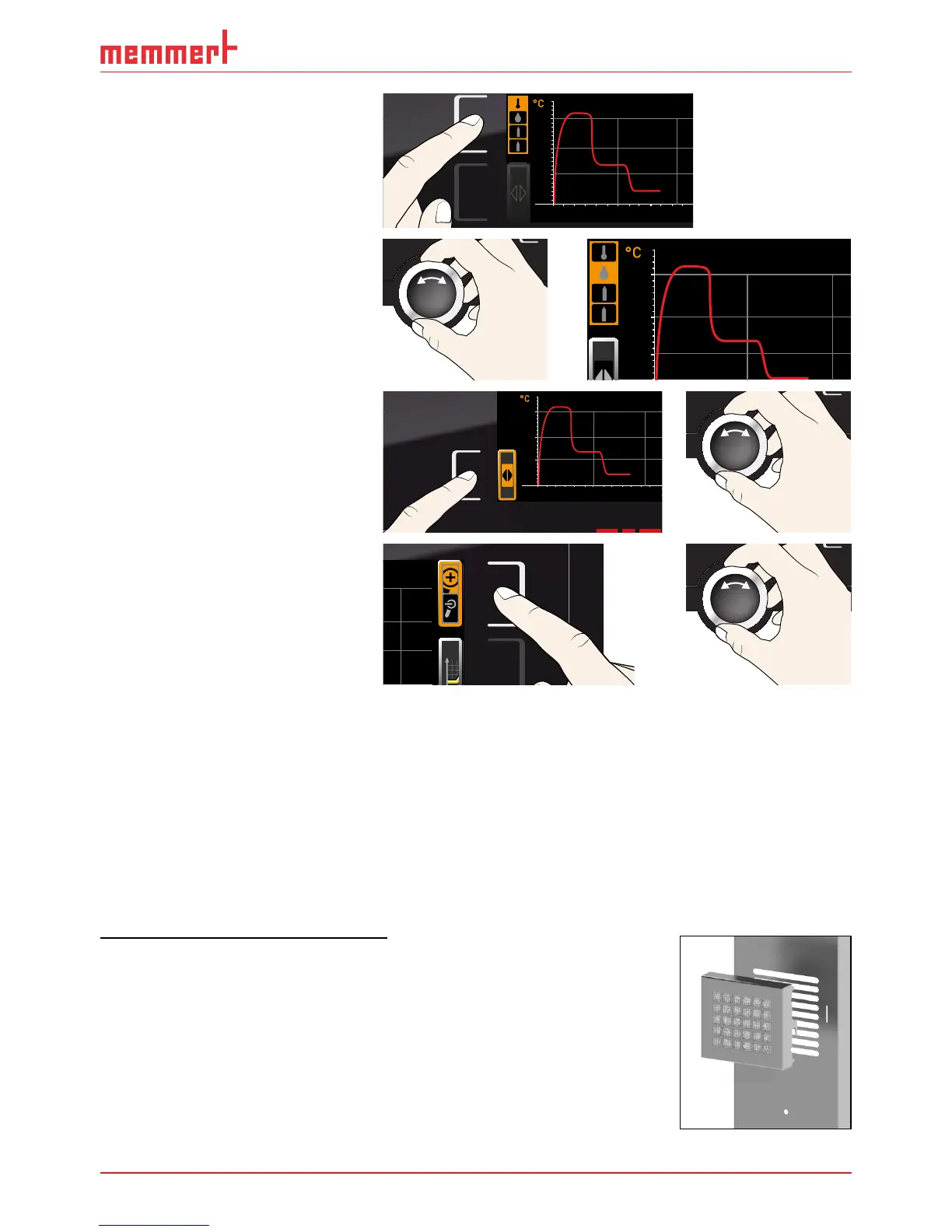
► To display the setpoint and ac-
tual values for humidity, CO
2
and O
2
: Press the activation
key next to the parameter
selection.
0 4 8 12162024
°C
40
20
60
80
100
Fr 20.10.2010 2
12.09.2012
14.00 16.00 18.00
38
39
40
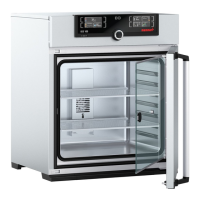
Select the humidity symbol or
one of the gas bottle symbols
with the turn control. Accept the
selection by pressing the confir-
mation key.
12.09.2012
38
39
40
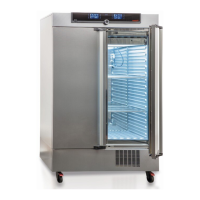
► To change the time frame to
be displayed: Press the activa-
tion key next to the ar-
row symbols. The time frame
to be displayed can now be
changed by turning the turn
control.
0 4 8 12162024
°C
40
20
60
80
100
Fr 20.10.2010 20
12.09.2012
14.00 16.00 18.00
38
39
40
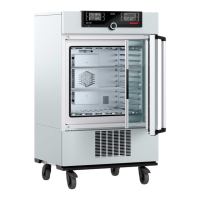
► To zoom the graph in or out:
Press the activation key next
to the magnifying glass sym-
bol. Select whether you want
to zoom in or out (+/–) with
the turn control and confirm
your selection by pressing the
confirmation key.
.2010 20:34
2
To close the graphical representation, press the activation key you used to activate it again.
5.8 Sterilising the appliance
One or several sterilisation programmes are saved in the appliance. They are used to sterilise
the appliance. Do not use them to sterilise medical devices.
The hold time in the appliance’s sterilisation programme at 180 °C is 1 h. The total time
including heating up and cooling down to 50 °C is 6 h 30 min. At the end of the sterilisation
programme, the appliance maintains a constant temperature of 37 °C and the status display
shows
Steri End.
Appliance sterilisation procedure
1. If there is a HEPA filter in the interior of the fan box (dditional
equipment, Fig. 24) is fitted: Remove HEPA filter. It can get
damaged during sterilisation.
2. Empty the water trays or, for appliances with active humidity
control, open the door briefly to vent the appliance and let the
humidity escape.
3. Insert the slide-in units and the water tray with the rubber seal
and close the door.
Fig. 24 HEPA filter



 To Next Page