°C22.4
TEMP
°CSet 37.0
TIMER
30m04h
Ende
13:30 23.11.
CO2
1.0 %
15.
0
%
Set
ALARM
max
40.0°C
+
/
-
0.0K
min
15.0°C
auto
Manual Mode
12.Sept.2012
13:44
5678912
19 2015 16 17 1810 11 12
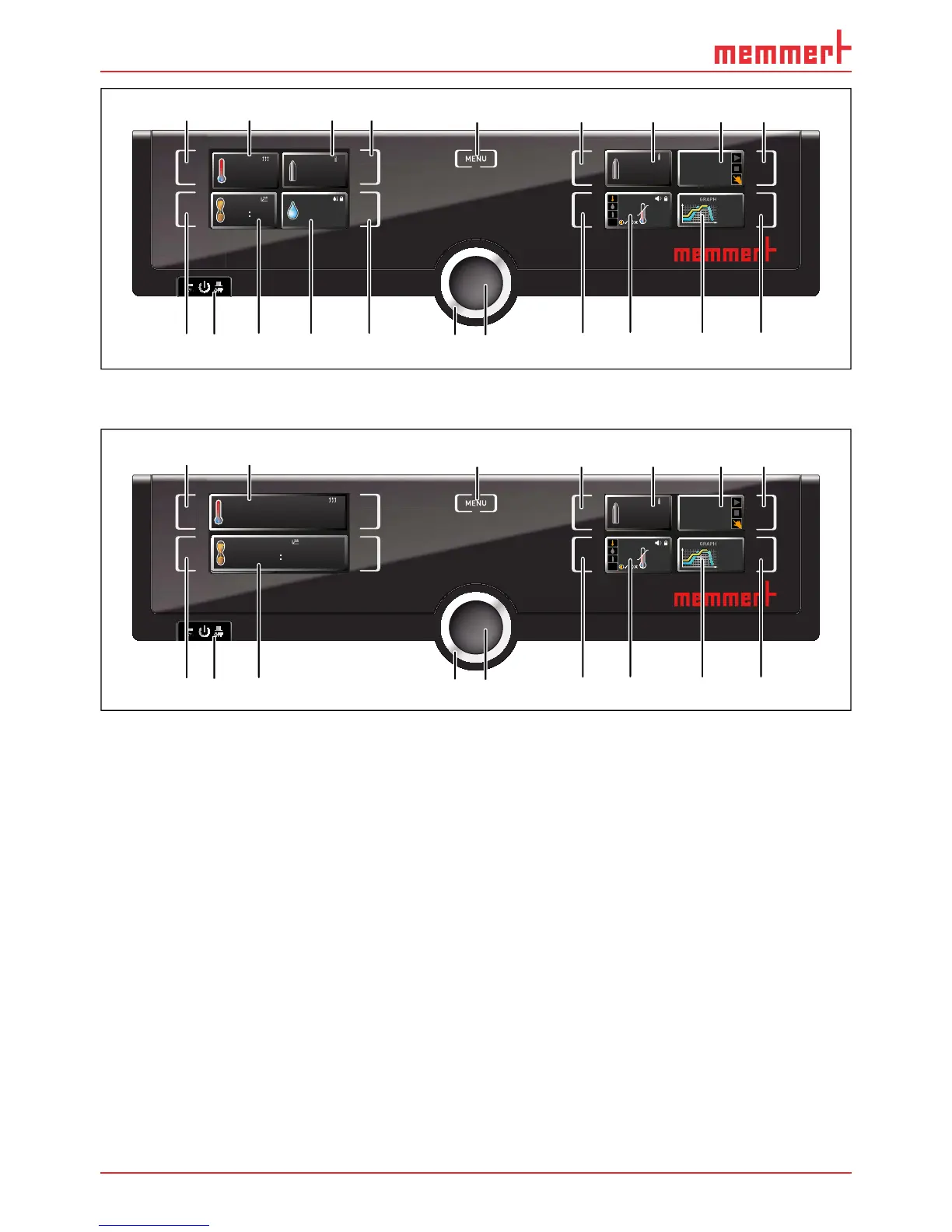
Fig. 17 ControlCOCKPIT of ICO appliances without O
2
and active humidity control in oper-
ating mode
1 Activation key for temperature setpoint
adjustment
2 Setpoint and actual temperature display
3 Display O
2
setpoint and actual value
4 Activation key for setting the O
2
setpoint
5 Switch to menu mode (see page 46)
6 Activation key for setting the CO
2
setpoint
7 Display CO
2
setpoint and actual value
8 Appliance state and programme display
9 Activation key for the appliance state
10 Activation key digital backwards counter
with target time setting, adjustable from 1
minute to 99 days
11 On/Off switch
12 Display digital backwards counter with
target time setting, adjustable from 1 min-
ute to 99 days
13 Display humidity setpoint and actual
value
14 Humidity control activation key
15 Turn control for setpoint adjustment
16 Confirmation key (accepts setting made
with the turn control)
17 Activation key for setting the temperature,
humidity, CO
2
and O
2
monitoring
18 Temperature, humidity, CO
2
and O
2
monitoring
19 Graphical representation of setpoint and
actual values
20 Activation key for graphic representation



 To Next Page