----
Resetting After an Alarm (Cont. )
2. To silence the beeps enter your passcode.
3. Contact your alarm company:
R emote Reset
If your system is programmed as remote reset, alarms can be reset by your alarm
company or via the exchange or unique passcodes.
Remote Reset
Quote > ????
Reply > ----
SYSTEM OPEN
15:30 01 JAN
ALARM 03
17:31.02 01/01
? ? ? ?
2
3
4
? ? ? ? ? ? ? ?
????
OPEN
CA.03
2
3
4
2
3
4
ENT ENT ENT
? ? ? ?
? ? ? ? ? ? ? ?
LCD Remote St arburst Remote
LED Rem ote
CALL ENGINEER TO
RESET SYSTEM
1
CALL
ENG.
1 1
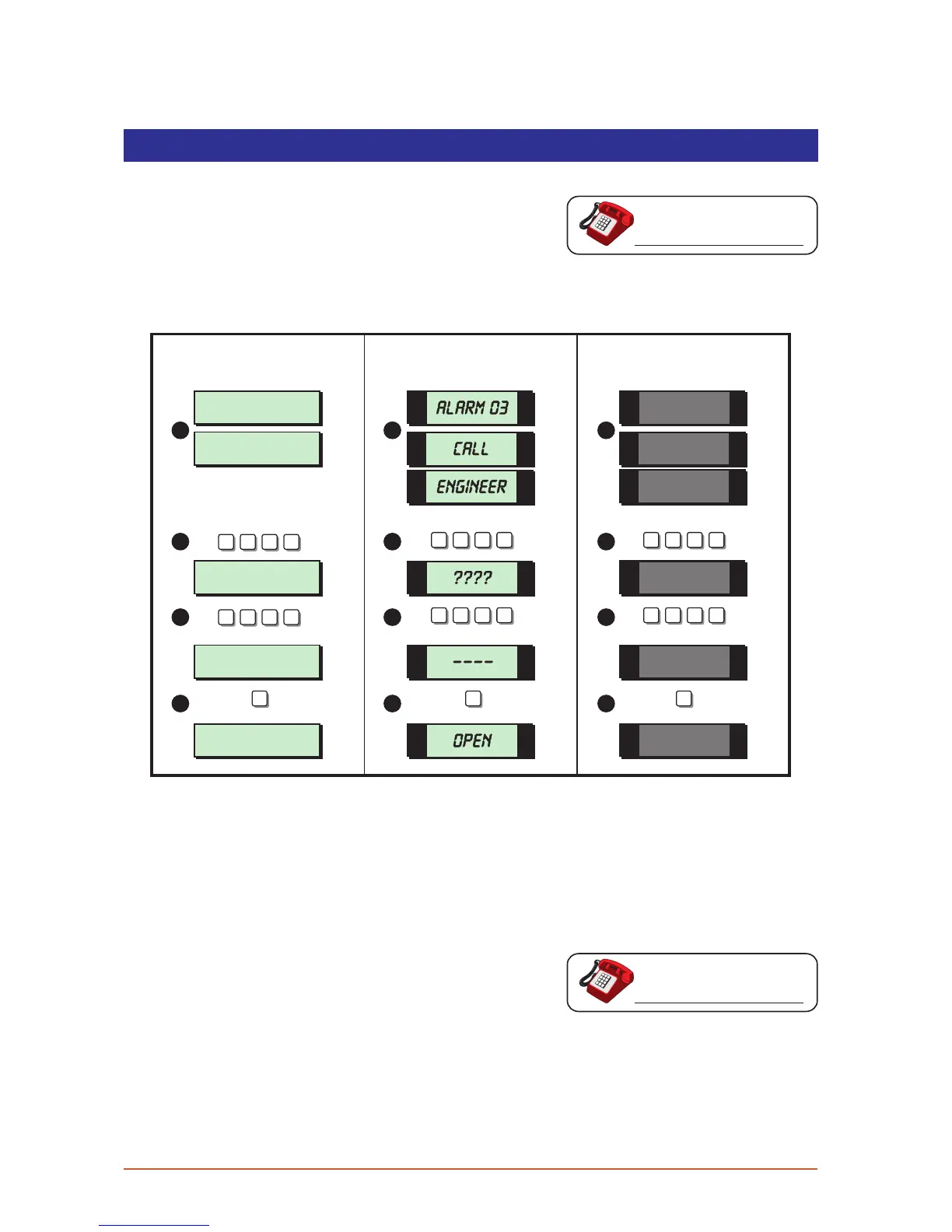
From step (3) of “Unsetting After an Alarm”, proceed as follows:
1. The display will alternate between the circuit that caused the alarm and the “Call
Engineer To Reset System” message. The internal sounders will also generate a beep
every minute to remind you that the system requires resetting.
2. Enter your passcode, this will silence the beeps and the system will display a unique 4
digit number. Contact your alarm company or alarm receiving centre:
3. You will be asked to report the circumstances of the alarm. If the alarm receiving
centre decides you do not require an engineer, a 4 digit remote reset code will be
given to you.
4. After you have entered the code press the [ENT] key and the system will return to the
open condition.
12



 To Next Page