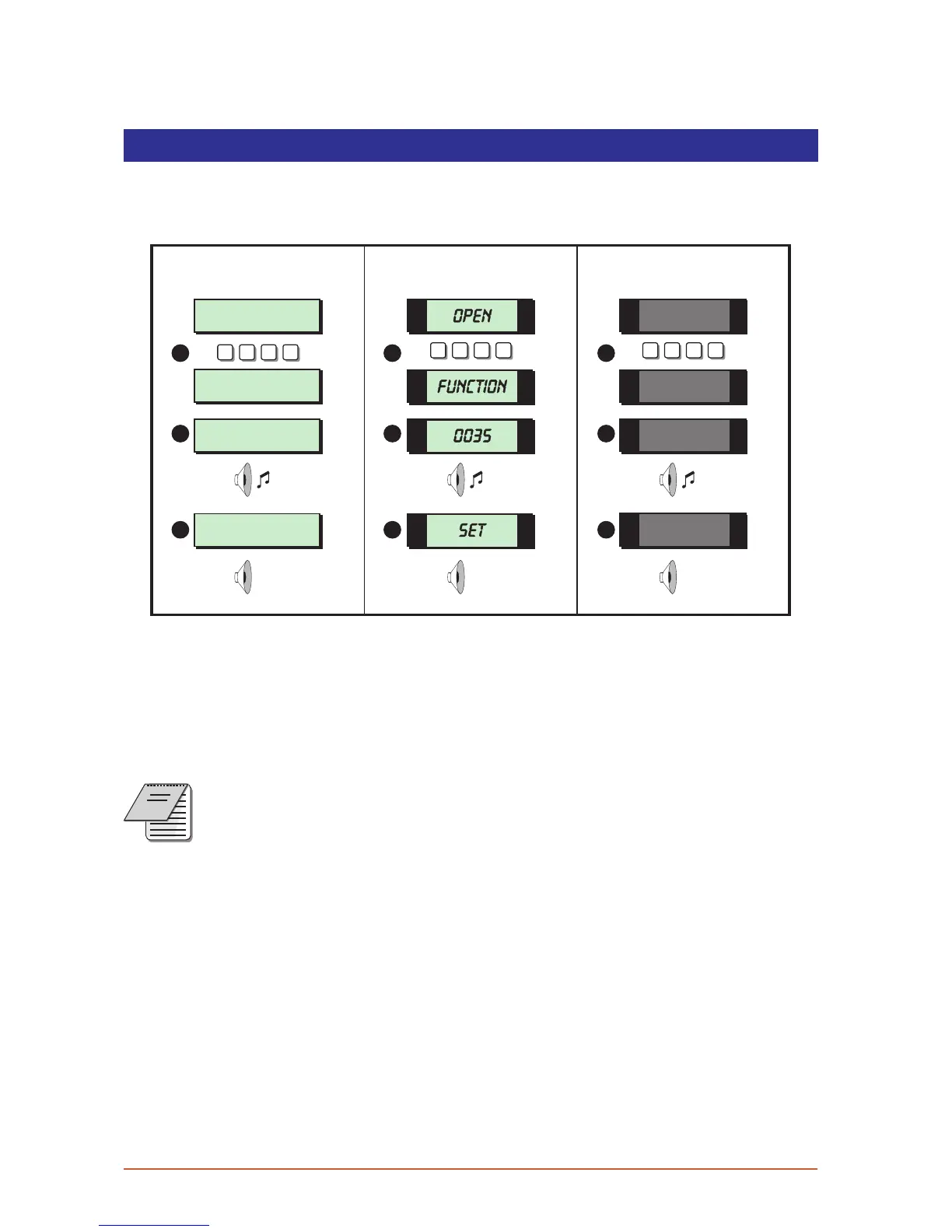
Full Setting The System
The full setting procedure can be initiated from any remote keypad (if more than one is
fitted). Before attempting to full set the alarm system ensure that all movement detectors
are unobstructed and all doors, and windows are secure.
SYSTEM OPEN
17:30 01 Jan
Press ENT to
Select Functions
Please Exit Now.
Time left > 0035
SYSTEM SET
17:31 01 JAN
? ? ? ?
LCD Remote
1
2
St arburst Remote
? ? ? ?
LED Rem ote
? ? ? ?
OPEN
Func.
0035
SET
3
1
2
3
1
2
3
1. From the unset (open) mode enter your passcode.
2. After 5 seconds the exit sounder will start and the display will show the remaining exit
time.
3. Leave the premises by the designated exit route, close the final door and press the
exit terminator button (if fitted). The system is fully set when the exit sounder stops.
To abandon the setting process any time, simply re-enter your passcode.
If the display shows “999 9" at step 2 the sy stem is confi gured set by exi t
terminator or on closure of the last exit ci rcuit.
NOTES
If an attempt is made to full set the system whilst one or more circuits are
active (such as a door being open) the display at step (2) wil l i ndicate the
circui t(s) that are in fault and internal soun der generates an interrupt ed
tone. The fault mu st be cleared before t he setting procedure can be
completed . If the fault is still present at the end of the exit time an internal
alarmwillbegenerate d.Iffitted,theexternalstrobelightwillflashindicating
that the system has “Failed to set”. To pre vent this alarm simply re-enter your
passcode before the exit timer ex pires.
7



 To Next Page