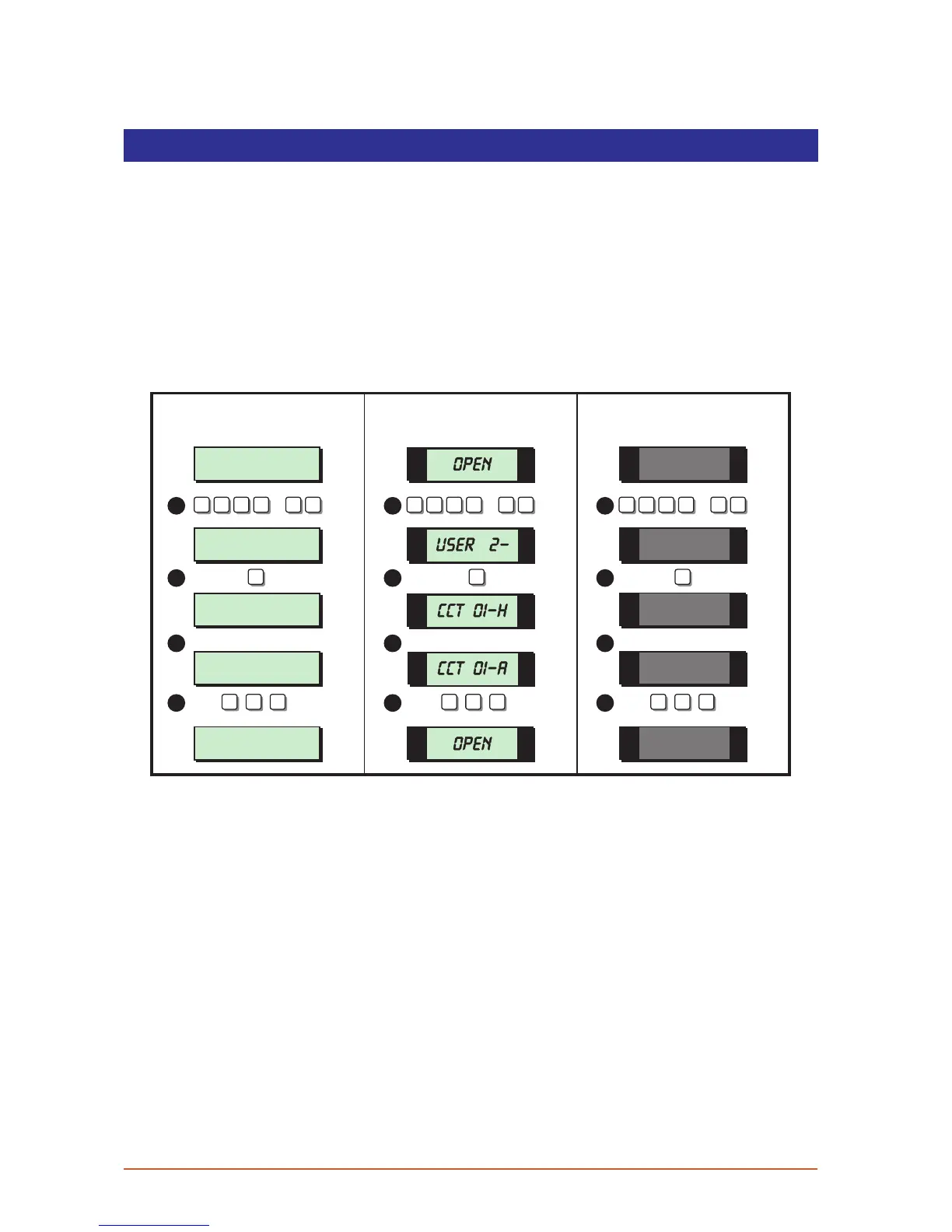
View Circuit s
This option allows you to ascertain the status of each detection circuit, The status for each
circuit may be as follows:
Healthy The normal status of a detection circuit, i.e. door closed or detector healthy.
Active This is the alarm status of a detection circuit, i.e. door open or detector in alarm.
Tamper This is the tamper open circuit status of a detection circuit, i.e. alarm cable cut
or a cover removed from a detector.
Shorted This is the short circuit status of a detection circuit, i.e. alarm cable shorted or
damaged.
User menu 2
Select Option :-
SYSTEM OPEN
17:30 01 JAN
CCT 01 Healthy
CCT 01 Active
SYSTEM OPEN
17:31 01 JAN
LCD Remote St arburst Remote
LED Rem ote
2 -
OPEN
OPEN
01-H
01-A
ESC ESC ESC ESC ESC ESC ESC ESC ESC
1 1 1
1 1 1
2 2 2
3
4
3
4
3
4
? ? ? ?
ENT
+
ENT
? ? ? ?
ENT
+
ENT
? ? ? ?
ENT
+
ENT
1. From the unset (open) mode enter your passcode and press [ENT] twice to select
user menu 2.
2. Whilst user menu 2 is selected. Press [1] to select the view circuits option.The display
will show the status of circuit 01.
3. Select the circuit you require to view by either entering the circuit number or by
pressing the [A] and [C] keys to scroll up and down through the circuits.
4. To return the system to the open mode press [ESC] three times.
25



 To Next Page