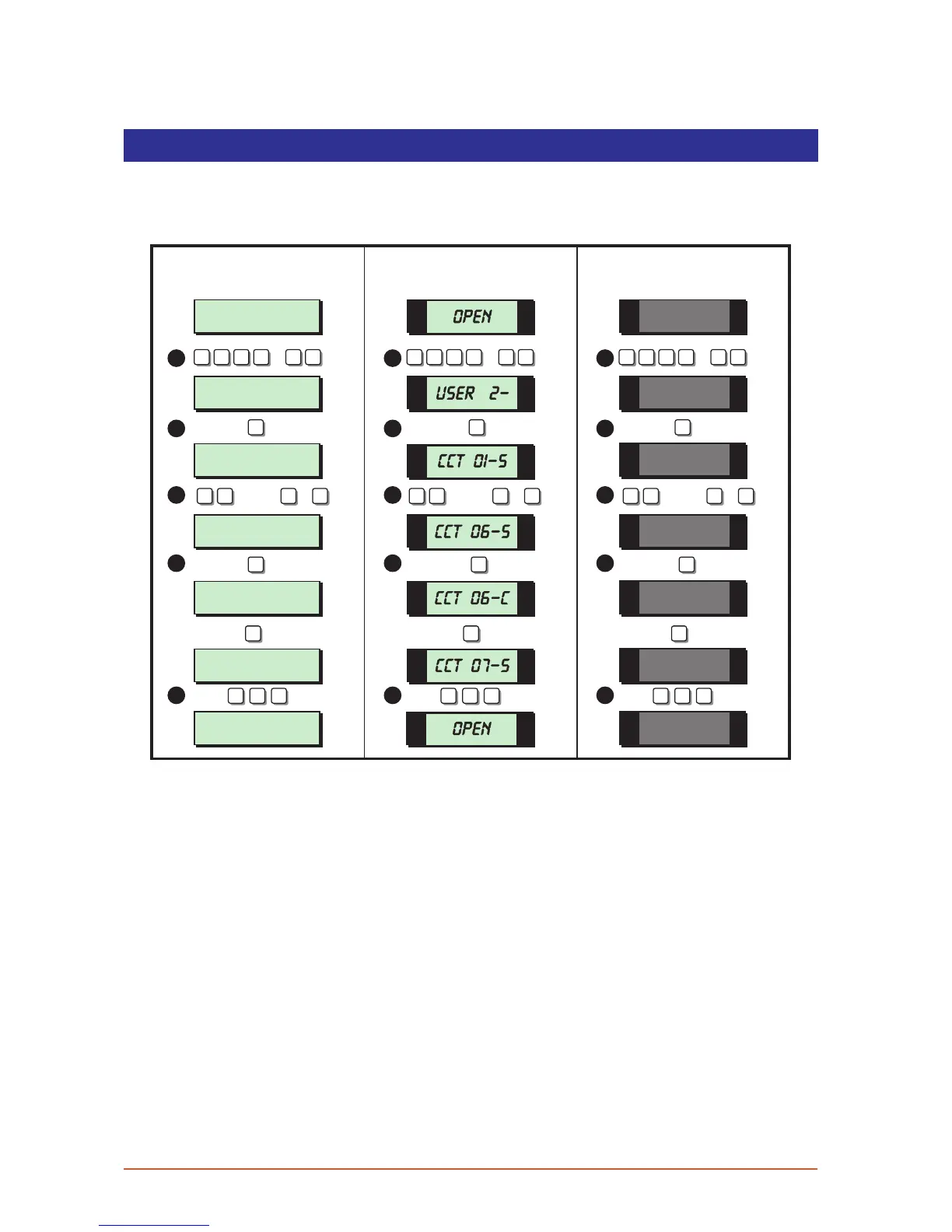
Alter Chime Circuits
This option allows you to select which detection circuits will cause a chime tone when
triggered. Once programmed, users that have access to user menu 1 can select one of
the four chime options, see “Ena ble Chime” on page 18.
User menu 2
Select Option :-
Entrance Door
CCT 06 Chime
Loading Bay Door
CCT 07 Silent
SYSTEM OPEN
17:30 01 JAN
Alter Chime ccts
Enter CCT NO.>--
Entrance Door
CCT 06 Silent
SYSTEM OPEN
17:31 01 JAN
2 -
OPEN
06-C
07-S
OPEN
01-S
06-S
ENT ENT ENT
5
B B B
5 5
1 1 1
2 2 2
3
4
5
3
4
5
3
4
5
LCD Remote St arburst Remote
LED Rem ote
? ? ? ?
ENT
+
ENT
? ? ? ?
ENT
+
ENT
? ? ? ?
ENT
+
ENT
ESC ESC ESC ESC ESC ESC ESC ESC ESC
0
A
6 C
OR
/
0
A
6 C
OR
/
0
A
6 C
OR
/
1. From the unset (open) mode enter your passcode and press [ENT] twice to select
user menu 2.
2. Whilst user menu 2 is selected. Press [5] to select the alter chime circuits option.
3. Select the required circuit by either entering the circuit number or by using the [A] and
[C] keys to scroll up and down through the circuits.
4. When the required circuit is displayed, press [B] to alternate between “Silent” and
“Chime”. When the display show the required setting press [ENT] to accept. A rising
multi-tone will be heard and the next available circuit is displayed.
5. Repeat from step 3 for other circuits or press [ESC] three times to return to the open
mode.
30



 To Next Page