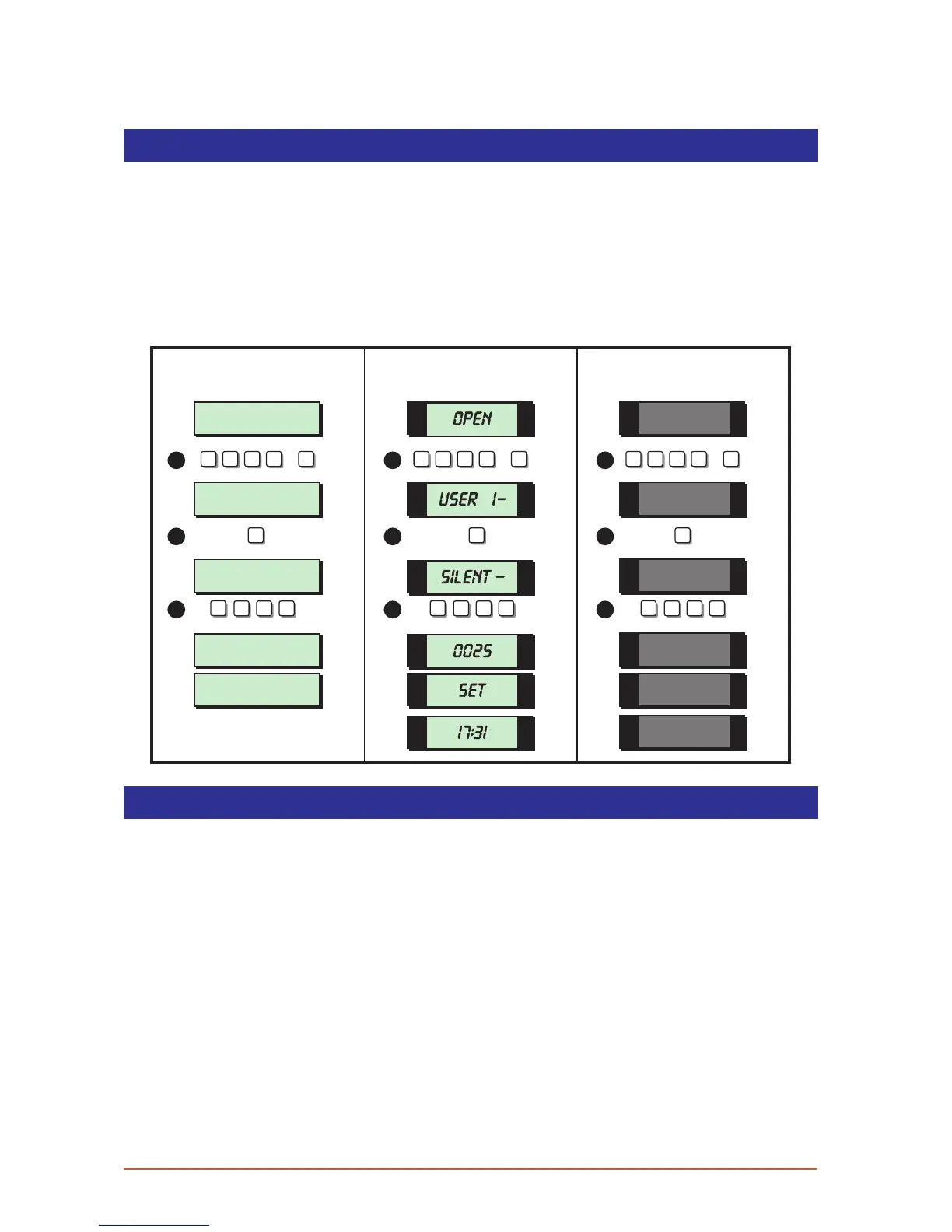
Silent Set
This option you to full set or part set the system silently, i.e. no exit sounder, accept for set
confirmation tone.
1. From the unset (open) mode enter your passcode and press [ENT] to select user
menu 1.
2. Whilst user menu 1 is selected. Press [8] to select the silent set option.
3. Press [0] to silent full set , [A], [B] or [C] for silent part set.
Full Set and Part S et
User menu 1
Select Option :-
SYSTEM OPEN
17:30 01 JAN
Silent Set ?
Enter Group > -
Please Exit Now .
Time Left > 0025
SYSTEM SET
17:31 01 JAN
1 -
OPEN
SET
17.31
SIL-
0025
8
0
A
B
C
0
A
B
C
0
A
B
C
8 8
1 1 1
2 2 2
3 3 3
? ? ? ?
ENT
+
? ? ? ?
ENT
+
? ? ? ?
ENT
+
LCD Remote St arburst Remote
LED Rem ote
This option offers an alternative method of full setting and part setting.
1. From the unset (open) mode enter your passcode and press [ENT] to select user
menu 1.
2. Whilst user menu 1 is selected. Press [0] to full set the system or [A], [B] or [C] to part
set the system.
23



 To Next Page