----
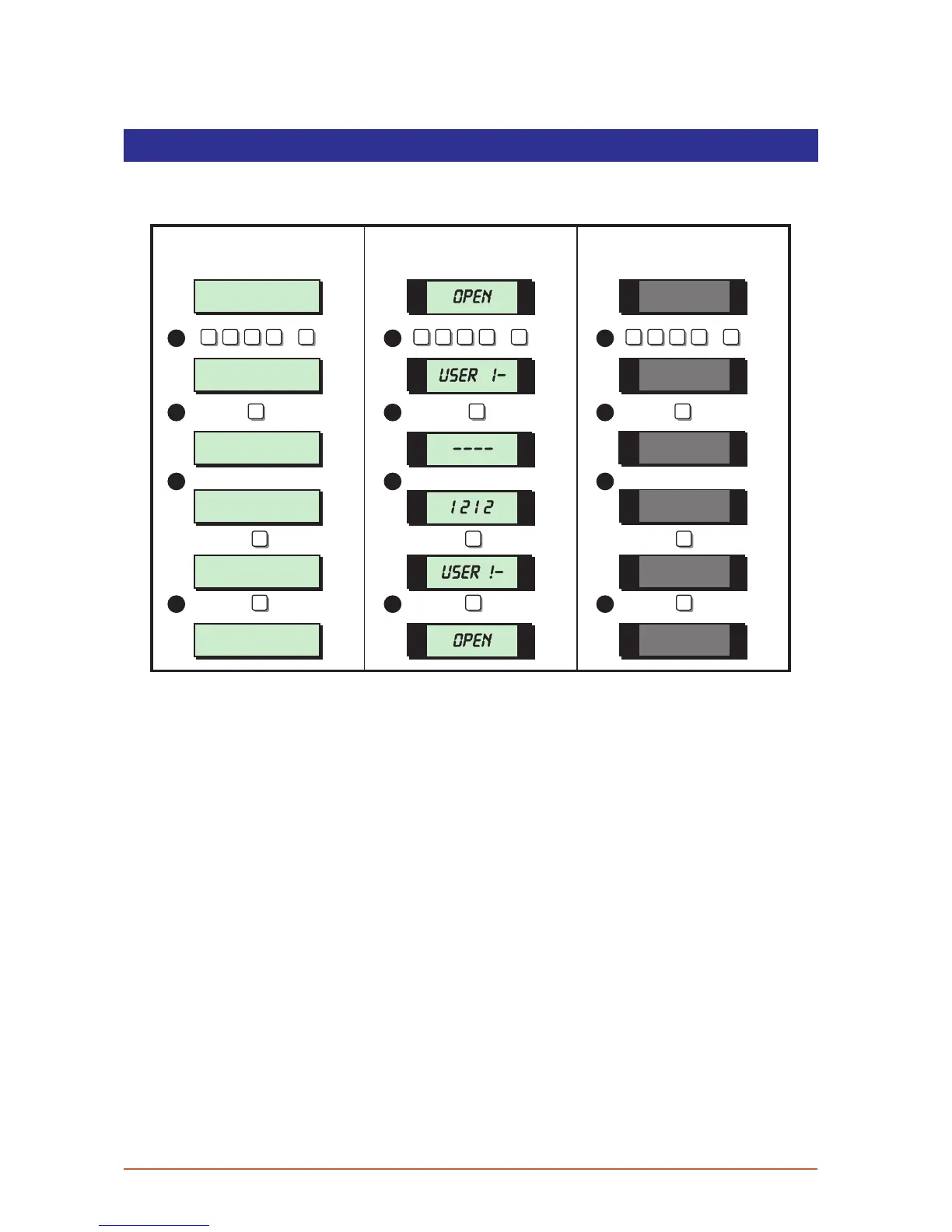
Change Passcode
This option allows you to change your own passcode. The master users can also add and
delete user passcodes, see “Set-up Users” on page 28.
User menu 1
Select Option :-
SYSTEM OPEN
17:30 01 JAN
SYSTEM OPEN
17:30 01 JAN
Change pass code
New code > ----
Change pass code
New code > 1212
User menu 1
Select Option :-
1 -
OPEN
OPEN
1 -
1212
ENT ENT ENT
4 4 4
ESCESC ESC
1 1 1
2 2 2
3 3 3
4 4 4
? ? ? ?
ENT
+
? ? ? ?
ENT
+
? ? ? ?
ENT
+
LCD Remote St arburst Remote
LED Rem ote
1. From the unset (open) mode enter your passcode and press [ENT] to select user
menu 1.
2. Whilst user menu 1 is selected. Press [4] to select the change passcode option.
3. Enter your new passcode then press the [ENT] key. A rising tone indicates
acceptance and the system returns to user menu 1. A low tone indicate an error and
you will be prompted to re-enter your new code.
4. To return the system to the open mode press [ESC].
17



 To Next Page