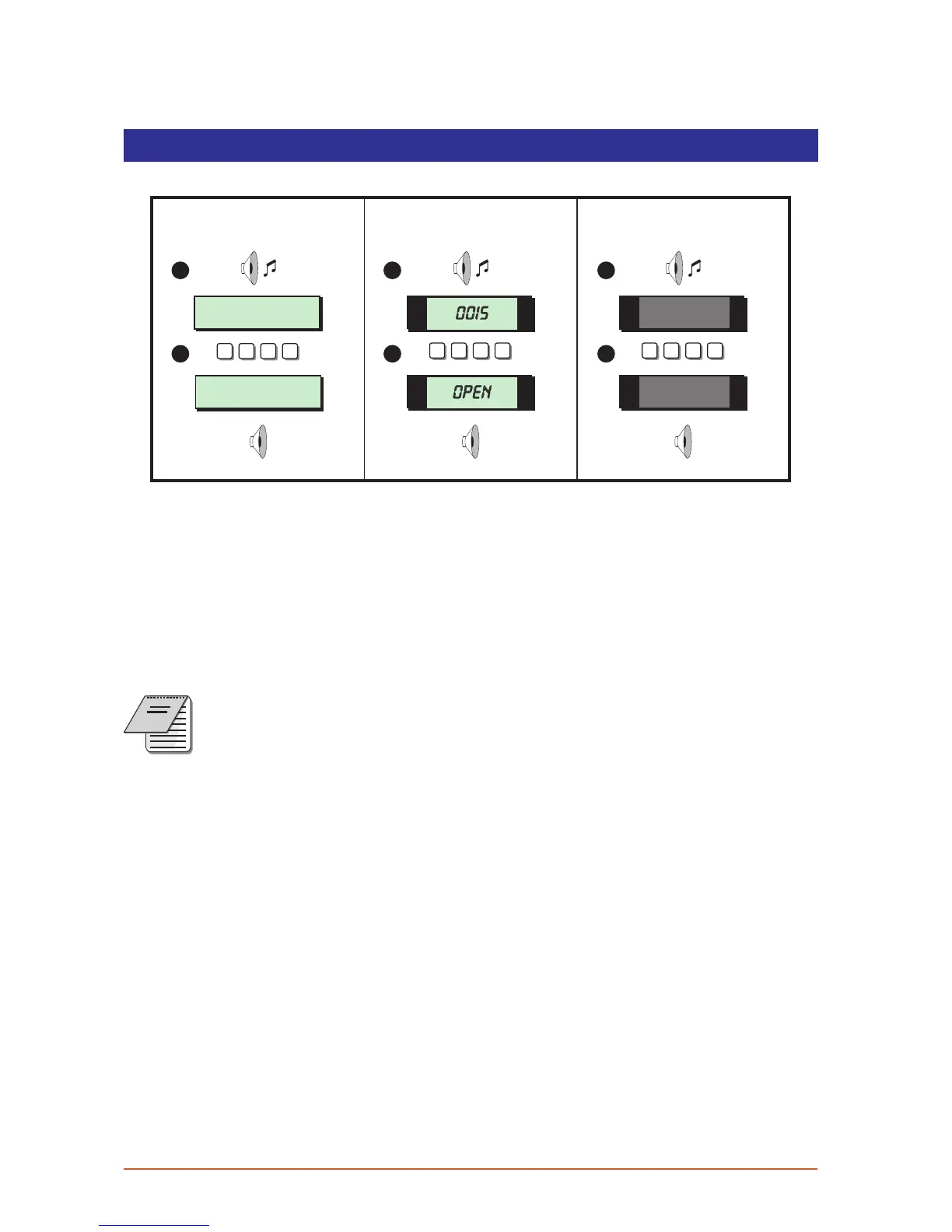
Un setting t he system
The unsetting of the alarm system can be performed at any remote keypad.
SYSTEM OPEN
17:30 01 JAN
Enter Your Code
Time left > 0015
? ? ? ?
1
2
? ? ? ? ? ? ? ?
OPEN
0015
1
2
1
2
LCD Remote St arburst Remote
LED Rem ote
1. Enter the premises via the prescribed entry route and proceed directly to the remote
keypad. The internal sounders generate an interrupted tone. The display will show the
remaining entry time.
2. Enter your 4 digit passcode before the entry timer expires. The internal sounders will
stop and the display will show “SYSTEM OPEN”. After 5 seconds the “SYSTEM OPEN”
message will disappear and the display will show the time, (date and banner text,
LCD only).
If the entry time is exceeded an alarm is generated from the internal
soundersandthe “SecondEntry”timerisstarted.Ifatthe endofthe “Second
Entry” timer the alar m system has not been unset a full alarm con dition will
occur.Ifthe alarm company has set the “Second Entry”timerto zero the ful l
NOTES
alarm wil l oc cur when the first entry timer expires.
Ifduring the entry procedure the userstrays from theprescribed entryrout e
and activates a detection circuit a full ala rm wi ll occur (internal sounders
and ex ternal sounders). If the alarm system is fitted with a remote signalling
device this w ill al so be triggered.
The alarm system can be programmed with an “Abort” feature which will
allow the system to tra ns mit an abort signal to your alarm re ceiving centre.
On receiving this signal your alarm receiving centre will cancel any police
action. This feature is cont rolled by time delay (normally set to 90 seconds).
Following a f ull alarm condition you must enter yo ur passcode with this time
period in order to se nd the abo rt signal, if you fail to enter your p asscode
befor e the timer ex pires police action will be taken.
8



 To Next Page