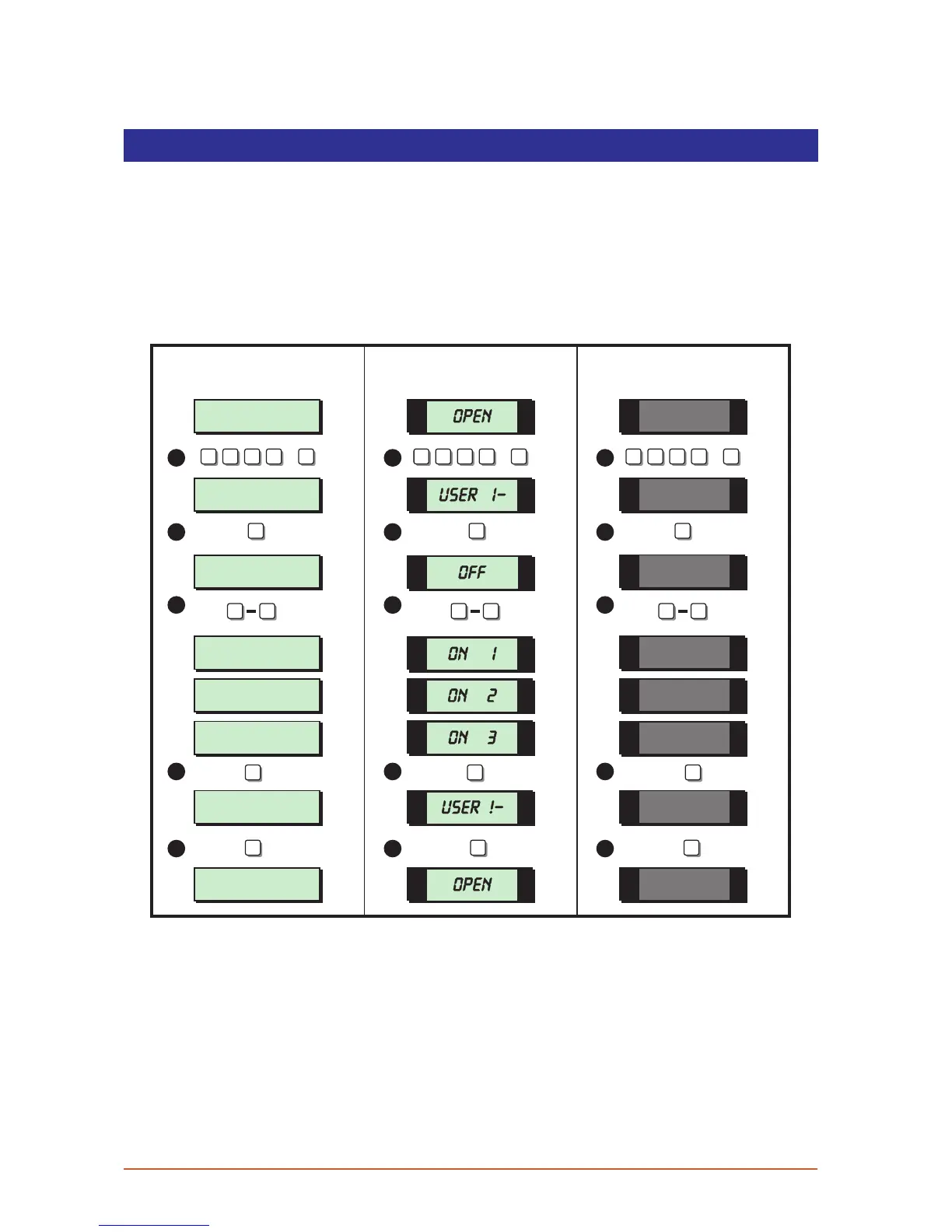
Enable Chime
Detection circuits that have been programmed as “Chime” will generate a two-tone
sound when triggered. This option allows you to select one of the four chime options:
1 Disabled Chime circuits are disabled.
2 Enabled Chime circuits are enabled at all times.
3 Enabled in P/Set Chime circuits are enabled when the system is unset or part set.
4 Enabled in Unset Chime circuits are only enabled when the system is unset.
User menu 1
Select Option :-
SYSTEM OPEN
17:30 01 JAN
SYSTEM OPEN
17:30 01 JAN
Chime ccts are
Disabled
Chime ccts are
Enabled
Chime ccts are
Enabled in P/Set
Chime ccts are
Enabled in Unset
User menu 1
Select Option :-
1 -
OPEN
OPEN
1 -
OFF
ON 1
ON 2
ON 3
5 5 5
ESC ESCESC
ENT ENT ENT
1 1 1
2 2 2
3 3 3
4 4 4
5 5 5
1 4 1 4 1 4
? ? ? ?
ENT
+
? ? ? ?
ENT
+
? ? ? ?
ENT
+
LCD Remote St arburst Remote
LED Rem ote
1. From the unset (open) mode enter your passcode and press [ENT] to select user
menu 1.
2. Whilst user menu 1 is selected. Press [5] to select the enable chime option.
3. Select the chime option by pressing keys [1] to [4] or by pressing [B] to alternate
between all 4 option.
4. When the display show the required setting press the [ENT] key to accept. A rising
multi-tone will be heard and the system is returned to user menu 1.
5. To return the system to the open mode press [ESC].
18



 To Next Page