300Mbps Wireless N Router User Guide
▶ Primary DNS - (Optional.) Enter the DNS IP address provided by your ISP or consult your
ISP.
▶ Secondary DNS - (Optional.) Enter the IP address of another DNS server if your ISP
provides two DNS servers.
▶ Host - The name of the DHCP client.
▶ MAC Address - The MAC address of the DHCP client
▶ IP Address - The IP address that the router has allocated to the DHCP client
▶ Effective Time - The time of the DHCP client leased. After the dynamic IP address has
expired, a new dynamic IP address will be automatically assigned to the user.
Click Refresh to show the current attached devices.
5.1.7 IP & MAC Binding
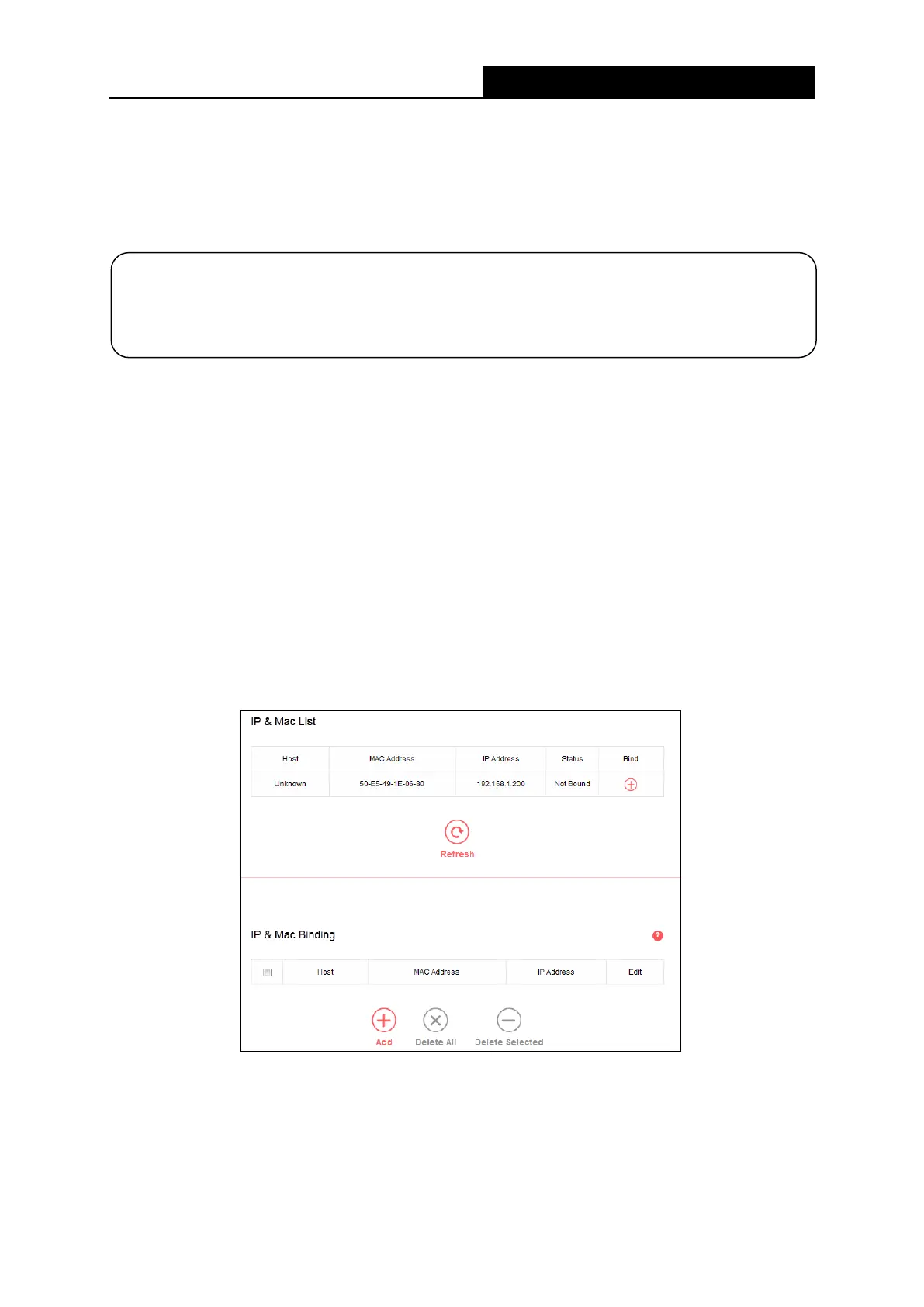
Go to Network→IP & MAC Binding, you can control access of a specific computer in the LAN
by binding the IP address and the MAC address of the device together.
▶ Host - The name of the controlled computer in the LAN.
▶ MAC Address - The MAC address of the controlled computer in the LAN.
▶ IP Address - The assigned IP address of the controlled computer in the LAN.
NOTE:
To use the DHCP server function of the router, you must configure all computers on the LAN
as Obtain an IP Address automatically.
- 27 -



 To Next Page