6.5 Initialise data memory
774 Oven Sample Processor, Instructions for use
149
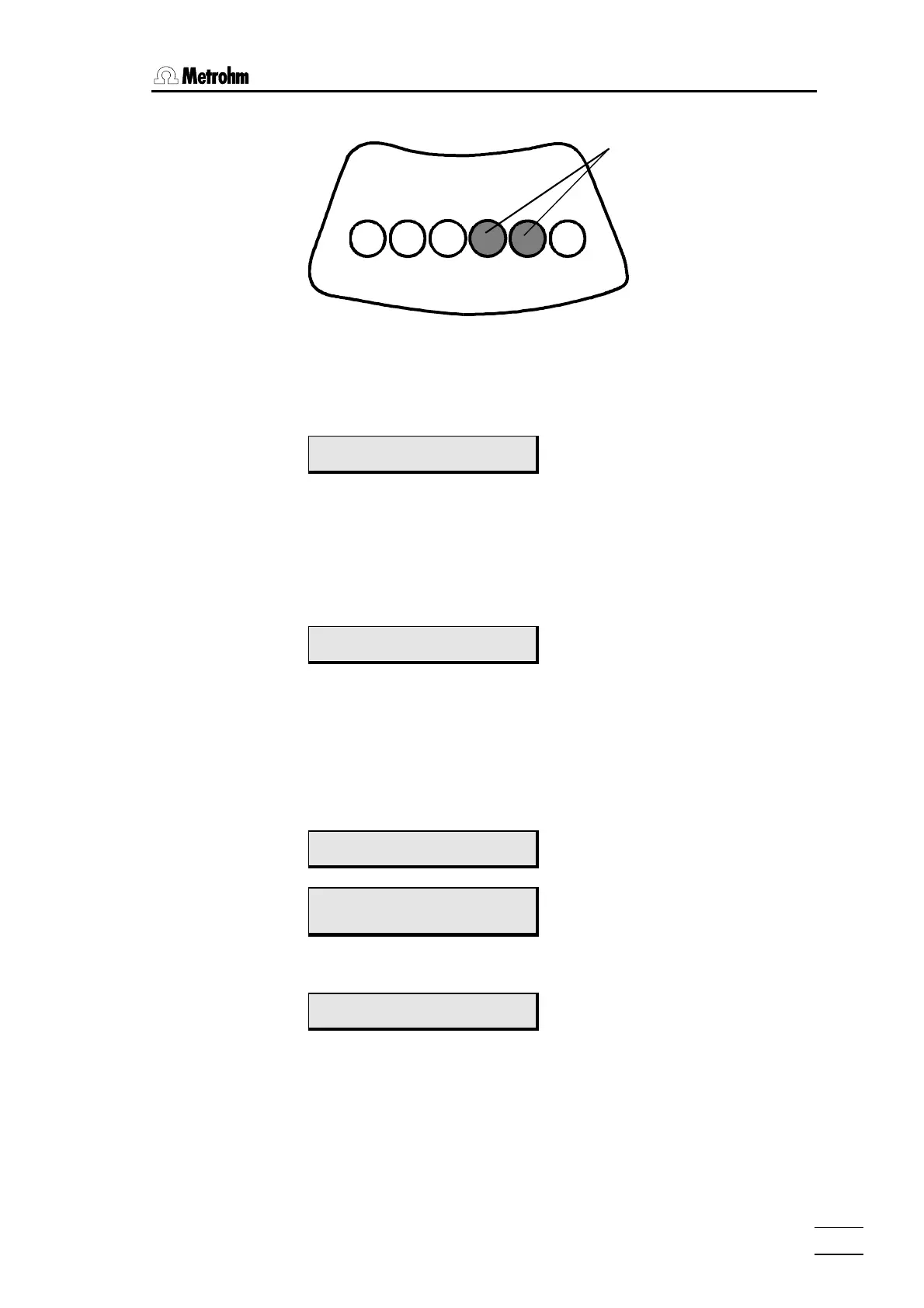
Magnets
fitted
In this
example, the code is:
000110
Magnet fixture viewed from below
• Raise the rack and place it to one side.
• Prepare the unit for diagnosis (see Chap. 6.4.2).
• If necessary, press<Ð> several times until
diagnosis
>power on reset
• <ENTER>
The unit runs through the power-up routine (initialisation of lift and rack positions). Initialisation is
important since it is essential that the turntable (rack holder) be in basic position (beaker 1 at
tower 1) for the following “rack code test“ diagnosis step.
• Prepare the unit for diagnosis (see Chap. 6.4.2).
• If necessary, press <Ð> several times until
diagnosis
>rack code test
• <ENTER>
The test reads in the coding constantly and displays it. A six-digit bit pattern (code ??????) is
scheduled for this for the display. The first digit for magnet No. 1, the second digit for magnet
No. 2 etc. If a magnet is detected, the corresponding digit is assigned "1". Otherwise, it is as-
signed "0".
• Consecutively fit all racks to be used and compare the related note
which you made beforehand with the information on the display.
>rack code test
code 000000
Example of:
No rack fitted
>rack code test
code 000001
Example of:
Rack with coding in accordance with above
example.
• You can quit the test by pressing key <QUIT> or <STOP>.
diagnosis
>power on reset
You can quit diagnosis from the main menu with <QUIT> or <STOP>.
6.5 Initialise data memory
This diagnosis step allows you to assign default values to device parame-
ters using the keypad and thus set the unit to its original state. This is im-
portant owing to the following two aspects:














 To Next Page