EasyManua.ls Logo

Metrohm Titrando - User Manual

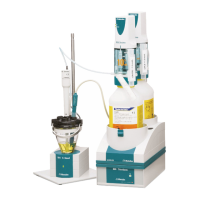
Metrohm Titrando
70 pages
Print Icon
To Next Page IconTo Next Page
Loading...
CH-9101 Herisau/Switzerland
E-Mail info@metrohm.com
Internet www.metrohm.com
Titrando
Installation Instructions
8.840.1133 06.2006 / jb

Table of Contents

Questions and Answers

  • L
    lewisseanJul 28, 2025
    How to fix a Metrohm Laboratory Equipment Titrando when the "On" LED doesn't light up?
    • M
      Mark OlsonJul 28, 2025
      If the "On" LED doesn't light up on your Metrohm Laboratory Equipment Titrando even when it's plugged in, the issue might be that the Touch Control or the computer isn't switched on, or the plugs aren't correctly connected. To resolve this, verify the plug connections and ensure that the Touch Control or the computer is powered on.
  • V
    Veronica CurtisAug 8, 2025
    What to do if the exchange unit cannot be removed from the Metrohm Laboratory Equipment Titrando and the "Status" LED blinks slowly?
    • R
      Robin PorterAug 8, 2025
      If you can't remove the exchange unit from your Metrohm Laboratory Equipment Titrando and the "Status" LED is blinking slowly, it's likely that dosing or filling is in progress, or the Titrando isn't in the change position. To solve this, stop the current run or perform a "Fill" step.
  • B
    Becky KellerAug 15, 2025
    Why can't I push the exchange unit into position on my Metrohm Laboratory Equipment Titrando?
    • S
      Shannon SanchezAug 15, 2025
      If you are unable to push the exchange unit into position on your Metrohm Laboratory Equipment Titrando, there are a couple of potential causes: * The exchange unit flat cock is not in the change position. Manually move the flat cock to the change position by ensuring the switch lever is pointing to the right. * The piston rod in the exchange unit is not in the correct position. Adjust the piston rod to the correct position, referring to the exchange unit Instructions for Use, Section "Attaching the exchange unit".
  • Y
    ysullivanAug 20, 2025
    What to do if the "Status" LED does not light up on a Metrohm Laboratory Equipment Titrando with an exchange unit in place?
    • V
      vrobertsAug 20, 2025
      If the "Status" LED doesn't light up on your Metrohm Laboratory Equipment Titrando, even with an exchange unit in place, it might be because the exchange unit isn't attached correctly. Try removing the exchange unit and then re-attaching it, ensuring it clicks into position. Note that the LED will blink while data is being read from an intelligent exchange unit (806) and will remain on continuously once the exchange unit is correctly recognized.
  • C
    Christina MccoyNov 2, 2025
    What to do if the "Status" LED blinks rapidly on a Metrohm Laboratory Equipment Titrando?
    • V
      vgonzalesNov 2, 2025
      If the "Status" LED on your Metrohm Laboratory Equipment Titrando blinks rapidly, it could be due to a few reasons: 1. The dosing drive is overloaded because the flat cock is blocked. In this case, switch off the Touch Control or end PC Control/tiamo. Check if the exchange unit can be removed. If not, see if the flat cock can be rotated manually to the change position. Remove the exchange unit and follow the instructions for servicing a blocked flat cock. 2. The dosing drive is overloaded because the piston is blocked, as indicated by the software. Switch the control device off and on again to initialize the dosing device. Remove the exchange unit and clean it according to the instructions for care and maintenance. Contact Metrohm Service if you cannot remove the exchange unit. 3. The ...

Summary

Introduction

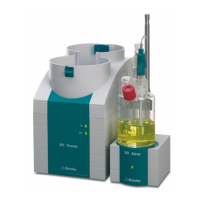
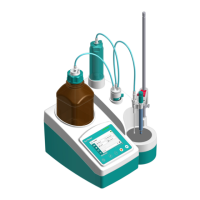
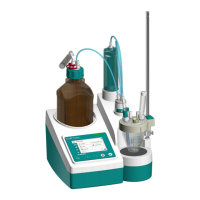
Instrument description

Provides a description of the Titrando system and its common features.

Information about the Installation Instructions

Explains the organization, notation, and pictograms used in the manual.

Parts and controls

Details the physical parts and operational controls of the Titrando instrument.

Safety notes

Covers essential safety guidelines, including electrical safety and electrostatic protection.

Installation

Overview

Provides a flow diagram illustrating the installation process of a titration system.

Instrument setup

Covers unpacking, checking, and selecting an appropriate location for the instrument.

Controller connection

Explains how to connect either a Touch Control or a computer for system operation.

Device connection at the MSB

Details connecting peripheral devices via the Metrohm Serial Bus (MSB) ports.

Device connection at the USB

Explains how to connect various peripherals and devices using the Titrando's USB ports.

Sensor connection

Explains how to connect different types of sensors and measuring interfaces.

Update of the instrument software

Provides information on how to update the instrument's software.

Troubleshooting

Problems

Lists common problems, their possible causes, and recommended solutions for the Titrando.

Appendix

Technical data

Contains key technical specifications for the Titrando system, including modes, interfaces, and specs.

Standard equipment

Lists the standard equipment included with various Titrando instrument models.

Additional instruments and optional accessories

Lists optional instruments and accessories for expanding the Titrando system's capabilities.

Warranty and conformity

Covers warranty terms and declarations of conformity for Metrohm products.

Metrohm Titrando Specifications

General IconGeneral
mV Resolution0.1 mV
Temperature Resolution0.1 °C
ApplicationsAcid-base, redox, complexometric, precipitation, Karl Fischer titration
Measuring inputspH, mV, temperature
Stirrer controlIntegrated stirrer control
Softwaretiamo
Titration MethodsMET (Monotonic Equivalence Titration), SET (Fixed Equivalence Titration)
Dosing ResolutionVaries depending on the Dosing device used
Minimum Dosing VolumeVaries depending on the Dosing device used
pH Resolution0.001
InterfaceUSB
Power Supply100 – 240 V AC (depending on the model)
DimensionsVaries depending on the model
WeightVaries depending on the model

Related product manuals