5 Detailed description
774 Oven Sample Processor, Instructions for use
62
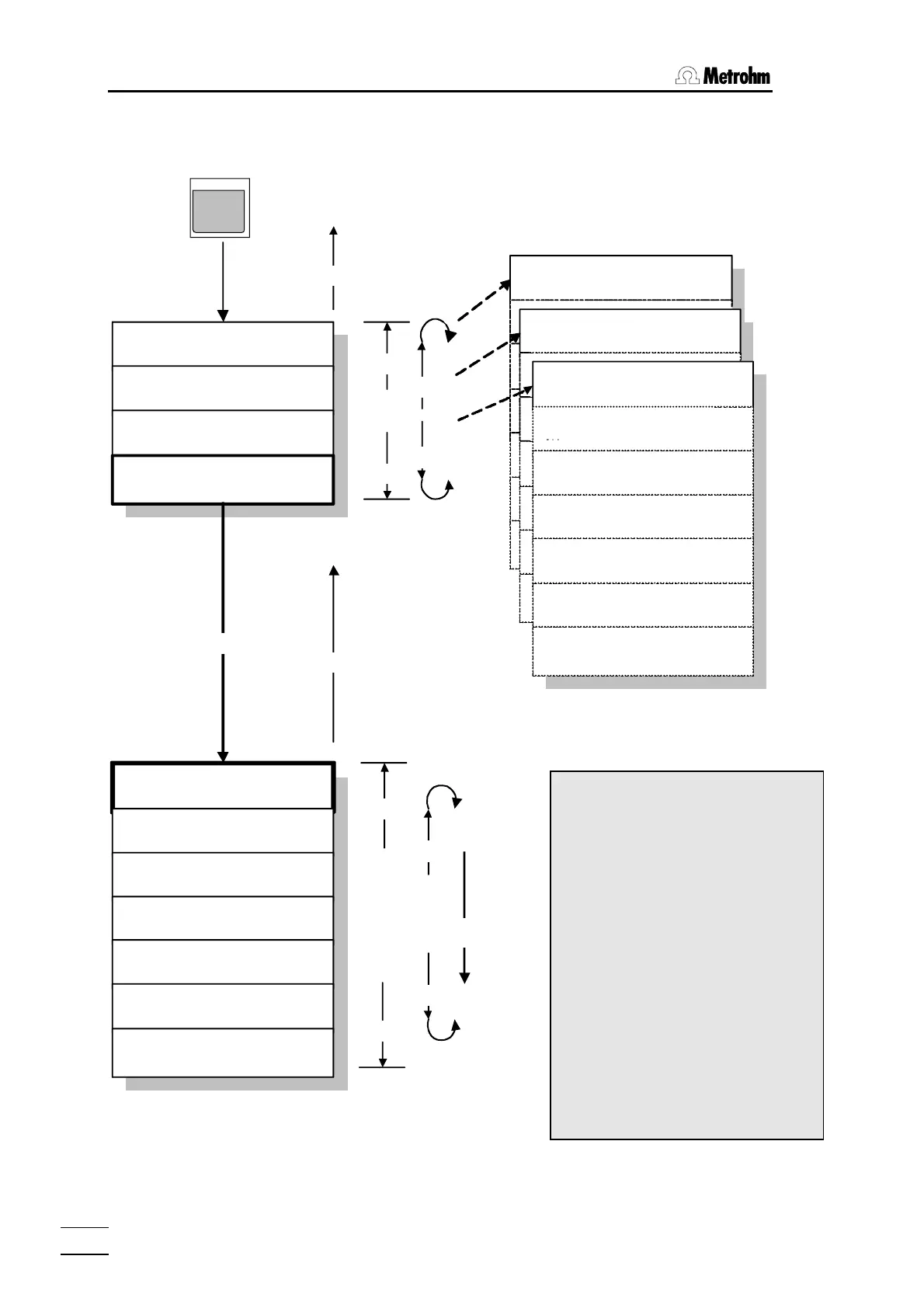
5.3 Menu organization
<QUIT>
normal state
<
Ï
>
<
Ð
>
dialog: english
rack number 0
configuration
>auxiliaries
>rack definitions
>dosing units
>RS232 settings
dosing unit 1
>RS232 settings
baud rate: 9600
data bit: 8
stop bit: 1
parity: none
Handshake: HWs
character set: IBM
RS control: off
<ENTER>
<HOME>
<HOME>
<END>
<QUIT>
<END>
<
Ï
>
<
Ð
>
<ENTER>
configuration
configuration
configuration
>auxiliaries
>rack definitions
>dosing units
>RS232 settings
>RS232 settings
>RS232 settings
>RS232 settings
>RS232 settings
>RS232 settings
CONFIG
The <CONFIG> key opens the me-
nu where the most important settings
of the instrument are grouped in sub-
menus according to topic and may
be altered. In the first line of the dis-
play the description of the active
submenu is always displayed. Navi-
gating within the menus is accom-
plished with the cursor keys;
<HOME> and <END> jump to the
first or last menu line respectively.
<QUIT> exits the active menu, o-
pens the next highest menu level or
returns the changer to normal state.
<ENTER> either opens a submenu
or confirms data entry at the lower-
most menu level. <CONFIG> can
be used instead of <Ð>.
Example :
Configuration menu














 To Next Page