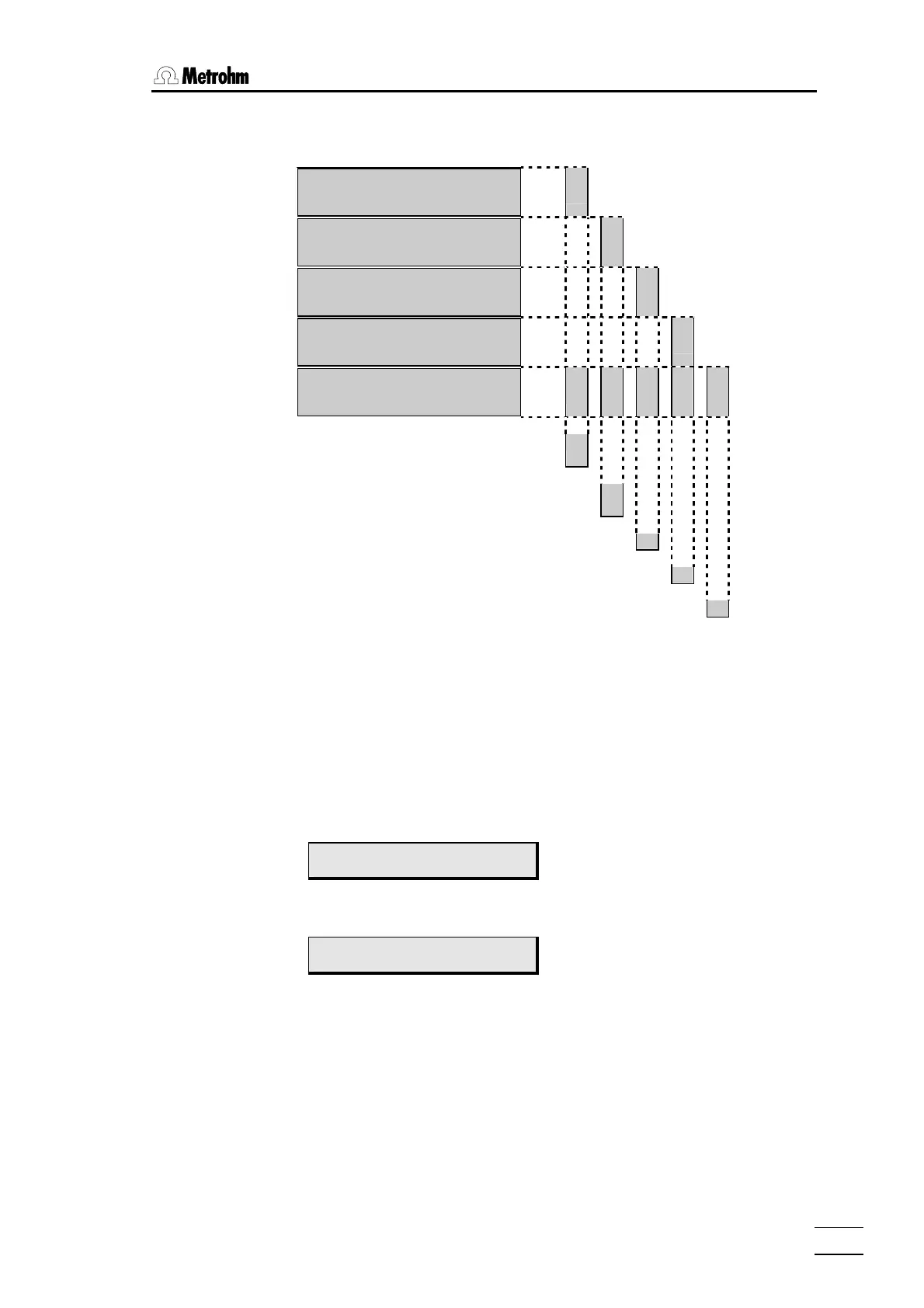
6.5 Initialise data memory
774 Oven Sample Processor, Instructions for use
151
• Press key <ENTER> to open the following Diagnosis menu:
>RAM initialization
select: param
9
>RAM initialization
select: config
9
>RAM initialization
select: setup
9
>RAM initialization
select: assembly
9
>RAM initialization
select: all
9
9
9
9
9
Set method parameters to default val-
ues.
©
Set device configuration to default
values.
©
Set Setup parameters to default values.
©
Set Assembly parameters to default values.
©
Erases all user-defined methods
©
The sub-menus can be selected one after the other by pressing key <Se-
lect>. You can access the individual initialisation variants with key
<ENTER>, and you can quit with key <QUIT>.
The table shows what parts of the data memory are affected by the corre-
sponding initialisation variants. In the case of a system crash (undefined
display), no responses to keystrokes etc.), it is advisable to use initialisation
variant "
all".
• If necessary, press key <Select> several times until:
>RAM initialization
select: all
• Press <ENTER>.
diagnosis
>RAM test
• Press <QUIT>.
The Diagnosis menu is closed and the device runs through a power-up reset.














 To Next Page