18 Instructions SL1
3.5.3 Checking the Radio Transmitters
After recognizing the devices, the control unit must recognize the length
of the gate. During this stage, the length of the gate is measured from
the closing limit switch to the opening limit switch. This measurement is
required to calculate the deceleration points and the partial opening
point.
1 Release the gearmotor using the appropriate keys, see the "Gearmotor
Release" paragraph on page 36, and move the gate to mid travel so that
it is free to move in both opening and closing directions; then lock the
gearmotor.
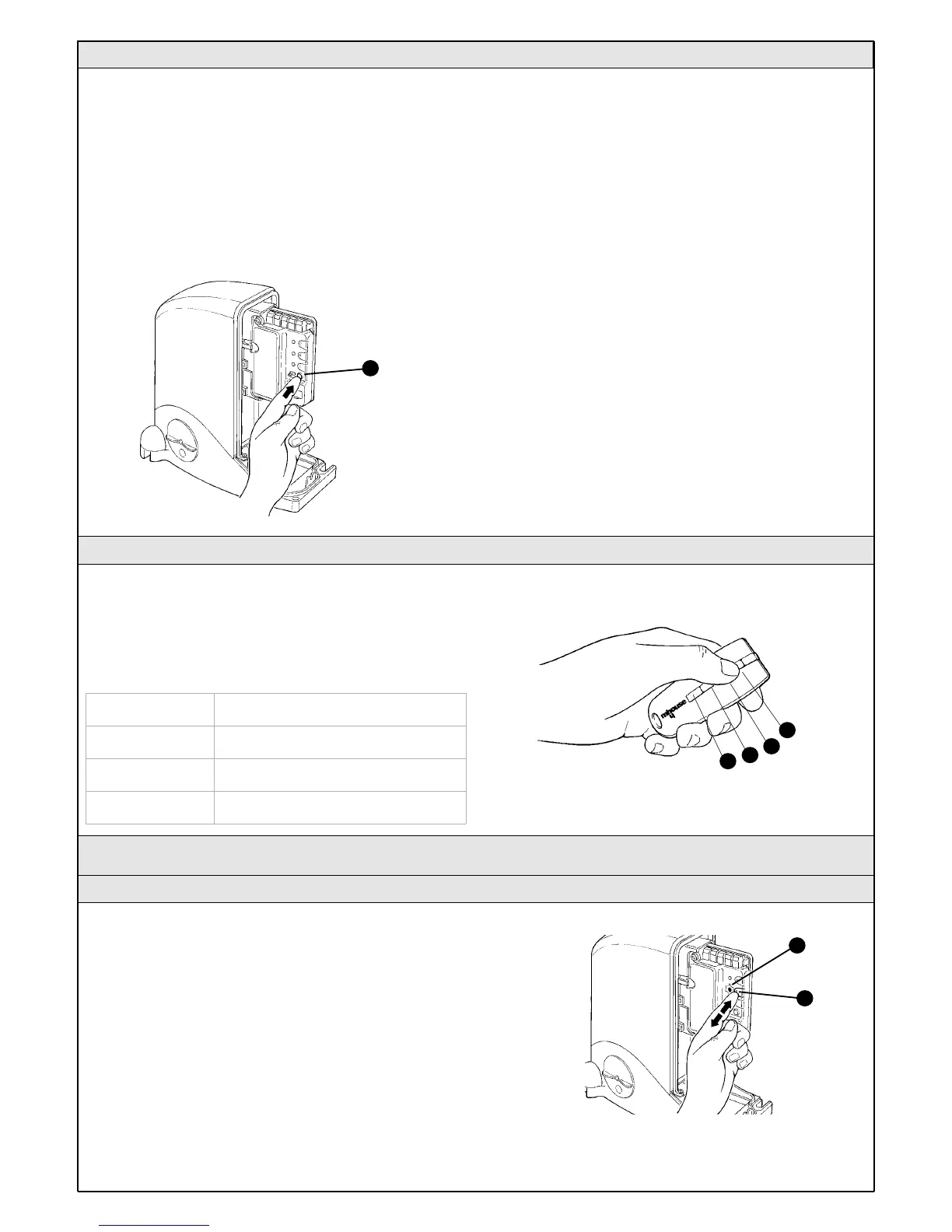
2On the control unit press and release the OPEN button [A].
Wait for the control unit to open the gate until it reaches the opening limit
switch.
• If the movement is not an opening manoeuvre, press the button
again to stop the manoeuvre and invert the position of the jumper (see
figure 50 or 51) on page 15. Then repeat point 2.
3On the control unit press and release the OPEN button [A].
Wait for the control unit to close the gate until it reaches the closing limit
switch.
4Perform several opening and closing manoeuvres making sure that the
gate reaches the limit switch and stops at least 2-3 centimetres before
the mechanical stops.
3.5.2 Checking gate movements
To check the transmitters just press one of the four buttons, make sure
that the red LED flashes and that the automation executes the command.
The command associated to each button depends on how they have
been memorized (see paragraph 5.4 "Memorization of Radio
Transmitters"). The transmitters supplied have already been memorized
and when you press the buttons the following commands are transmitted:
3.6 Regulations
3.6.1 Selecting gate speed
The gate can be opened and closed at two speeds: "slow" or "fast".
To switch from one speed to the other press the P2 button [B]
momentarily; the corresponding P2 LED [A] will light up or go off; if the
LED is off the speed is "slow", if the LED is on the speed is "fast".
Figure 63
Button T1 "OPEN" command
Button T2 "Open pedestrian gate" command
Button T3 "Open only" command
Button T4 "Close only" command
A
B
Figure 62
A
T1
T2
T3
T4



 To Next Page