© Microhard Systems Inc. 15
2.0 Quick Start
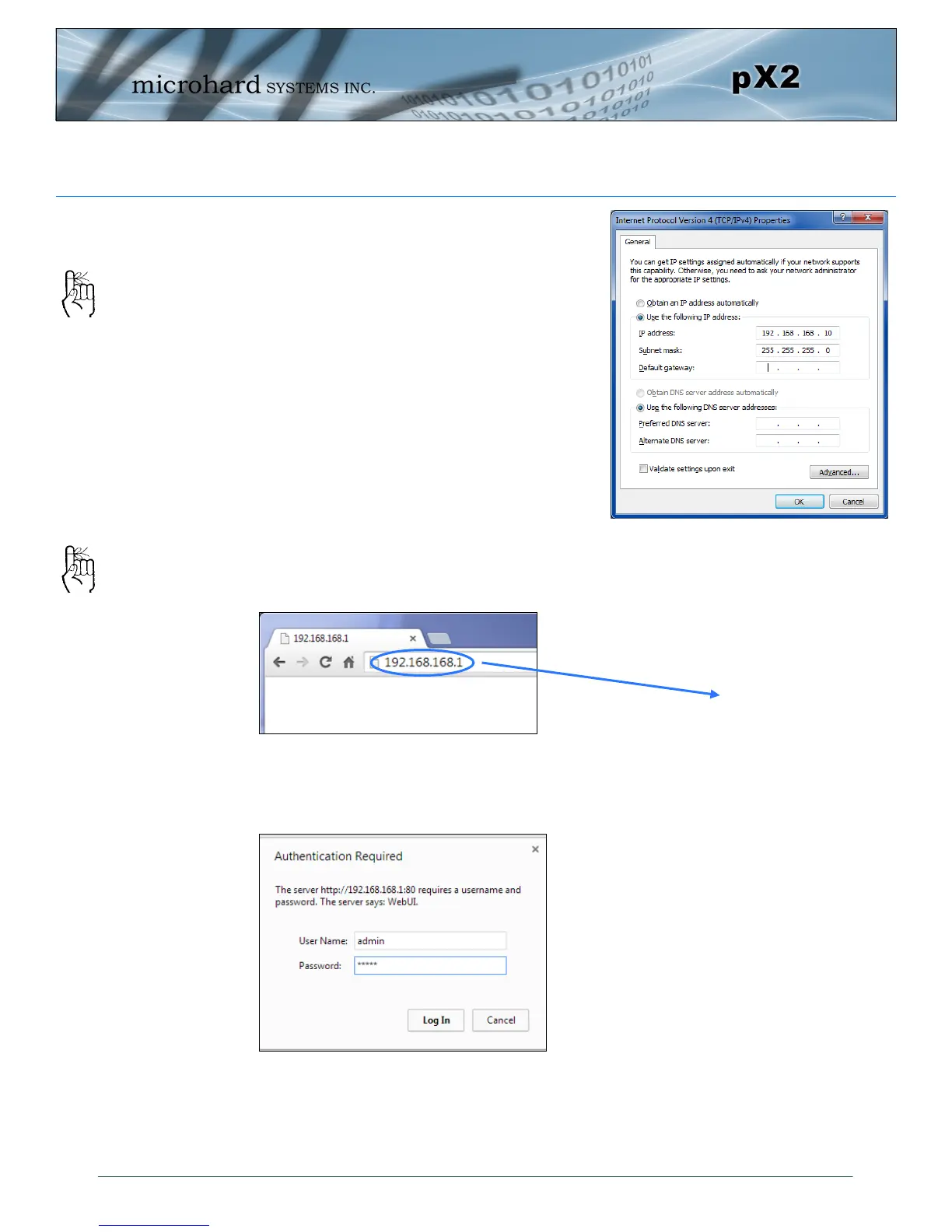
Open a Browser Window and enter the IP address 192.168.168.1 into the ad-
dress bar.
The pX2 will then ask for a Username and Password. Enter the factory defaults
listed below.
Once successfully logged in, the System Summary window will be displayed.
Select Use the following IP address and
enter the values below as shown:
IP Address: 192.168.168.10
Subnet Mask: 255.255.255.0
Click OK
The factory default
network settings:
IP: 192.168.168.1
Subnet: 255.255.255.0
The factory default login:
User name: admin
Subnet: admin
It is always a good idea to
change the default admin
login for future security.
192.168.168.1
The Factory default login:
User name: admin
Password: admin



 To Next Page