© Microhard Systems Inc. 34
4.0 Configuration
4.1.2 System > Settings
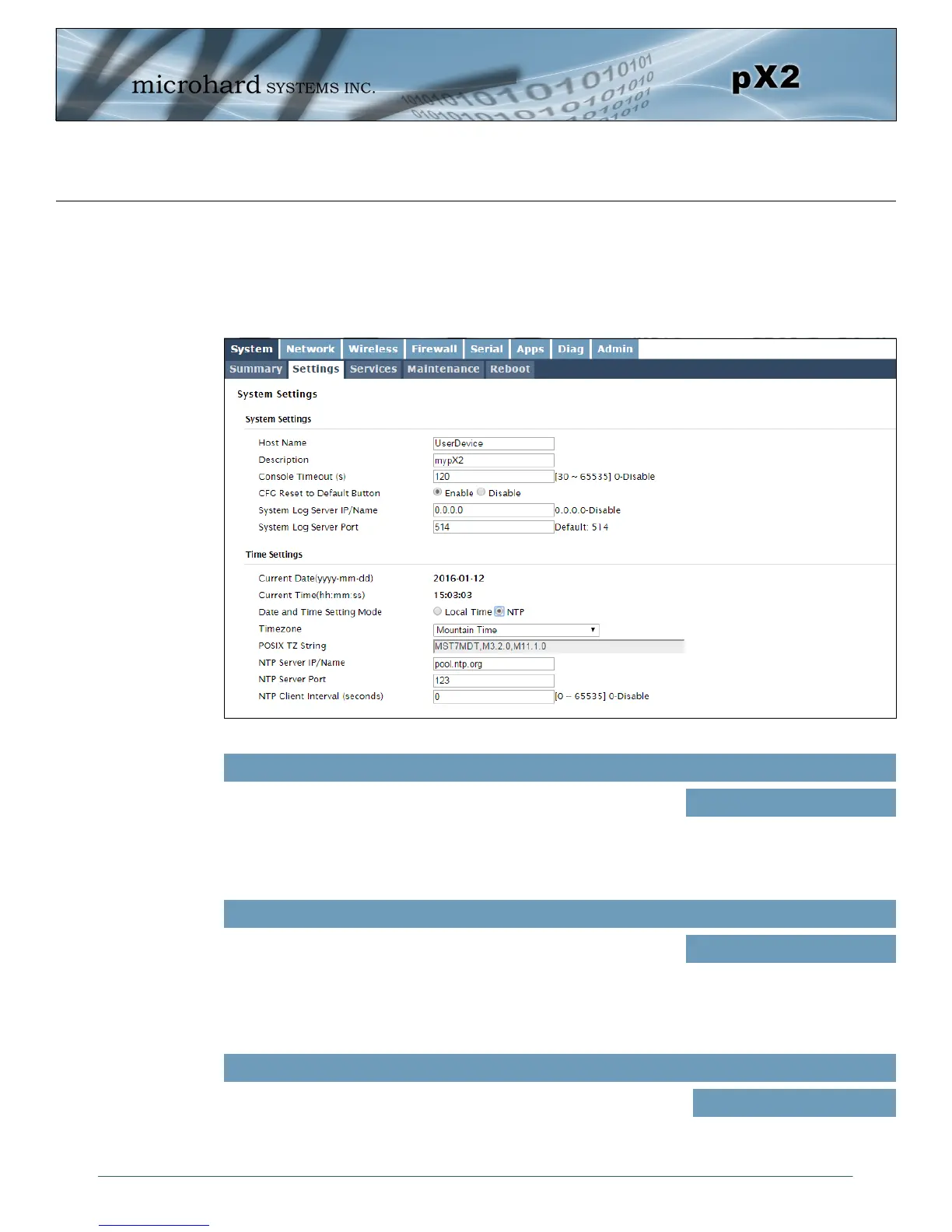
System Settings
Options available in the System Settings menu allow for the configuration of the Host Name, Description,
Console Timeout, System Log server and System Time settings.
Image 4-1-2: System Settings > System Settings
The Host Name is a convenient identifier for a specific pX2 unit. This
feature is most used when accessing units remotely: a convenient
cross-reference for the unit’s WAN IP address. This name appears
when logged into a telnet session.
Host Name
Values (characters)
pX2 (varies)
up to 64 characters
Console Timeout (s)
This value determines when a console connection (made via Console
Port or Telnet) will timeout after becoming inactive.
Values (seconds)
60
0-65535
The description is a text field that can be used to describe the unit or
system. This value can be viewed on the System > Summary screen.
Description
Values (characters)
pX2 (varies)
up to 64 characters



 To Next Page