© Microhard Systems Inc. 60
4.0 Configuration
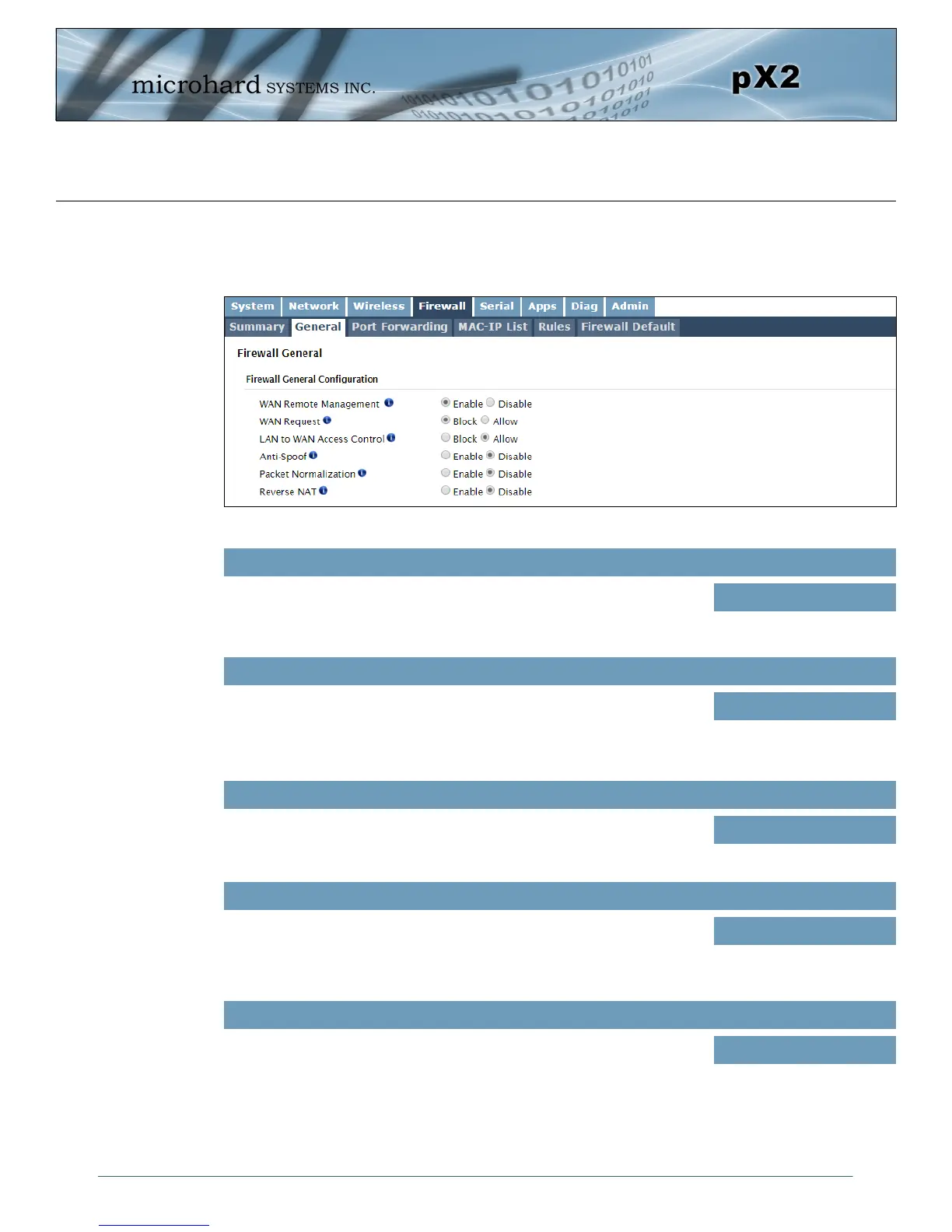
Image 4-4-2: Firewall > General
4.4.2 Firewall > General
The General Firewall settings allow users to enable or disable the firewall, and to decide which areas of the
modem to protect. The Firewall can also be reset to factory defaults from this area of the WebUI.
WAN Remote Management
Allow remote management of the pX2 on the WAN side using the WebUI
on port 80(HTTP), and 443 (HTTPS). If disabled, the configuration can only
be accessed from the LAN.
Values
Enable / Disable
WAN Request
When Blocked the pX2 will block all requests from devices on the WAN
unless specified otherwise in the Access Rules, MAC List, IP List
configurations. Access to ports 80 (HTTP) and 443 (HTTPS-if enabled), is
still available unless disabled in the WAN Remote Management option.
Values
Block / Allow
LAN to WAN Access Control
Allows or Blocks traffic from the LAN accessing the WAN unless specified
otherwise using the Access Rules, MAC, and IP List configuration.
Values
Block / Allow
Anti-Spoof
The Anti-Spoof protection is to create some firewall rules assigned to the
external interface (WAN) of the firewall that examines the source address
of all packets crossing that interface coming from outside. If the address
belongs to the internal network or the firewall itself, the packet is dropped.
Values
Enable / Disable
Packet Normalization
Packet Normalization is the normalization of packets so there are no
ambiguities in interpretation by the ultimate destination of the packet. The
scrub directive also reassembled fragmented packets, protecting some
operating systems from some forms of attack, and drops TCP packets that
have invalid flag combinations.
Values
Enable / Disable



 To Next Page