© Microhard Systems Inc. 49
4.0 Configuration
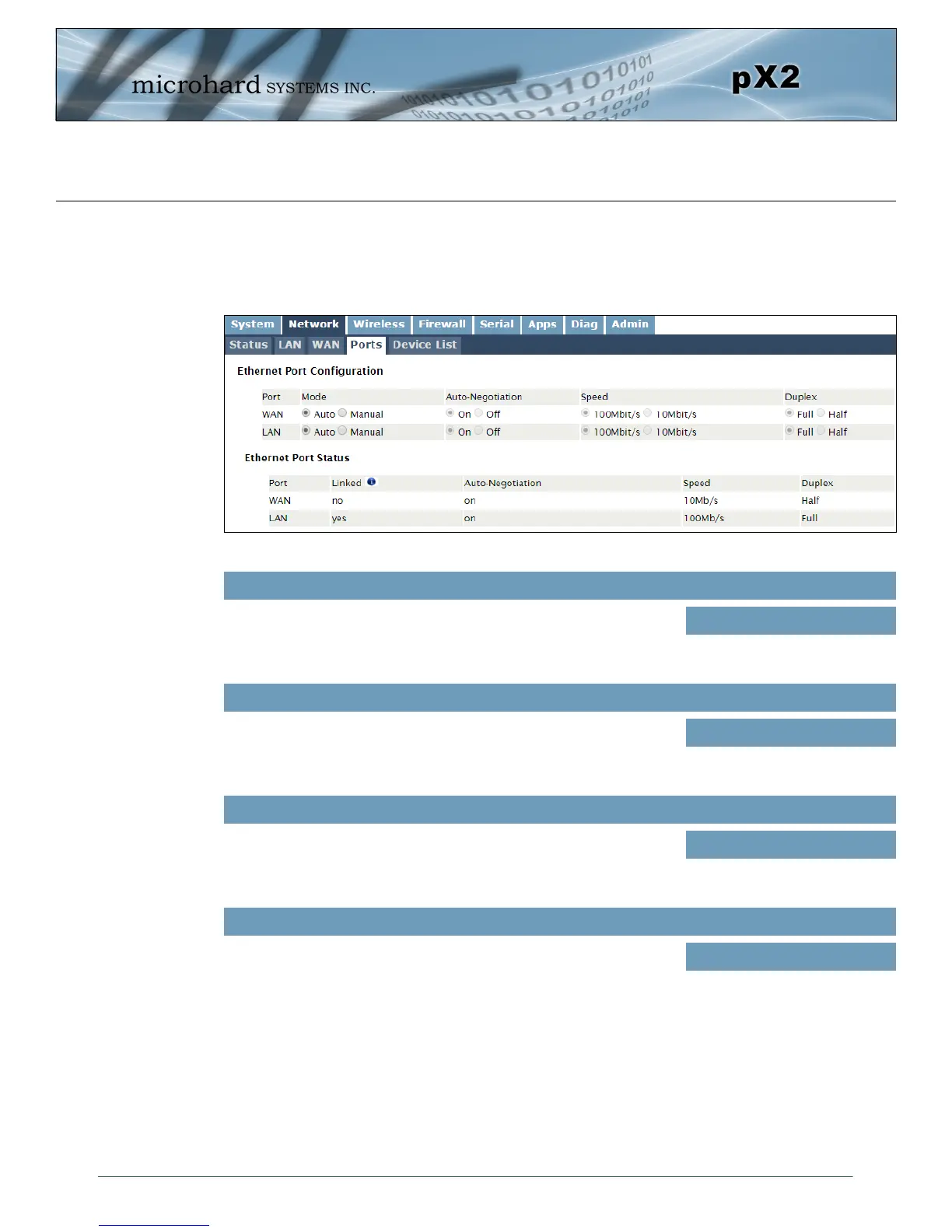
Image 4-2-6: Network > Ports
4.2.4 Network > Ports
The Network > Ports menu can be used to determine the characteristics of the physical Ethernet interfaces
on the pX2. As seen below the Mode (Auto/Manual), Auto-Negotiation, Speed (10/100Mbit/s) and the
Duplex (Full/Half) can all be configured on the pX2.
If set to Auto, the pX2 will negotiate and determine the best connection
speed and mode.
Mode
Values (selection)
Auto / Manual
Enable or disable auto-negotiation.
Auto-Negotiation
Values (selection)
On / Off
If the mode and auto negotiation are set you manual the connection
speed can be specified.
Speed
Values (selection)
100Mbit/s / 10 Mbit/s
Selection between full or half duplex for the direction of data.
Duplex
Values (selection)
Full / Half



 To Next Page