© Microhard Systems Inc. 29
3.0 Hardware Features
3.2.1 pX2 Development Board Connectors & Indicators
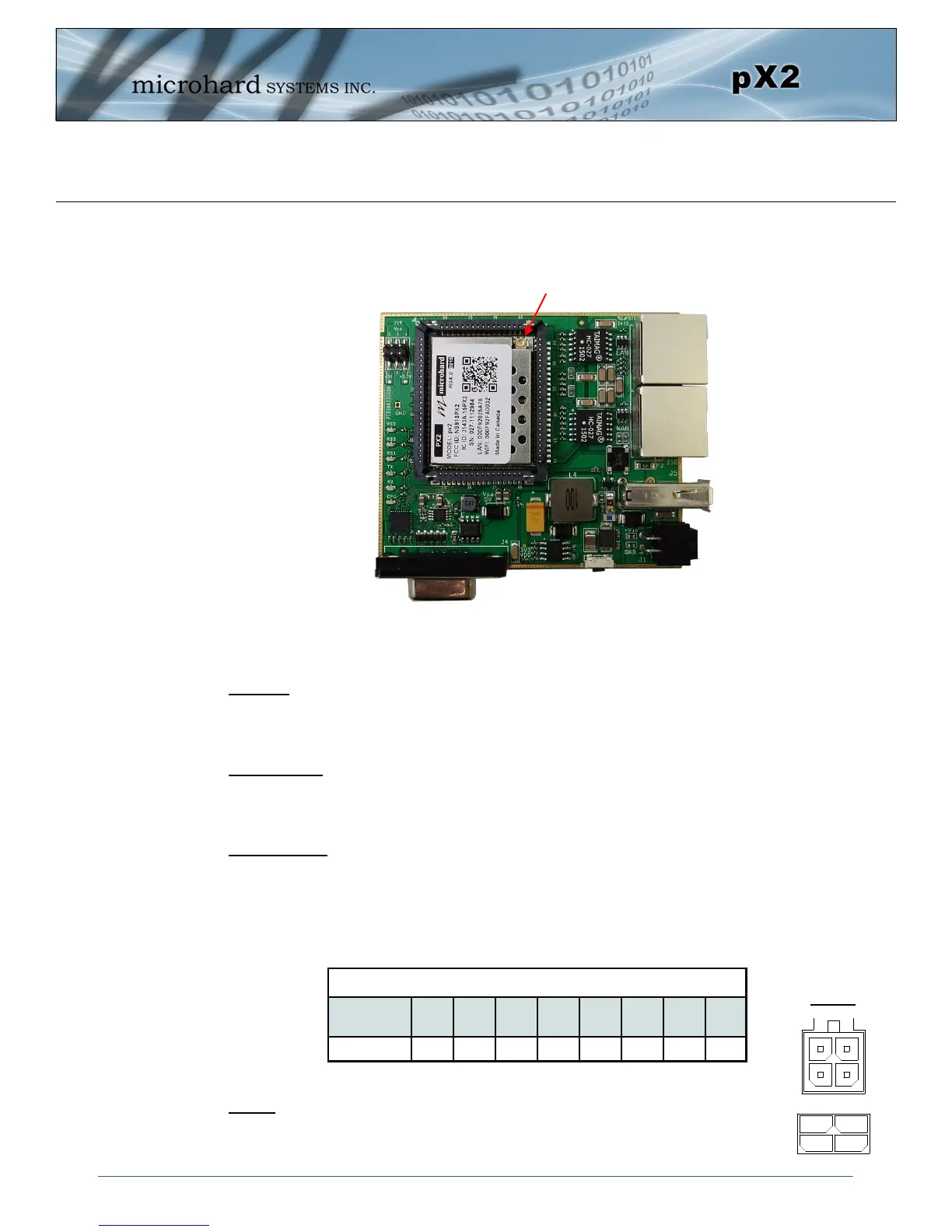
Figure 3-1: pX2 Development Board
Ethernet (LAN)
Ethernet (WAN)
Antenna (UFL)
USB (Future Use)
Power
Config Button
Vpa 3/5V
RSSI LEDs
TX/RX LEDs
CPU/Status
RS232 Serial
*Note Antenna Position*
Antenna:
The pX2 OEM module uses a UFL connector, Ensure proper orientation as seen above to prevent damage
to the pX2 module and to the development board.
Ethernet LAN:
The Ethernet LAN port is a standard RJ45 port to connect local network devices. The default IP address for
this port is 192.168.168.1.
Ethernet WAN:
The Ethernet WAN port is a standard RJ45 Port that can be used as a separate WAN port for Router
functions, or can be bridged (via software) to the LAN as a additional switch port for local devices.
The pX2 development board can be powered using Passive PoE on the WAN port using a PoE injector
that meets the following requirements:
Power:
The pX2 development board can powered using an input voltage in the 9-30 VDC range.
Ethernet RJ45 Connector Pin Number
Source
Voltage
1 2 3 4 5 6 7 8
9 - 30 Vdc Data Data Data DC+ DC+ Data DC- DC-
Table 3-2: Ethernet (WAN) PoE Connections
Vin-
Vin+
GND
GND
Tx-
Tx+
Rx+
Rx-
In
Out
Power



 To Next Page