PDS-104G PoE Switch
Power Over Ethernet PowerView Pro User Guide
Copyright © 2016 Microsemi Page 14 of 48
Rev. 1.0 CPG – PoE BU
One Enterprise Aliso Viejo, CA 92656 USA
3.3 Configuration Web Page
This section describes the following topics:
Unit 1
st
time configuration
Locating the unit over the local LAN Network whenever unit IP address is unknown
Configuration Web Page.
3.3.1 First-Time Configuration
Connect your PC/laptop Ethernet network interface (should be configured to IP 192.168.0.40) to any of the unit
Ethernet/Fiber ports. Open your Web browser and type 192.168.0.50 in the top address field.
Default web username is admin, and default password is password.
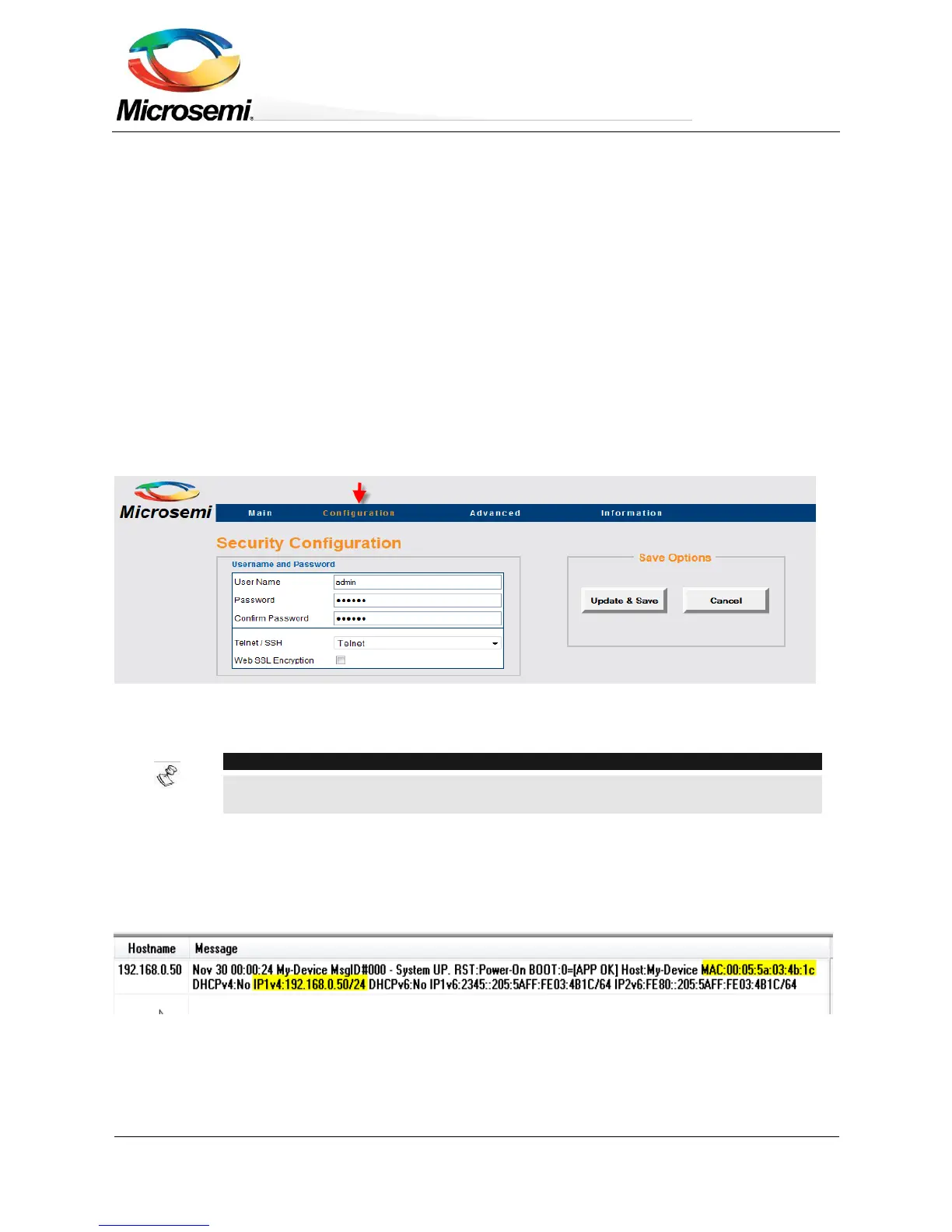
Selecting the Configuration option on the menu will reveal the unit configuration Web page. Please change the
unit remote access username and password to other then admin/password, unit IPv4/IPv6 address, and if
required enable SNMP only after changing the default GET/SET community strings to other than
public/private.
To ease locating the unit over the network, the unit sends an IPv4 SysLog broadcast message advertising its IP
address upon power up and the first time an IPv4/IPv6 is obtained from the DHCPV4/DHCPv6 Server (see
Figure 3-6).
Figure 3-6: Power up SysLog Report – Unit IP, MAC Address, Hostname, and More
3.3.2 Security Configuration
Configure unit user name and password for remote Web or Telnet/SSH access.


 To Next Page