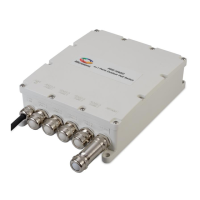
PDS-104G PoE Switch
Power Over Ethernet PowerView Pro User Guide
Copyright © 2016 Microsemi Page 3 of 48
Rev. 1.0 CPG – PoE BU
One Enterprise Aliso Viejo, CA 92656 USA
Table of Contents
1 ABOUT THIS GUIDE ...................................................................................................................................... 5
1.1 OBJECTIVES ............................................................................................................................................................. 5
1.2 AUDIENCE ................................................................................................................................................................. 5
1.3 ORGANIZATION ......................................................................................................................................................... 6
1.4 CONVENTIONS .......................................................................................................................................................... 6
1.5 RELATED DOCUMENTATION ..................................................................................................................................... 6
1.6 ABBREVIATIONS ........................................................................................................................................................ 6
2 INTRODUCING THE POWER VIEW PRO (IPV4, IPV6) .................................................................................... 8
2.1 FEATURES ................................................................................................................................................................ 8
2.2 SYSTEM NETWORK MANAGEMENT CAPABILITIES ................................................................................................... 9
2.3 ETHERNET SWITCH NETWORK CAPABILITIES .......................................................................................................... 9
2.4 POE CAPABILITIES ................................................................................................................................................... 9
2.5 CONFIGURATION OPTIONS ....................................................................................................................................... 9
2.6 SECURITY AND USER AUTHENTICATION .................................................................................................................. 9
2.6.1 Web HTTP/HTTPS, Telnet/SSH – Username & Password .................................................................. 10
2.6.2 SNMP Security ............................................................................................................................................. 10
2.7 DEFAULT UNIT IP, USERNAME AND PASSWORD ..................................................................................................... 10
3 WEB INTERFACE ............................................................................................................................................... 11
3.1 SECURED SSL/TLS WEB INTERFACE – HANDLING CERTIFICATES ....................................................................... 11
3.2 MAIN WEB PAGE .................................................................................................................................................... 11
3.2.1 Main Web Page - Port Status .................................................................................................................... 12
3.2.2 Main Web Page - Unit Status..................................................................................................................... 13
3.2.3 Main Web Page – Ports Status/Reset ...................................................................................................... 13
3.3 CONFIGURATION WEB PAGE ................................................................................................................................. 14
3.3.1 First-Time Configuration ............................................................................................................................. 14
3.3.2 Security Configuration ................................................................................................................................. 14
3.3.3 Network Configuration ................................................................................................................................ 15
Configure unit IPv4, IPv6 and host name parameters. .......................................................................................... 15
3.3.4 Network Services Configuration (IPv4/IPv6) ........................................................................................... 16
3.3.5 SNMP Configuration.................................................................................................................................... 17
3.3.6 PoE Configuration........................................................................................................................................ 18
3.4 ADVANCED WEB PAGE .......................................................................................................................................... 19
3.4.1 Advanced Web Page – Automatic Weekly Schedule PoE Port Activation ......................................... 19
3.4.2 Advanced Web Page – Automatic Weekly Schedule PoE Port Reset ................................................ 20
3.4.3 Advanced Web Page – Reset Unit Options ............................................................................................. 21
3.5 INFORMATION WEB PAGE ...................................................................................................................................... 22
3.5.1 Information Web Page – IP Address in-use ............................................................................................ 22
3.5.2 Information Web Page – Product Information ......................................................................................... 23
3.5.3 Information Web Page – SFP Module Information ................................................................................. 24
4 TELNET/SSH SERIAL INTERFACE .................................................................................................................. 25
4.1 TELNET/SSH – MAIN MENU .................................................................................................................................. 25
4.2 TELNET/SSH – VIEW MENU .................................................................................................................................. 26
4.2.1 Telnet/SSH– View PoE Ports Status ........................................................................................................ 26
4.2.2 Telnet/SSH – View Network Parameters ................................................................................................. 27
4.2.3 Telnet/SSH – View Unit Information ......................................................................................................... 28
4.3 TELNET/SSH – CONFIGURATION AND MAINTENANCE MENU ............................................................................... 29
5 SNMP MONITORING AND CONFIGURATION ................................................................................................ 31
5.1 ENABLING SNMP ................................................................................................................................................... 31


 To Next Page